S2000-К Programming
37 www.bolid.com
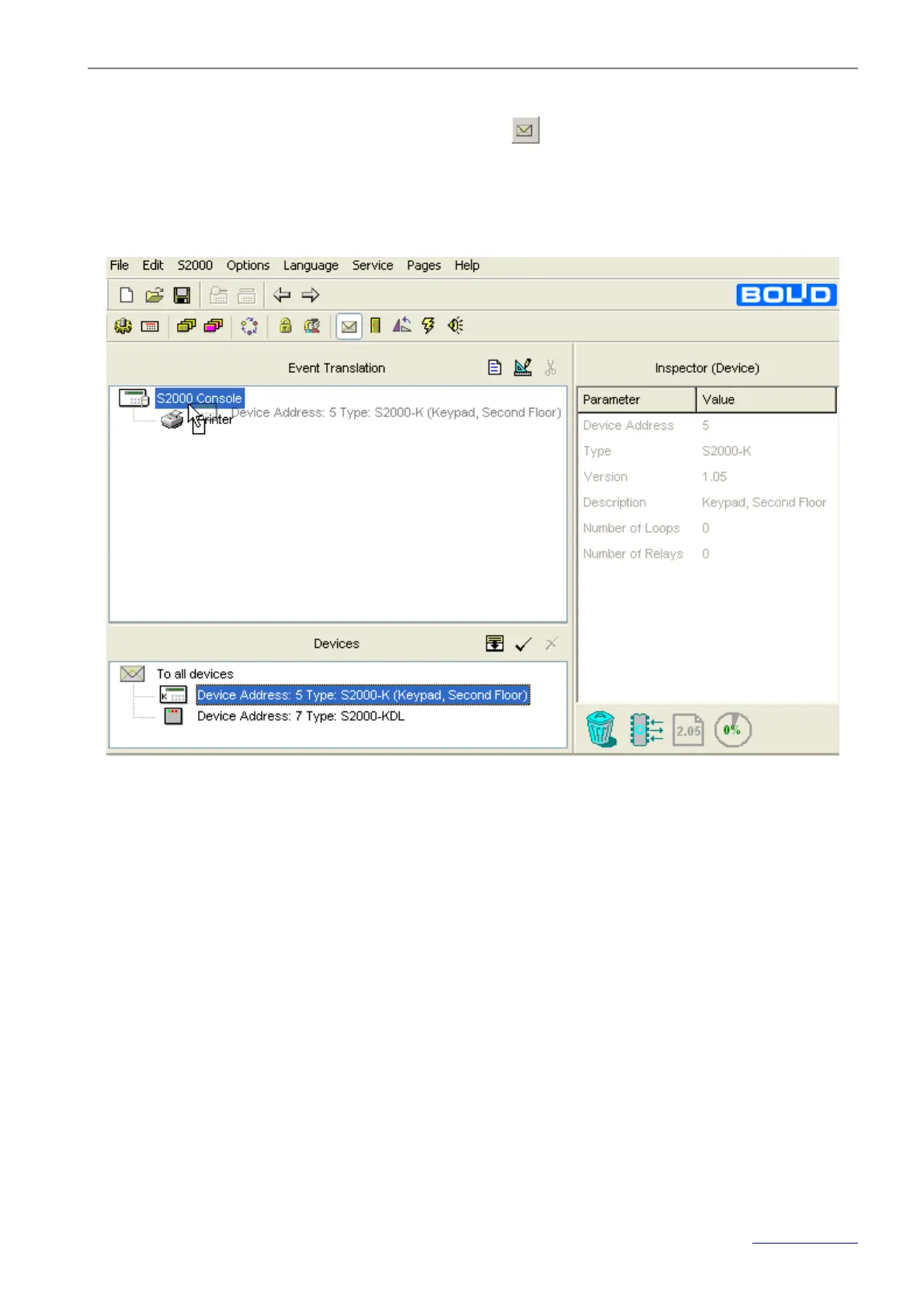
2. Specify the keypad as the device the events in the selected partitions will be translated to. For do-
ing so, go to the Event Translation tab by pressing
, or browsing arrow buttons on the Quick
Access Toolbar, or selecting the Pages®Others®Event Translation menu command. Drag the
keypad descriptor in the Devices window and drop them on the device tree in the Event Translation
window (see Figure 10).
Figure 10



 To Next Page