
 Need help?
Do you have a question about the bolid S2000M and is the answer not in the manual?
Explains the console's role in fire alarm systems and supported devices.
Details technical parameters, electrical requirements, and physical dimensions.
Lists all items included in the console package.
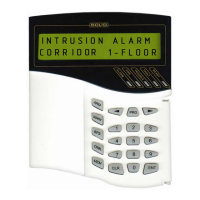
Describes the console's physical features, indicators, and keyboard layout.
Covers initial installation, connection, configuration, and first start procedures.
Instructions for connecting devices via RS-485 and setting unique addresses.
Procedures for setting device parameters and configuring console functions.
Guidelines for safe installation and initial console power-on procedures.
Details how to operate the console for monitoring, control, and system management.
How to view and print system events, alarms, and diagnostic messages.
Procedures for arming, disarming, and checking the status of system partitions.
Manual remote control for loops, outputs, and specific device operations.
 General
| Type | Keypad |
|---|---|
| Model | S2000M |
| Communication Interface | RS-485 |
| Weight | 0.2 kg |
| Operating temperature range | -10°C to +50°C |
| Power Supply | DC |
| Housing Material | Plastic |

 To Next Page

