17
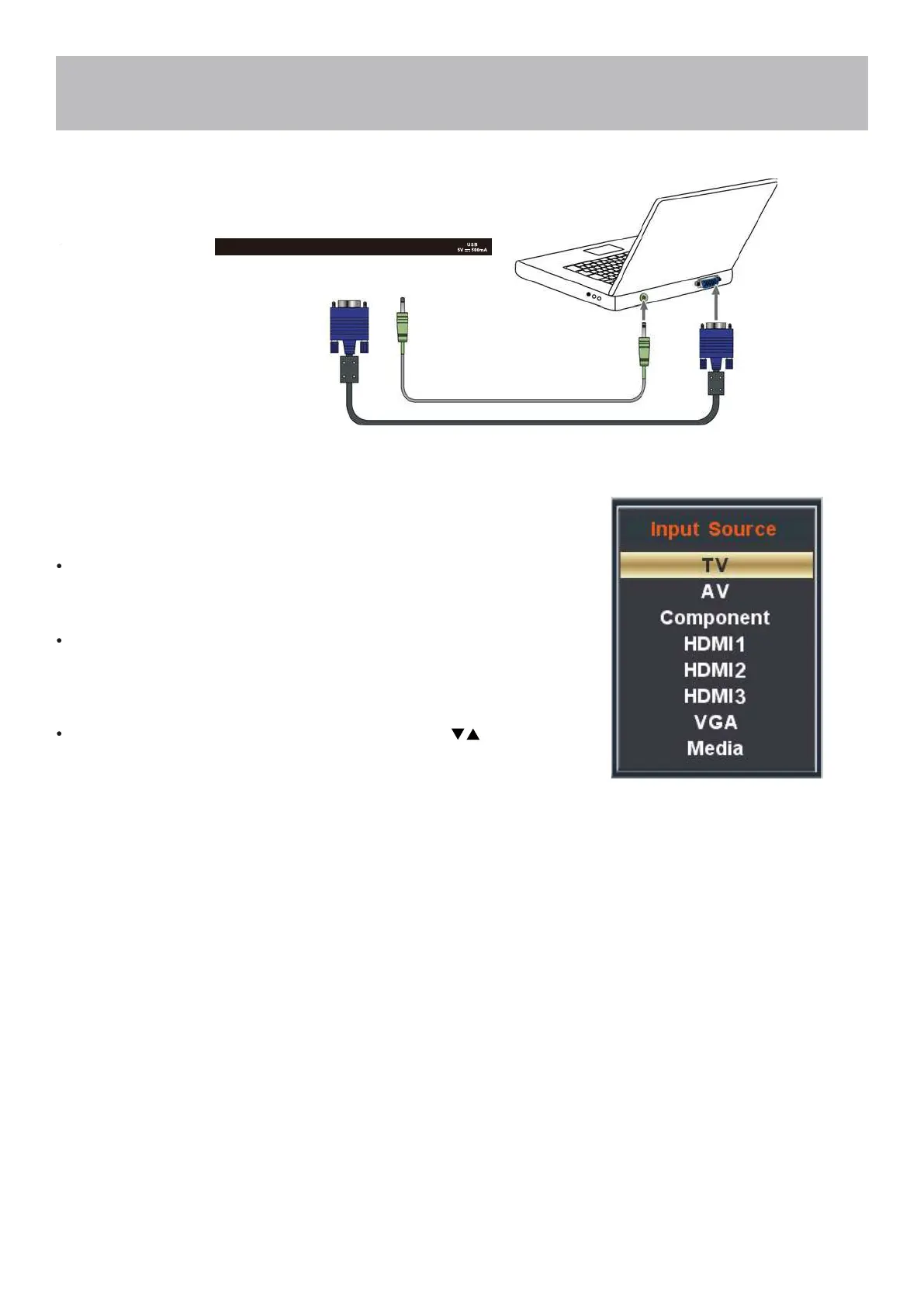
VGA & Audio Cable (not included)
Installation
Connection to a Personal Computer
Connecting a Personal Computer with VGA to your television
Recommended computer display resolution:1366x768@60 Hz
How to Connect a PC
Connect using an optional male to male VGA cable (not included) from
your PC to the VGA input on the TV’s panel.
How to Connect Audio sound
Connect an audio cable (not included) from the
computer’s mini audio output jack to the audio input on the TV’s
panel.
How to Use
Press the INPUT button on the remote control. Use the buttons
to highlight the VGA input and press the ENTER button.
NOTE: If your PC uses a standard signal mode, the screen will adjust
automatically .
HDMI2
VGA
HDMI3(MHL)
PC
AUDIO
TV


 To Next Page