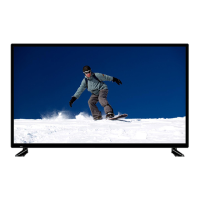
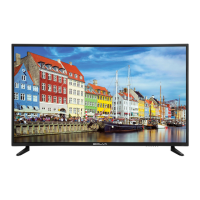
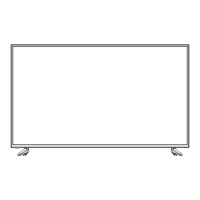
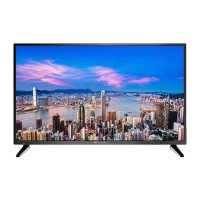
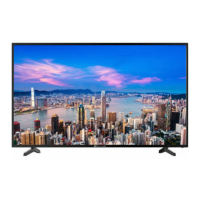
This document is a user manual for a BOLVA 50" 4K Ultra HD Television, model 50BL00H7-01.
Function Description:
The BOLVA 50" 4K Ultra HD Television is designed to provide high-resolution visual and audio entertainment. It functions as a display for various input sources including digital cable boxes, satellite receivers, DVD players, gaming consoles, and MHL-enabled mobile devices. The television supports both over-the-air antenna reception and cable/satellite connections. It features a remote control for easy navigation and adjustment of settings, as well as on-device controls for basic functions. The TV includes a setup wizard for initial configuration, allowing users to select language, set time, and perform channel scans. It also offers various picture and audio adjustment menus to customize the viewing and listening experience. Parental control features are available to block programming based on TV ratings and Motion Picture Association guidelines. The television supports USB media playback for photos and music, and MHL connectivity for mirroring compatible mobile devices.
Important Technical Specifications:
- Display: UHD LED
- Size (inch): 50" Diagonal
- Aspect Ratio: 16:9
- Digital Compatibility: 480p/720p/1080i/1080p/2160p
- Resolution: 3840x2160
- Brightness (cd/m2): 200
- Dynamic Contrast Ratio: 3000:1
- Vertical Viewing Angle (degrees): 178°
- Horizontal Viewing Angle (degrees): 178°
- Maximum Colors (millions): 16.7M
- Power Consumption: 130 W
- Audio Power: 2 x 8W
- Dimension without Stand: 44.6" (W) x 26.1" (H) x 3.7" (D)
- Weight (may vary ± 10%): 35.5 lbs
- Input Connections:
- Composite Video: (1)
- Y Pb Pr: (1)
- HDMI: (4)
- HDMI with MHL: (1) (HDMI4 is MHL-enabled)
- CABLE-ANTENNA: (1)
- Optical: (1)
- AUDIO out: (1)
- USB: (1)
Usage Features:
- Remote Control: The TV comes with a remote control powered by two AAA batteries. It has a range of approximately 16 feet at an angle of no greater than 30° to the IR sensor. The remote allows control over power, input/source selection, volume, channel changes, menu navigation, picture and audio settings, sleep timer, aspect modes, and media playback.
- On-Device Controls: Front and side panel buttons provide basic control over power, menu, channel, and volume.
- Installation: The TV can be installed on a tabletop using the included pedestal base or wall-mounted using a VESA 400x200 bracket (not included).
- Connectivity:
- HDMI: Connects digital cable boxes, satellite receivers, DVD/Blu-ray players, or gaming consoles using HDMI cables. HDMI4 supports MHL.
- Component (YPbPr): Connects devices using YPbPr and L/R audio cables.
- Composite (AV): Connects devices using yellow (video), red (audio L), and white (audio R) cables.
- Antenna/Cable: Connects to a roof-top antenna, indoor antenna, or wall outlet for broadcast channels.
- Optical Out: Connects to a home theater audio system for high-quality digital audio, supporting 2-channel stereo or 5.1 surround sound.
- USB: Allows playback of photos and music from USB flash drives or hard drives.
- MHL: Connects MHL-enabled smartphones and tablets to display their screen on the TV via HDMI4.
- Setup Wizard: Guides users through initial setup, including language selection, time zone, daylight saving time, and channel auto scan (for antenna/cable connections without a set-top box).
- Picture Settings: Offers various picture modes (Standard, Dynamic, Soft, User, Power Saving) and adjustable parameters like contrast, brightness, color, tint, sharpness, and color temperature (Cool, Normal, Warm). Advanced settings are also available.
- Audio Settings: Provides sound modes (Music, Movie, User, Standard) and adjustable parameters like bass, treble, balance, MTS (Mono, Stereo, SAP), digital audio output (Raw, Off, PCM), surround sound (Off, On), and AVL (Off, On).
- Time Settings: Allows adjustment of sleep timer, time zone, daylight saving time, time format, and auto clock settings.
- Setup Settings: Includes menu languages, OSD transparency, OSD timeout, input label customization, and a setup wizard.
- Closed Captions: Enables closed captioning with options for CC Mode (Off, On, On on Mute), Analog CC (CC1-4, TEXT1-4, Off), Digital CC (Off, Service 1-6), and customization of text fonts, colors, and opacities.
- CEC Settings: Controls compatible external devices connected via HDMI, including Device Auto Power Off, TV Auto Power On, Audio Receiver control, and device lists.
- Parental Control: Allows blocking of TV and movie programming based on USA (TV ratings, MPAA) and Canadian (C, C8+, G, PG, 14+, 18+; G, 8 ans+, 13 ans+, 16 ans+, 18 ans+) rating guidelines. Access is password-protected (default "0000").
- Channel Settings: Manages favorite channels, allows hiding/showing channels, labeling channels, and performing TV channel setup and auto scan.
- Aspect Modes: Offers various viewing display options for 16:9 screens: Normal (for native widescreen or undistorted 4:3 with black bars), Wide (stretches 4:3 content), Zoom (stretches vertically and horizontally, crops images), and Cinema (fills screen for 4:3 content, eliminates side black bars). Not available for digital broadcasts.
Maintenance Features:
- Cleaning: Unplug the TV before cleaning. Use a soft, slightly damp cloth; avoid liquid or aerosol cleaners.
- Battery Replacement: The remote control requires two AAA batteries. Remove batteries if not using the remote for an extended period to prevent chemical leakage. Do not mix old and new batteries or different types.
- Troubleshooting Guide: The manual includes a troubleshooting section to address common issues such as no signal, no color, video noise, blocked channels, no sound, black box on screen, no power, no picture, and remote control malfunction. Solutions often involve checking connections, adjusting settings, performing channel scans, or replacing batteries.
- Servicing: Do not attempt to service the TV yourself. Refer all servicing to qualified service personnel, especially if the power cord is damaged, liquid has been spilled, objects have fallen into the apparatus, it has been exposed to rain/moisture, does not operate normally, has been dropped, or exhibits a distinct change in performance.
- Safety Instructions: Emphasizes reading and keeping instructions, heeding warnings, following instructions, avoiding water, ensuring proper ventilation, installing away from heat sources, using polarized/grounding plugs correctly, protecting power cords, using manufacturer-specified attachments, using caution with carts, unplugging during lightning storms or long periods of disuse, and avoiding exposure to rain or moisture. It also warns against overloading outlets, inserting objects into openings, and attempting self-repair.

 Need help?

 To Next Page
 General