Need help?
Do you have a question about the Bolva 55CBL-01 and is the answer not in the manual?
Lists items included in the TV package, such as remote, batteries, manuals, and base.
Explains how to insert AAA batteries into the remote control correctly.
Details the functions and buttons of the television's remote control.
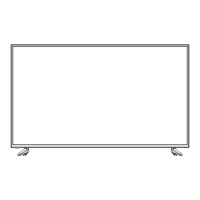
Identifies and describes the front and rear physical features and ports of the TV.
Illustrates and describes the various input/output ports located on the rear of the TV.
Guides users on connecting devices via HDMI cables to the TV.
Explains how to connect devices using Component (YPbPr) video and audio cables.
Details the process of connecting devices using Composite AV cables.
Describes how to connect the TV to antenna or cable/satellite sources.
Provides instructions for connecting the TV to audio systems like receivers or amplifiers.
Guides the user through the initial configuration steps when first turning on the TV.
Options to adjust picture quality parameters like brightness, contrast, color, and sharpness.
Adjustments for sound modes, bass, treble, balance, and digital audio output.
Configuration for time zone, daylight saving time, and sleep timer settings.
General setup options including language, OSD transparency, and factory reset.
Settings for enabling and customizing closed caption display and text.
Controls for connected HDMI devices, enabling features like auto power on/off.
Options to block TV or movie programming based on US rating systems.
Options to block TV or movie programming based on Canadian rating systems.
Manages channel reception, favorites, show/hide, and channel labeling.
Instructions for re-scanning channels or managing TV provider settings.


 To Next Page
 General