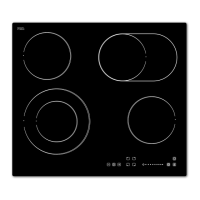
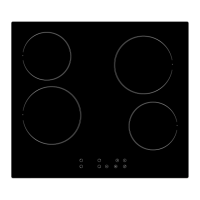
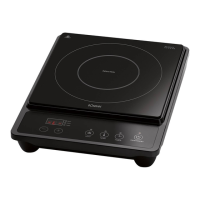
Residual heat indicator
Residual heat indicatorResidual heat indicator
Residual heat indicator
WARNING: Risk of burns!
WARNING: Risk of burns!WARNING: Risk of burns!
WARNING: Risk of burns!
Do
not touch the cooking zones while the residual
heat indicator lights up.
After switching off
the corresponding zone is indicated with
This warns against touching the
Timer functions
Timer functionsTimer functions
Timer functions
Gerneral information
Gerneral informationGerneral information
Gerneral information
•
The timer can automatically switch off one or
minutes. As long as the minute indicator in the
timer display flashes, the setting can
• A red dot beside the power level
timer is set for this cooking zone.
er mode, the power level can
The timer function is canceled with power off.
Using the timer to switch off
Using the timer to switch off Using the timer to switch off
Using the timer to switch off
one cooking zone
one cooking zoneone cooking zone
one cooking zone
• Select the cooking zone
set the timer.
• Press the timer button 3
33
3
shows [
[[
[
10
]
]]
] and the flashing [
[[
[
0
]
]]
]
ten. Do the setting with the buttons
• Press the timer button 3
33
3
The timer display shows the remaining
Using the timer
Using the timer Using the timer
Using the timer
to switch off several cooking zones
to switch off several cooking zonesto switch off several cooking zones
to switch off several cooking zones
timer setting for several cooking zones as
one cooking zone".
• The timer display shows
the cooking zone for which the shortest maturity
was selected. The cooking zone
hing dot next to the power level
not touch the cooking zones while the residual
the corresponding zone is indicated with
The timer can automatically switch off one or
minutes. As long as the minute indicator in the
timer display flashes, the setting can
er mode, the power level can
The timer function is canceled with power off.
one cooking zone
one cooking zoneone cooking zone
one cooking zone
ten. Do the setting with the buttons
The timer display shows the remaining
to switch off several cooking zones
to switch off several cooking zonesto switch off several cooking zones
to switch off several cooking zones
timer setting for several cooking zones as
the cooking zone for which the shortest maturity
hing dot next to the power level
operation period of this cooking zone
of the cooking zone for which the next shortest
maturity was selected.
NOTE
NOTENOTE
NOTE:
::
:
You can view the remaining time
appropriate cooking zone.
At the end of the set time,
ly switches off, several beeps sounds and
the timer display shows [
[[
[
- -
]
]]
].
Using the timer as m
Using the timer as mUsing the timer as m
Using the timer as m
inute minder
inute minderinute minder
inute minder
NOTE
NOTENOTE
NOTE:
::
:
The tim
er as minute minder does not activate the
off of a cooking zone. It is merely a
reminder function during cooking. The
Deleting the timer settings
Deleting the timer settingsDeleting the timer settings
Deleting the timer settings
• Select the cooking zone
cancel the timer.
• Press the timer button 3
33
3
es.
• Press the button (
((
(-
--
-)
))
)
the setting has been canceled.
Child proof lock
Child proof lockChild proof lock
Child proof lock
NOTE
NOTENOTE
NOTE:
::
:
To protect against ac
cidental operation, the appl
is equipped with a locking function.
operation period of this cooking zone
of the cooking zone for which the next shortest
You can view the remaining time
appropriate cooking zone.
ly switches off, several beeps sounds and
inute minder
inute minderinute minder
inute minder
er as minute minder does not activate the
off of a cooking zone. It is merely a
reminder function during cooking. The
the setting has been canceled.
cidental operation, the appl
is equipped with a locking function.

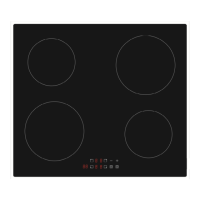

 To Next Page
 Loading...