EasyManua.ls Logo

bonitron M3452-U600CK6 - User Manual

Default Icon
68 pages
Print Icon
To Next Page IconTo Next Page
Loading...
Web: www.bonitron.com Tel: 615-244-2825 Email: info@bonitron.com
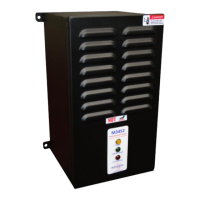
Model M3452
Heavy Duty Braking Transistor
with EtherNet / IP
®
or PROFIBUS
®
DP
Communications
K6, K9, K10, M14, T10 Chassis
R8EIP, R8PDP Options
Customer Reference Manual

Table of Contents

Question and Answer IconNeed help?

Do you have a question about the bonitron M3452-U600CK6 and is the answer not in the manual?

Summary

Product Description

Part Number Breakdown

Explains how to interpret the model number for specific configurations.

General Specifications

Provides key technical specifications for the M3452 braking module.

General Precautions and Safety Warnings

Highlights critical safety precautions and warnings for installation and operation.

Installation Instructions

Wiring and Customer Connections

Details all wiring and customer connection procedures for the module.

Power Wiring

Covers wire sizing and connection procedures for power wiring.

DC Bus Connection

Explains correct DC bus connection, polarity, and potential risks.

I;O Wiring

Describes the terminal block specifications and I/O wiring for the R8 control board.

Typical Configurations

Illustrates common system configurations for the braking modules.

Operation

Functional Description

Explains how the M3452 module controls bus voltage by transferring energy to a resistor.

Features

Details the various features and indicators of the M3452 braking module.

Terminal Strip I;O

Details the I/O terminals, including V+ Supply, Enable, Discharge, Reset, and Status.

Master; Slave Control

Explains how to connect multiple modules in parallel for higher current ratings.

Wiring for Master; Slave Operation

Details the wiring requirements for master/slave configurations using daisy-chain connections.

Configuration

Describes how to configure modules for master or slave operation.

Fieldbus I;O

Covers input/output operations via a fieldbus network.

Inputs

Details the input registers for controlling the braking module, including control bits.

Setpoint Adjust - Word 1

Describes how to adjust the braking setpoint using input word 1.

Outputs

Details the output data words that describe the module's status.

Fault Modes

Fault Flags

Details the individual system fault flags represented by output data bits.

Short IGBT - Bit 5

Signals a failure of the braking power transistor (IGBT).

Instantaneous Overcurrent - Bit 6

Indicates a high transient current through the main chopper.

Network Configuration

Explains how network configuration depends on the purchased network type.

EtherNet;IP

Details the configuration options for the EtherNet/IP interface.

Ethernet; IP Addressing Switches

Explains how to set a static IP address using DIP switches on the interface card.

Online Module Configuration with Anybus IPConfig

Guides users through configuring IP settings using the Anybus IPconfig software.

Online Module Configuration Through a Web Browser

Describes how to configure the module via a web browser.

PLC Configuration (EtherNet;IP)

Provides instructions for configuring the PLC with EDS files and data ranges.

PROFIBUS DP

Covers configuration and status indicators for the PROFIBUS DP network interface.

PROFIBUS Configuration Switches

Explains the termination and node address switches for PROFIBUS configuration.

Startup

Provides essential guidelines and warnings before powering up the system.

Startup Procedure and Checks

Outlines the step-by-step procedure for starting up the drive and braking module.

Maintenance and Troubleshooting

Troubleshooting

Provides guidance for diagnosing and resolving common issues with the module.

Blown DC Bus Fuse

Explains potential causes and warnings associated with a blown DC bus fuse.

Drive Trips on Overvoltage

Provides troubleshooting steps for overvoltage trips in the drive system.

Appendices

Sizing Your Braking Requirements

Guides on how to determine the correct braking requirements for an application.

Common Bus Application Note

Provides specific application notes for common DC bus systems.

Summary

Product Description

Part Number Breakdown

Explains how to interpret the model number for specific configurations.

General Specifications

Provides key technical specifications for the M3452 braking module.

General Precautions and Safety Warnings

Highlights critical safety precautions and warnings for installation and operation.

Installation Instructions

Wiring and Customer Connections

Details all wiring and customer connection procedures for the module.

Power Wiring

Covers wire sizing and connection procedures for power wiring.

DC Bus Connection

Explains correct DC bus connection, polarity, and potential risks.

I;O Wiring

Describes the terminal block specifications and I/O wiring for the R8 control board.

Typical Configurations

Illustrates common system configurations for the braking modules.

Operation

Functional Description

Explains how the M3452 module controls bus voltage by transferring energy to a resistor.

Features

Details the various features and indicators of the M3452 braking module.

Terminal Strip I;O

Details the I/O terminals, including V+ Supply, Enable, Discharge, Reset, and Status.

Master; Slave Control

Explains how to connect multiple modules in parallel for higher current ratings.

Wiring for Master; Slave Operation

Details the wiring requirements for master/slave configurations using daisy-chain connections.

Configuration

Describes how to configure modules for master or slave operation.

Fieldbus I;O

Covers input/output operations via a fieldbus network.

Inputs

Details the input registers for controlling the braking module, including control bits.

Setpoint Adjust - Word 1

Describes how to adjust the braking setpoint using input word 1.

Outputs

Details the output data words that describe the module's status.

Fault Modes

Fault Flags

Details the individual system fault flags represented by output data bits.

Short IGBT - Bit 5

Signals a failure of the braking power transistor (IGBT).

Instantaneous Overcurrent - Bit 6

Indicates a high transient current through the main chopper.

Network Configuration

Explains how network configuration depends on the purchased network type.

EtherNet;IP

Details the configuration options for the EtherNet/IP interface.

Ethernet; IP Addressing Switches

Explains how to set a static IP address using DIP switches on the interface card.

Online Module Configuration with Anybus IPConfig

Guides users through configuring IP settings using the Anybus IPconfig software.

Online Module Configuration Through a Web Browser

Describes how to configure the module via a web browser.

PLC Configuration (EtherNet;IP)

Provides instructions for configuring the PLC with EDS files and data ranges.

PROFIBUS DP

Covers configuration and status indicators for the PROFIBUS DP network interface.

PROFIBUS Configuration Switches

Explains the termination and node address switches for PROFIBUS configuration.

Startup

Provides essential guidelines and warnings before powering up the system.

Startup Procedure and Checks

Outlines the step-by-step procedure for starting up the drive and braking module.

Maintenance and Troubleshooting

Troubleshooting

Provides guidance for diagnosing and resolving common issues with the module.

Blown DC Bus Fuse

Explains potential causes and warnings associated with a blown DC bus fuse.

Drive Trips on Overvoltage

Provides troubleshooting steps for overvoltage trips in the drive system.

Appendices

Sizing Your Braking Requirements

Guides on how to determine the correct braking requirements for an application.

Common Bus Application Note

Provides specific application notes for common DC bus systems.

bonitron M3452-U600CK6 Specifications

General IconGeneral
Brandbonitron
ModelM3452-U600CK6
CategoryControl Unit
LanguageEnglish

Related product manuals