59
EN
Automatic functions: recipes
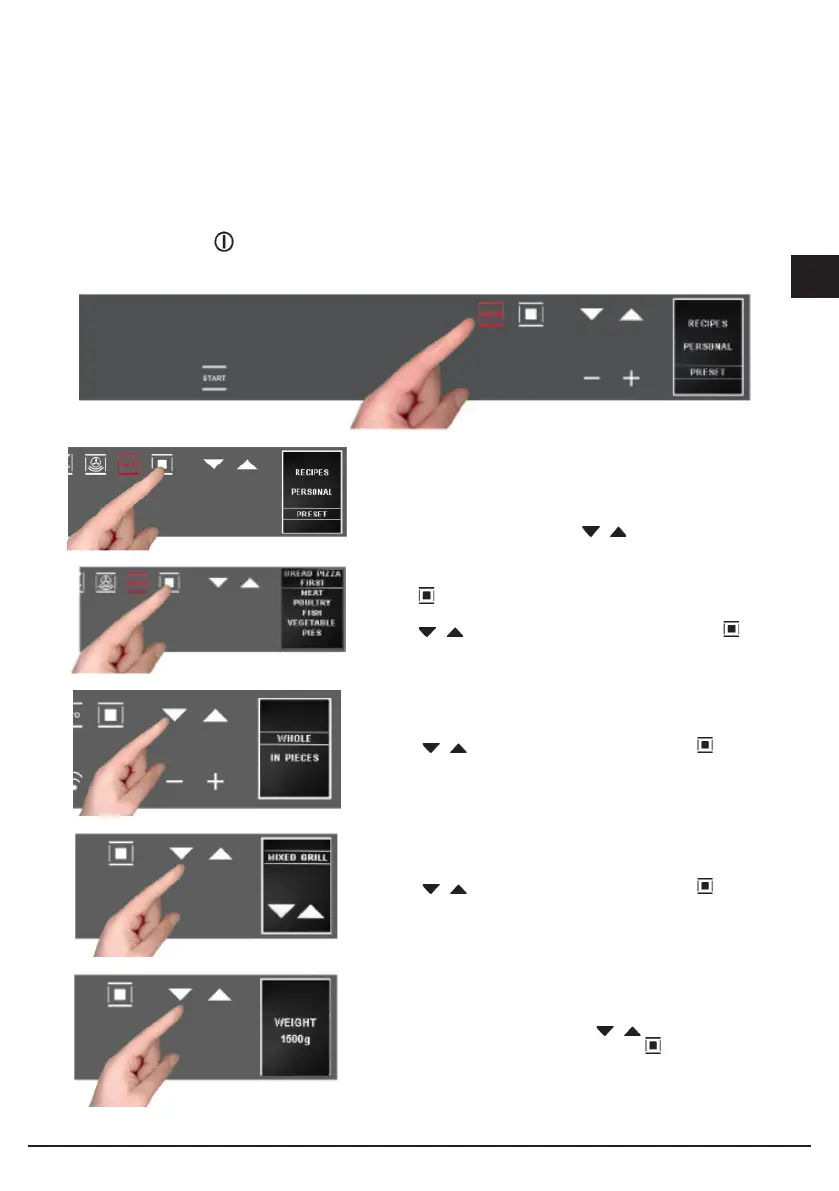
To access the recipe function, proceed as follows:
Turn on the oven with ;
Select the AUTOMATIC function
The display shows the 2 options:
- personal recipes;
- preset recipes
Choose the desired setting with the buttons;
using the button, confirm the choice;
the following menu appears;
press the buttons to select the type of dish and the button
to confirm the choice.
Press the buttons to select the type and the to confirm
the choice.
Press the buttons to select the type and the to confirm
the choice.
The weight screen appears. Use the buttons to select the
preset values and confirm the choice with the button.


 To Next Page