- 14 -
RUNNING BELT ADJUSTMENTS
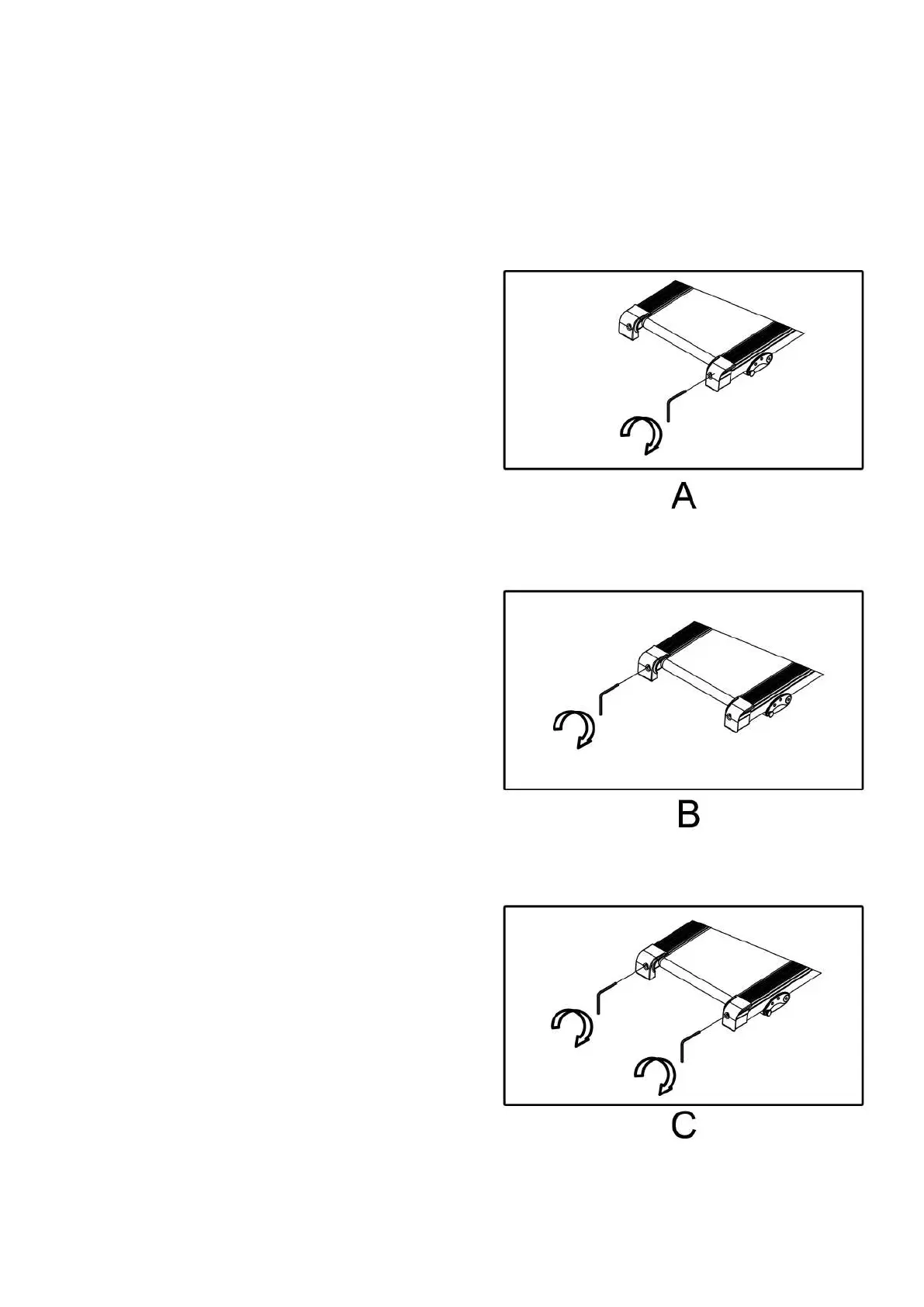
● If the belt has drifted to the right,
unplug the safety key and power switch,
turn the right adjusting bolt 1/4 turn
clockwise, then start running until center-
ing the belt. PIC A
● If the belt has drifted to the left, pull
out of the safety key and switch, turn the
left adjusting bolt 1/4 turn clockwise,
then start running until centering the
belt. PIC B
● For the belt after running for a period
of time, adjust the belt tightness in time.
Pull out of the safety key and switch, turn
the left and right adjusting bolt 1/4 turn
clockwise, then re-start running, confirm
the belt-tightness until the belt has right
tightness. PIC C
● Place the treadmill on a level surface. Run the treadmill at approximately 3.7-5 mph,
checking the running condition.


 To Next Page