- 8 -
OPERATION GUIDE
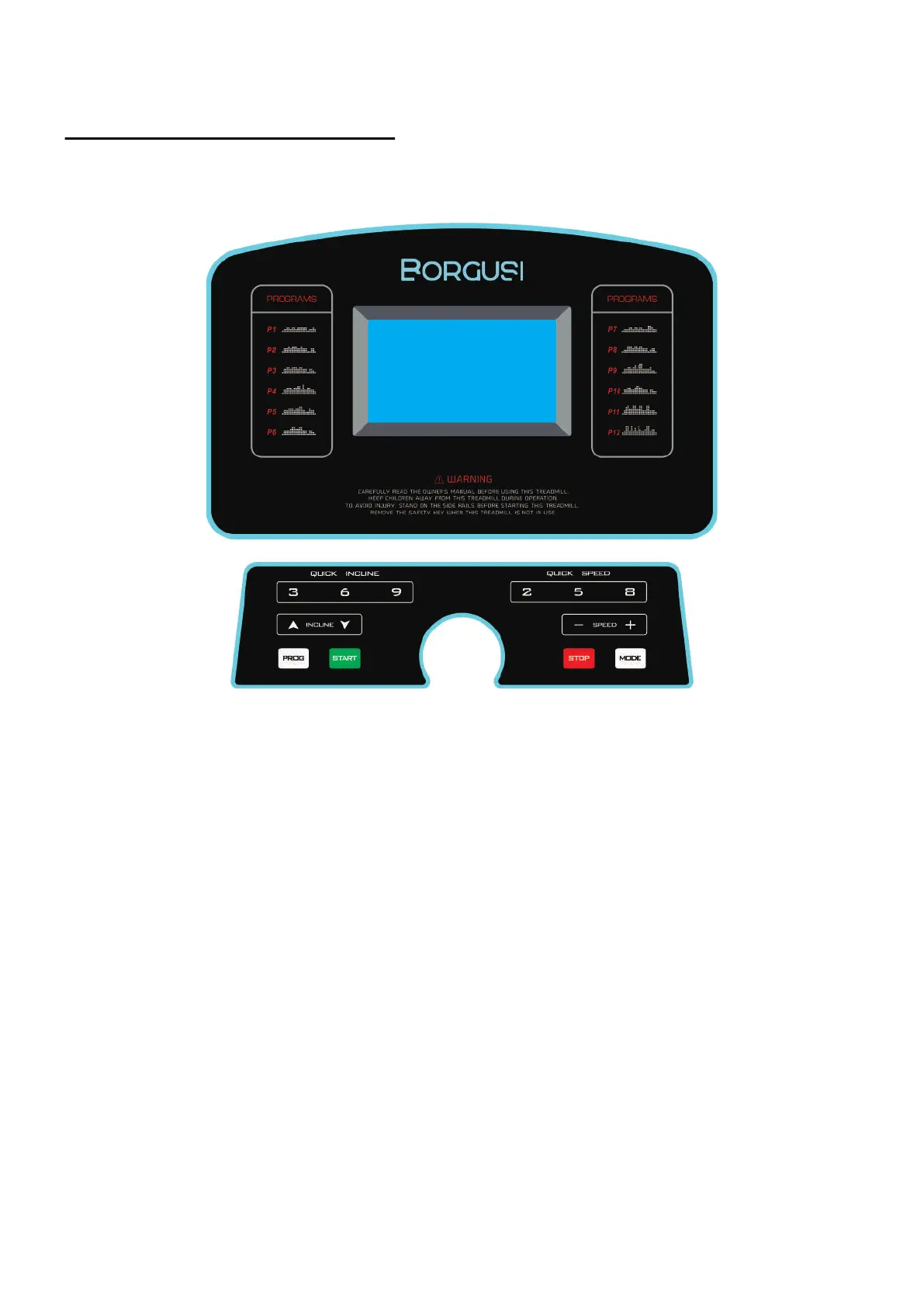
2. LCD WINDOW DISPLAY DETAILS
PROG: Show programs, “---” is displayed in manual mode.
TIME: Show running time.
SPEED: Show speed. During the start-up process, a 3-second countdown is displayed: 3, 2, 1.
INCLINE/PULSE: Show incline/heartbeat data. When the INCL character is lit, the corresponding
window displays the incline; when the PULSE character is lit, the corresponding window displays
the heartbeat data.
CAL/DIST: Show calories/distance. When the CAL character is lit, the corresponding window
displays the calories; when the DIST character is lit, the corresponding window displays the
distance. Heat and mileage are displayed alternately every 5 seconds.
3. BUTTON FUNCTION
3.1. PROG button: Press this button to choose the program from manual mode“P1-P15”-“FAT”.
3.2. MODE button:
3.2.1. When the treadmill is in the standby state, press this button to choose the mode: manual
mode, time count down mode, distance count down mode, calories count down mode.
1. DISPLAY WINDOW


 To Next Page