8
4. Release trigger. Turn the PRIME/SPRAY knob to PRIME.
Turn the pump OFF (O). Trigger the gun into the waste con-
tainer to be sure that no pressure is le in the hose.
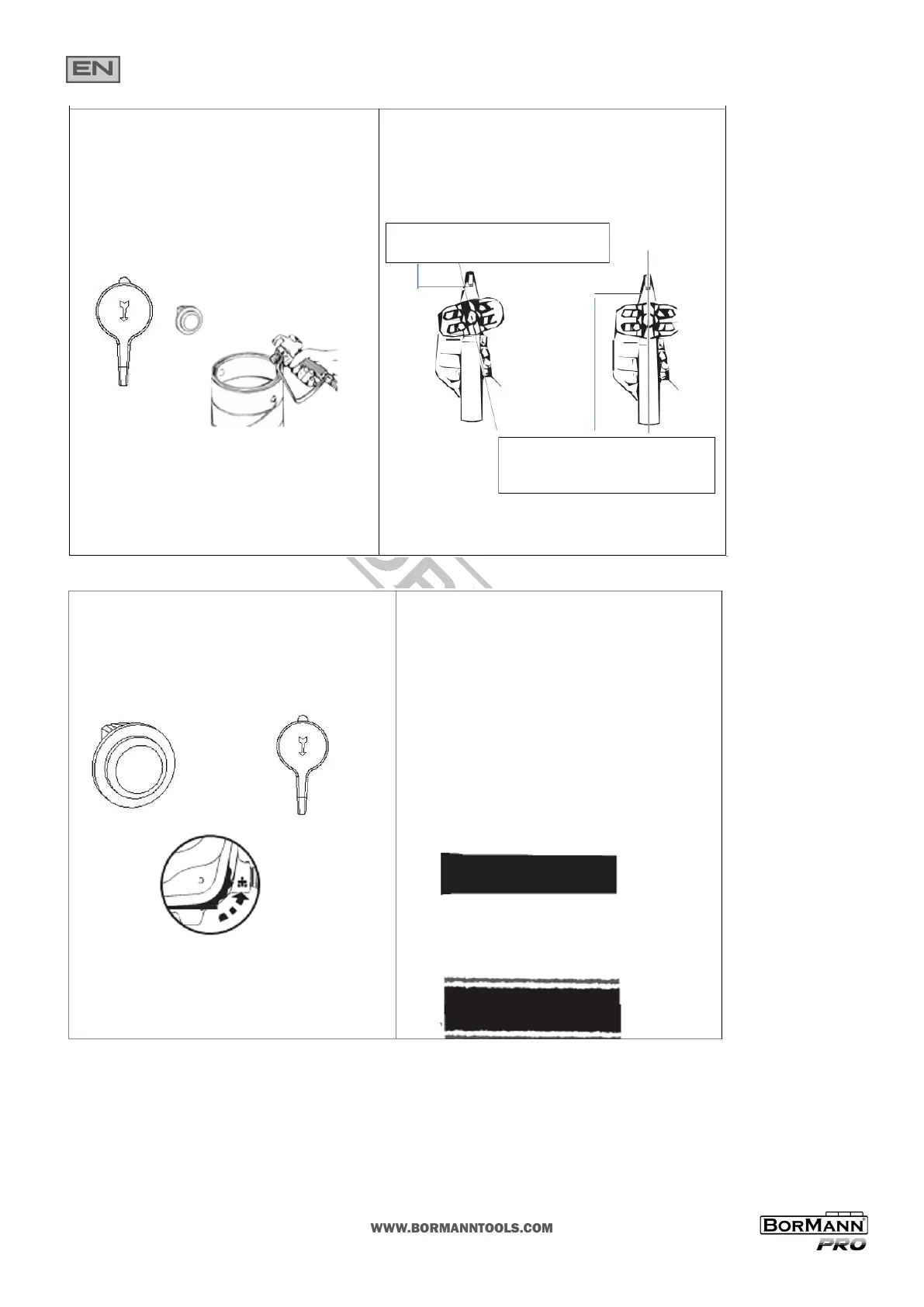
5. Lock the spray gun o. Make sure the saddle and black seal are in
place inside the p guard nut. Thread the spray p guard assembly
onto the gun. Tighten by hand.
Begin ghtening the p at this angle
To achieve the desired spray angle when
ght
NOTE - Be sure that the paint hose is free of kinks and clear of objects with sharp cung edges.
1. Switch the pump ON (l). Turn the PRIME/SPRAY knob to
SPRAY. Turn the pressure control dial to maximum pressure (+).
The spray hose should sen as paint begins to ow through it.
2. When motor shuts o, unlock the spray gun and spray a test
area to check the spray paern.
The motor will cycle on and o automacally as it needs pres-
sure.
The pressure control dial can be be adjusted up or down to
achieve the desired spray paern.
Good spray paern
Paint tailing paern (pressure too low, clogged p)


 To Next Page