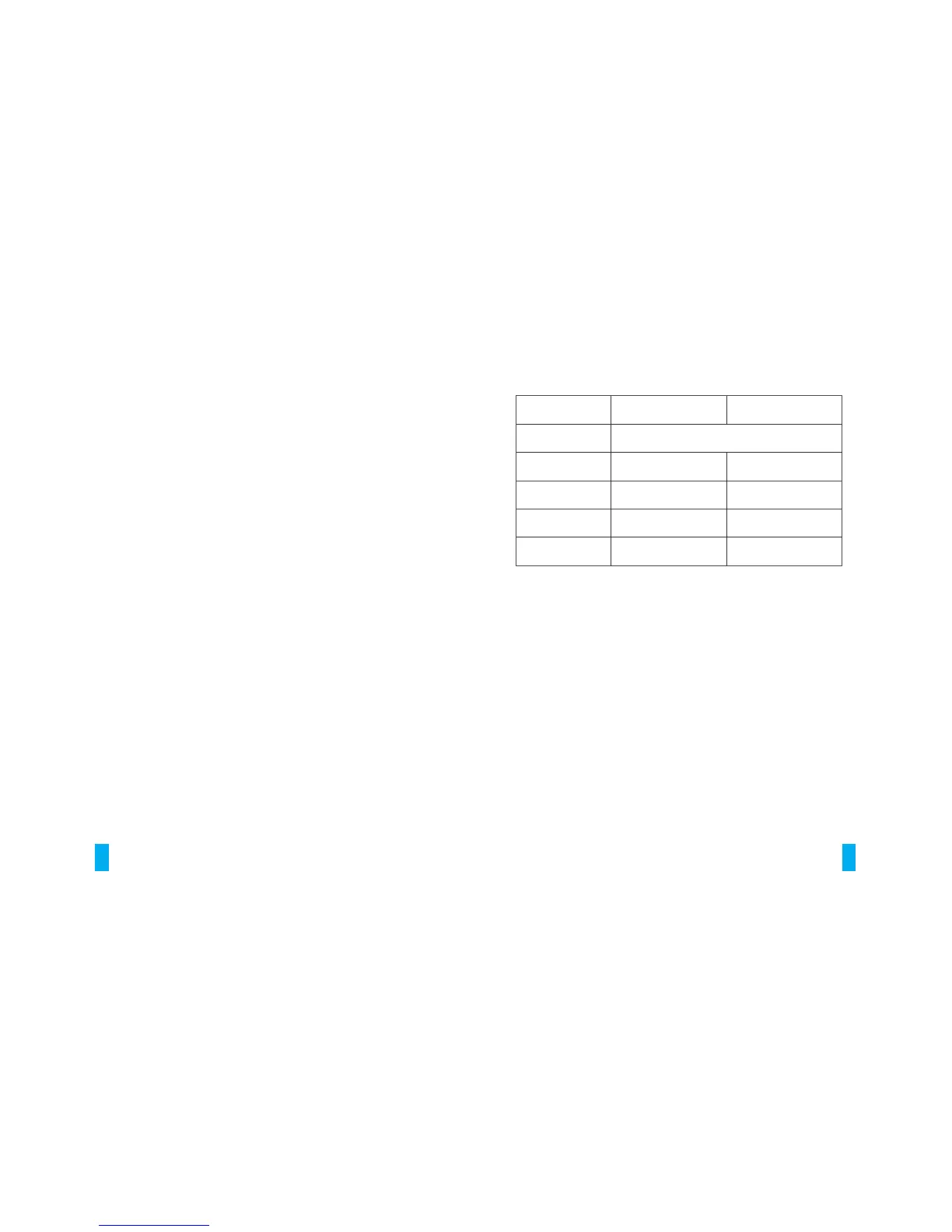
HR LOWER LIMIT
Disable alert
TYPES
None (Default)
Warm Up
Burn Fat
Fitness
Training
HR UPPER LIMIT
50%
60%
70%
80%
60%
70%
80%
90%
OPERATING IN TIMER MODE
» Press SET twice from Time mode to enter Timer mode
» Press START button to start the timer
» Press the STOP button (the same button as START) to stop/pause
the timer
» You can resume the timer by pressing the START button again
» To reset the timer to zero, press and hold CLEAR button for 2
seconds (all digits will become zero)
» The timer will also be reset to zero at midnight daily
Note: When the time is under one hour, it will show 1/100th of a
second. Once the time reaches one hour, it will show HOUR:MIN.SEC
instead.
Timer default is 5 min. Maximum is 9 hr, 59 min, 59 sec.
TO COUNT UP FROM ZERO
(suitable for walking or exercises that require timing)
» The timer must be stopped.
» Hold SET until beep (2 seconds).
» Press + or – to adjust the TIMER TYPE to UP. Press SET .
» Press + or – to adjust the EXERCISE TYPE. Press SET .
11
TO CLEAR PEDOMETE R INFO RMATION
» In PEDOMETER mode, hold the CLEAR button for 2 seconds.
"HOLDrst" will display.
Pedometer values are automatically reset to zero at midnight.
Pedometer values are saved for Today, This Week, and Last Week.
View in MEMORY Mode.
12. EXERCISE TIMER MODE
Your SD1 has an easy-to-use exercise timer that helps you to manage
your exercise sessions and monitor your heart rate.
There are 3 types of timer. Choose the one that is suitable for your
exercise:
» Count up from zero
» Count down to zero and stop
» Count down to zero and repeat (up to 99 times)
There are 5 options for Exercise Type: None, Warm Up, Burn Fat,
Fitness, and Training.
The timer will determine a HR zone (upper and lower limit) for you
based on your Exercise Type setting. You can disable the HR zone
alert by selecting None in Exercise Type. If you wish to override the
predetermined upper limit and lower limit, you can use the + or –
buttons to adjust the values. If your HR is out of the HR zone, audio
& visual warnings will alert you.
10


 To Previous Page