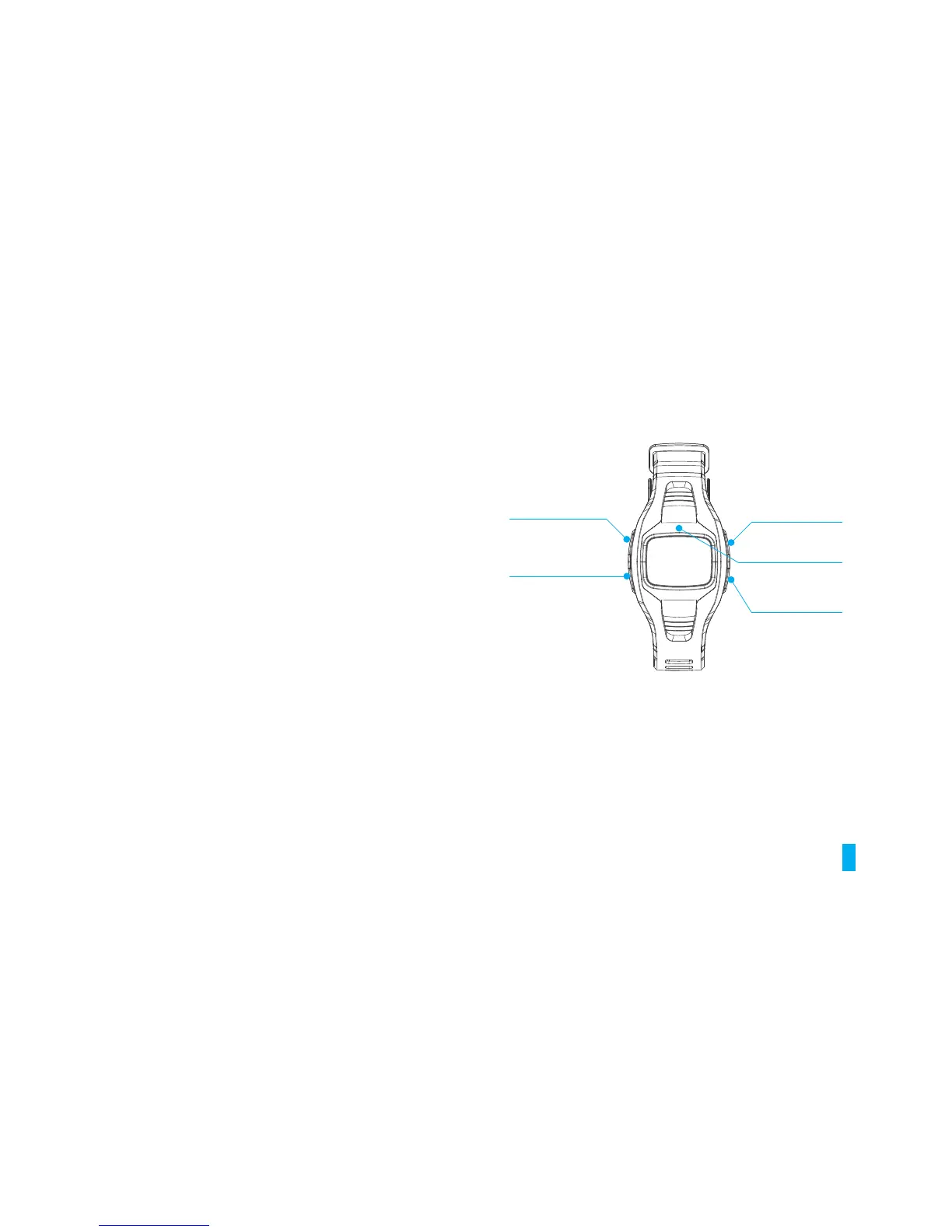
CLEAR BUTTON
LIGHT
MODE/SET BUTTON
START/STOP
SUB MODE FORWARD
+ BUTTON
SMART TOUCH
SENSOR
SUB MODE
BACKWARD
-BUTTON
LIGHT/CLEAR BUTTON
Turns light on for 5sec. In TIMER mode press and hold to reset TIMER
MODE/SET BUTTON
Switches MAIN modes. In SETTING mode: Press & hold to edit the
settings
START/STOP/ SUB MODE FORWARD/+ BUTTON
In TIMER mode: Starts or Stops timer. Switches SUB modes (FO R WA R D )
In
SETTING mode: Increases values (press & hold to fast forward
value selection). Hold to turn Heart Rate Lock
ON/OFF
01
1. BASIC OPERATION BUTTONS


 To Next Page