Security Functions
3–13
1070 073 822-104 (02.06) GB
Configuration – UPS
NT
for IPC300
To configure the UPS
NT
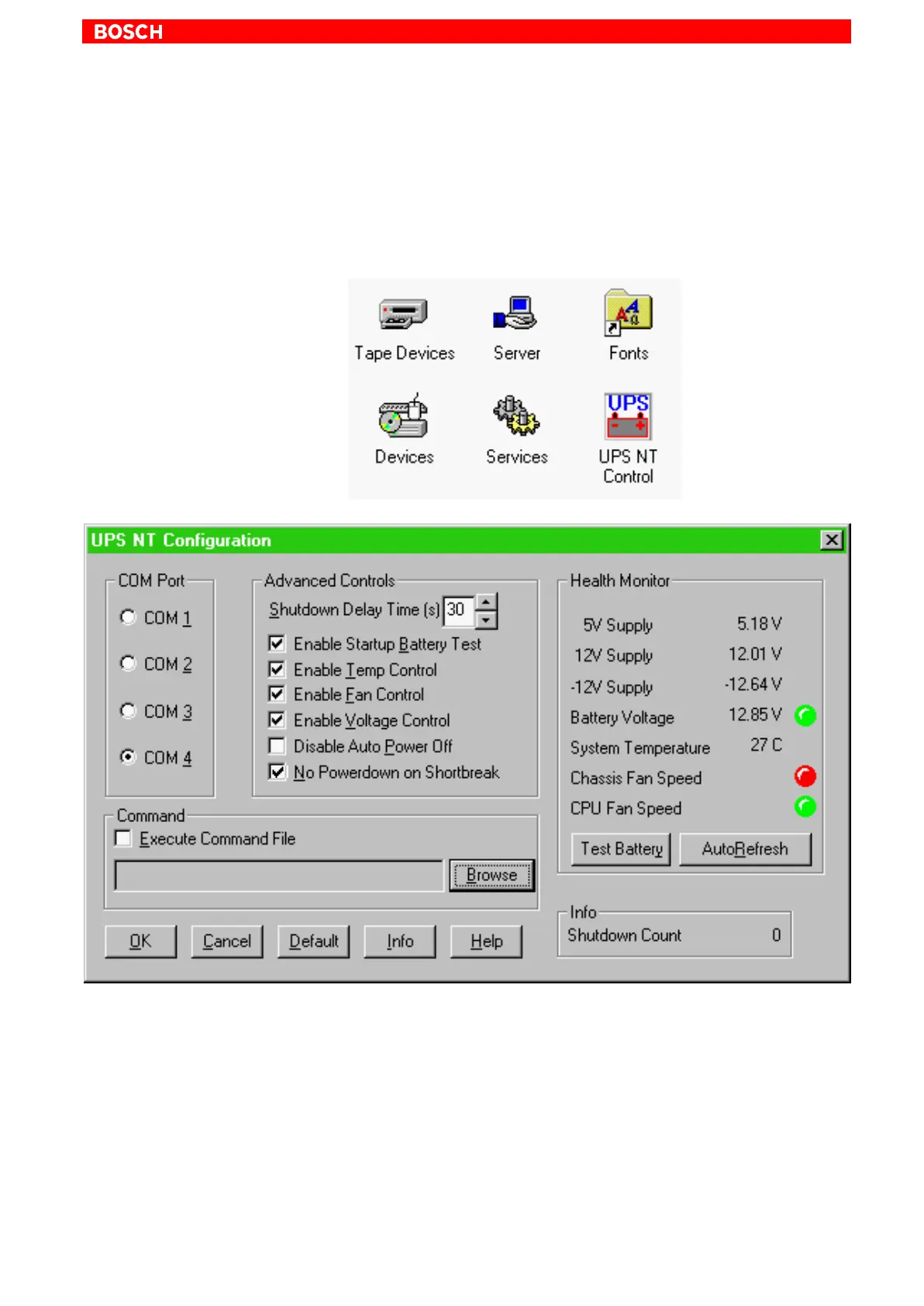
program, select UPS NT Control in the control
panel (see illustration below).
. The UPS
NT
program always runs as a Windows NT service. Changing
user logins have no influence on this characteristic. A user without Ad-
ministrator privileges is neither able to terminate the program nor stop
the monitoring function.
. To allow new parameter values to take effect subsequent to their
modification, the UPS is automatically stopped and restarted.
No monitoring function is enabled during this interval (5 to 10 sec).
COM Port
The UPS program is always connected to the UPS via the COM4 serial port.



 To Next Page