EasyManua.ls Logo

Bosch 1200 Series - User Manual

Bosch 1200 Series
12 pages
Print Icon
To Next Page IconTo Next Page
Loading...
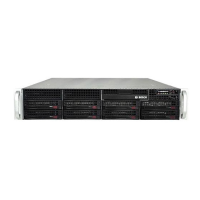
1200/1400 Series as standard iSCSI disk
array
en Quick Installation Guide
Question and Answer IconNeed help?

Do you have a question about the Bosch 1200 Series and is the answer not in the manual?

Summary

Introduction

Setup Instructions

Setting the IP Address

Procedure to change the default IP address of the disk array using different connection methods.

Physical Connection

Connecting the necessary peripherals like monitor, mouse, and keyboard to the disk array.

Disabling the VRM Service

Standard System Configuration

Additional Software and Documentation

Summary

Introduction

Setup Instructions

Setting the IP Address

Procedure to change the default IP address of the disk array using different connection methods.

Physical Connection

Connecting the necessary peripherals like monitor, mouse, and keyboard to the disk array.

Disabling the VRM Service

Standard System Configuration

Additional Software and Documentation

Bosch 1200 Series Specifications

General IconGeneral
BrandBosch
Model1200 Series
CategoryStorage
LanguageEnglish

Related product manuals