EasyManua.ls Logo

Bosch 8-733-944-325 - User Manual

Bosch 8-733-944-325
24 pages
Print Icon
To Next Page IconTo Next Page
Loading...
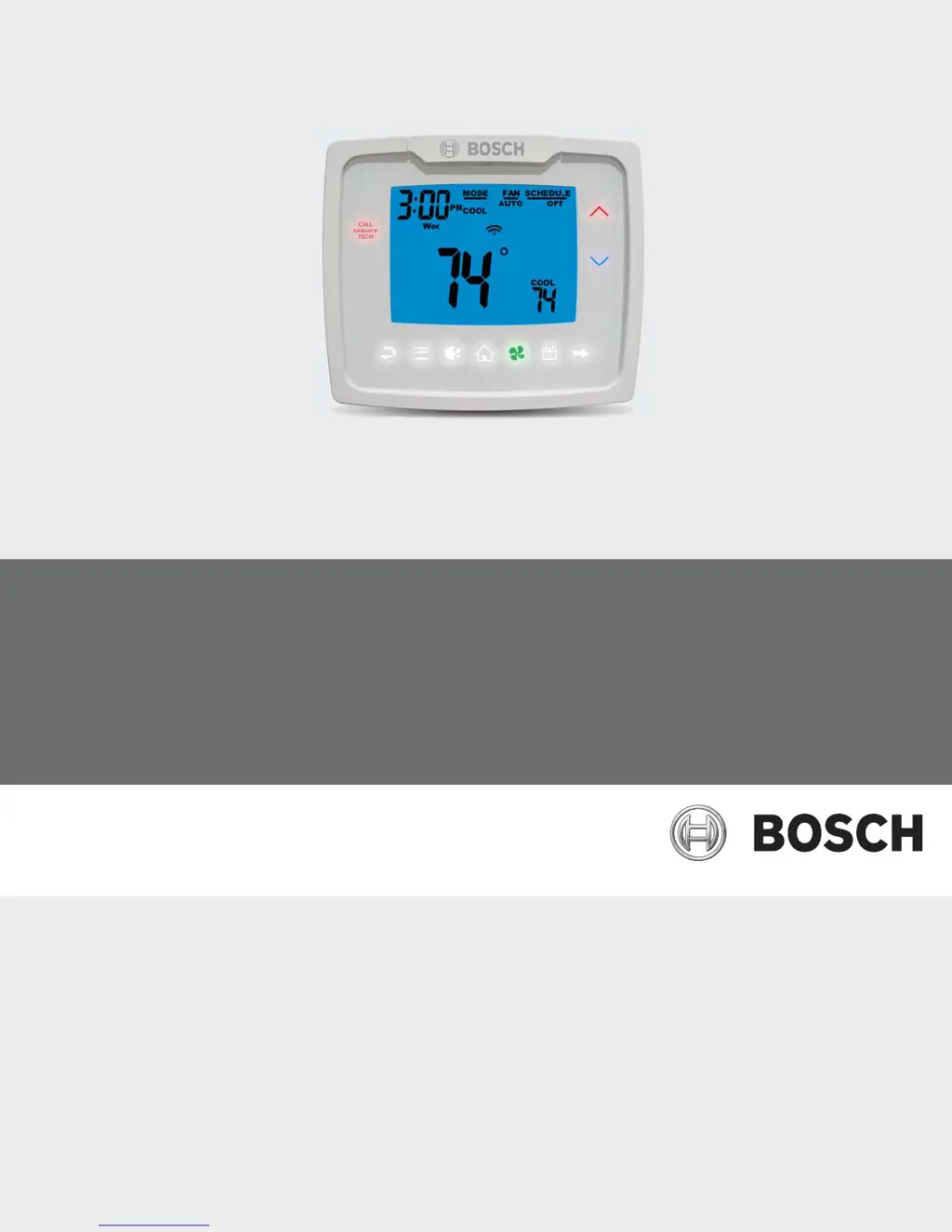
Bosch Programmable Thermostat
2H/2C/Hum Touch-Technology Thermostat
Installation, Operation & Application Manual

Questions and Answers

Summary

Key to symbols and safety instructions

Key to Symbols

Defines warning symbols and keywords for safety.

Safety Precautions

Outlines critical safety guidelines for thermostat use and installation.

Thermostat specifications and features

Thermostat Controls

Identifies and describes the physical controls on the thermostat.

Thermostat Features

Lists the programmable and functional capabilities of the thermostat.

Package Contents and Tools

Details items included and tools needed for installation.

Specifications

Provides technical specifications for the thermostat.

Installation

Removing Existing Thermostat

Step-by-step guide for safely removing the old thermostat.

Battery Installation and Information

Instructions for installing and maintaining backup batteries.

Installing Thermostat

Detailed steps for mounting and connecting the new thermostat.

Wiring diagram

Terminal Designator Descriptions

Explains the function of each terminal on the thermostat wiring block.

System setup and configuration

Connection to the UPM

Details how to connect the thermostat to the UPM.

Configuration of the UPM

Instructions for configuring the UPM settings.

Output chart

Provides a chart for configuring system outputs.

Humidity output chart

Provides a chart for humidity control configurations.

Configuration and thermostat lock

Covers the process of configuration and thermostat locking.

Changing the lock code

Instructions on how to modify the thermostat's lock code.

Configuration mode

Explains how to enter the thermostat's configuration mode.

Configuration mode settings

Introduces the various settings available within configuration mode.

Configuration Settings: Outputs and Heat Source

Details staged off outputs, heat source settings, and minimum deadband.

Configuration Settings: Delays, Lockout, and Setpoints

Details settings for delays, lockout, setpoints, and vacation.

Configuration Settings: Temperature, Humidity, and Cycles

Covers room temperature offset, humidity differential, cycles, and conditions.

Configuration Settings: Fan and Filter Timers

Details settings for fan operation, schedule, and filter timer.

Mode of operation

Icon functions

Explains the meaning and usage of various icons on the thermostat display.

Operating modes

Describes the different modes like OFF, HEAT, COOL, and AUTO.

Testing the thermostat

Provides instructions for testing the thermostat's heating and cooling functions.

Testing Humidity Control

Guides on testing the humidifier and dehumidifier functions.

Setting the Time and Date

Step-by-step instructions to set the current time and date.

Setting the Program Schedule

Guides on programming daily heating and cooling schedules.

View Screen Options

Explains how to view different status screens like faults or lock status.

Viewing Fault Codes

Instructions on how to access and interpret thermostat fault codes.

Schedule Override

Details how to temporarily override the programmed schedule.

Setting the Vacation Timer

Instructions for setting a vacation timer and its associated setpoints.

Factory Preprogramming

Troubleshooting

Summary

Key to symbols and safety instructions

Key to Symbols

Defines warning symbols and keywords for safety.

Safety Precautions

Outlines critical safety guidelines for thermostat use and installation.

Thermostat specifications and features

Thermostat Controls

Identifies and describes the physical controls on the thermostat.

Thermostat Features

Lists the programmable and functional capabilities of the thermostat.

Package Contents and Tools

Details items included and tools needed for installation.

Specifications

Provides technical specifications for the thermostat.

Installation

Removing Existing Thermostat

Step-by-step guide for safely removing the old thermostat.

Battery Installation and Information

Instructions for installing and maintaining backup batteries.

Installing Thermostat

Detailed steps for mounting and connecting the new thermostat.

Wiring diagram

Terminal Designator Descriptions

Explains the function of each terminal on the thermostat wiring block.

System setup and configuration

Connection to the UPM

Details how to connect the thermostat to the UPM.

Configuration of the UPM

Instructions for configuring the UPM settings.

Output chart

Provides a chart for configuring system outputs.

Humidity output chart

Provides a chart for humidity control configurations.

Configuration and thermostat lock

Covers the process of configuration and thermostat locking.

Changing the lock code

Instructions on how to modify the thermostat's lock code.

Configuration mode

Explains how to enter the thermostat's configuration mode.

Configuration mode settings

Introduces the various settings available within configuration mode.

Configuration Settings: Outputs and Heat Source

Details staged off outputs, heat source settings, and minimum deadband.

Configuration Settings: Delays, Lockout, and Setpoints

Details settings for delays, lockout, setpoints, and vacation.

Configuration Settings: Temperature, Humidity, and Cycles

Covers room temperature offset, humidity differential, cycles, and conditions.

Configuration Settings: Fan and Filter Timers

Details settings for fan operation, schedule, and filter timer.

Mode of operation

Icon functions

Explains the meaning and usage of various icons on the thermostat display.

Operating modes

Describes the different modes like OFF, HEAT, COOL, and AUTO.

Testing the thermostat

Provides instructions for testing the thermostat's heating and cooling functions.

Testing Humidity Control

Guides on testing the humidifier and dehumidifier functions.

Setting the Time and Date

Step-by-step instructions to set the current time and date.

Setting the Program Schedule

Guides on programming daily heating and cooling schedules.

View Screen Options

Explains how to view different status screens like faults or lock status.

Viewing Fault Codes

Instructions on how to access and interpret thermostat fault codes.

Schedule Override

Details how to temporarily override the programmed schedule.

Setting the Vacation Timer

Instructions for setting a vacation timer and its associated setpoints.

Factory Preprogramming

Troubleshooting

Bosch 8-733-944-325 Specifications

General IconGeneral
BrandBosch
Model8-733-944-325
CategoryThermostat
LanguageEnglish

Related product manuals