EasyManua.ls Logo

Bosch BCC50 - User Manual

Bosch BCC50
52 pages
Print Icon
To Next Page IconTo Next Page
Loading...
Bosch
Connected Control
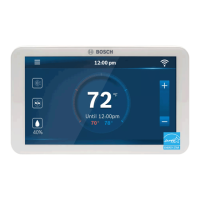
BCC50 Wi-Fi Thermostat
Installation Guide and User Manual
BoschHeatingAndCooling.com
GET THE MOST
OUT OF YOUR NEW
THERMOSTAT
Download The Bosch
Connected Control App
SEE PAGE 37
FOR MORE INFO

Other manuals for Bosch BCC50

Question and Answer IconNeed help?

Do you have a question about the Bosch BCC50 and is the answer not in the manual?

Summary

Meet the Bosch Connected Control (BCC50 Thermostat)

Compatibility

Installation Overview

Included in the box

Lists all items provided in the product packaging for installation.

Tools you will need

Details the essential tools required for the thermostat installation process.

Thermostat Installation

Step 1: Turn OFF Power

Instruction to disconnect power to the HVAC system before proceeding.

Step 2: Remove Old Thermostat

Guidance on detaching the existing thermostat from the wall plate.

Step 3: Check for Line Voltage Wiring

Verification step to ensure the old thermostat does not use line voltage wiring.

Step 4: Take Picture of Existing Wiring

Instruction to photograph existing wiring for reference during setup.

Step 5: Confirm C-wire Connection

Verification step to ensure a C-wire is connected to the old thermostat.

Step 6: Disconnect Wires and Remove Wall Plate

Procedure for disconnecting wires and removing the old wall plate.

Step 7: Prepare Wall Plate Mounting

Steps for positioning the new wall plate and marking screw locations.

Step 8: Install Wall Anchors and Plate

Guidance on drilling holes, inserting anchors, and mounting the new wall plate.

Step 9: Connect Wires to Terminals

Instructions for connecting each wire to the correct terminal on the new wall plate.

Step 10: Manage Excess Wires

Procedure for tucking excess wires into the wall after connection.

Step 11: Attach BCC50 Thermostat

Guidance on physically connecting the thermostat unit to the installed wall plate.

Step 12: Turn ON HVAC Power

Instruction to restore power to the HVAC system after installation.

Step 13: Download and Setup App

Guidance on downloading the app and completing the thermostat setup.

Three Ways to Download Connected Control App

Information on how to obtain the Bosch Connected Control smartphone application.

Initial Setup

User Account Setup

Steps for creating a user account for the Bosch Connected Control app.

Add Device

Procedure for adding the BCC50 thermostat to the user account.

Unit Configuration

Configuration of the thermostat based on the home's heating system type.

Configure Unit by Heat Type

Detailed steps for configuring the thermostat for Furnace, Boiler, or Heat Pump systems.

Configure Heating and Cooling Systems

Settings for Balance Point, Change over Delay, and system stage configuration.

Configure Humidifier;Dehumidifier Accessory

Setup instructions for optional humidifier or dehumidifier accessories.

Date & Time Setup

Instructions for setting the current date and time on the thermostat.

Schedule Setup

Guide to creating and customizing heating and cooling schedules.

Review Initial Setup

Final review of configured settings before completing the initial setup.

Advanced Settings

Access Code for Advanced Settings

Information on the access code required to enter advanced settings.

Heating & Cooling Advanced Settings

Adjustable parameters for heating and cooling operations like fan delays and run times.

Installer Access Codes

List of action codes for accessing specific installer settings like calibration and sensitivity.

Staging Configuration

Settings for managing staging logic, time delays, and temperature differentials.

Device Log and Functions

How to view historical thermostat activity and specific function logs.

Troubleshooting & Frequently Asked Questions

Wi-Fi Troubleshooting

Common issues and solutions related to connecting the thermostat to Wi-Fi.

Initial Setup Troubleshooting

Solutions for problems encountered during the initial setup process.

App Troubleshooting

Answers to frequently asked questions regarding the smartphone application.

Thermostat Troubleshooting

Solutions for common issues related to the thermostat's operation.

Wiring Diagrams

Single Stage Furnace Wiring

Wiring diagram for single-stage heat furnace installations.

Two Stage Furnace Wiring

Wiring diagram for two-stage heat furnace installations.

Single Stage Boiler Wiring

Wiring diagram for single-stage heat boiler installations.

Combined Furnace;AC Wiring

Wiring diagram for combined heating and cooling furnace/AC systems.

Single Stage Heat Pump Wiring

Wiring diagram for single-stage heat pump installations.

Heat Pump with Aux;Emergency Wiring

Wiring diagram for heat pumps with auxiliary or emergency heat.

Two Stage Heat Pump Wiring

Wiring diagram for two-stage heat pump installations.

Single Stage AC Wiring

Wiring diagram for single-stage cooling air conditioner installations.

Dual Fuel Heat Pump;Furnace Wiring

Wiring diagram for dual fuel systems combining heat pumps and furnaces.

Humidifier;Dehumidifier Accessory Wiring

Wiring for connecting humidifier or dehumidifier accessories to heat pumps.

How to Use Your BCC50 Thermostat

Thermostat and App Icons

Unit Operation

System Connectivity Status

Icons indicating Wi-Fi and internet connection status for the thermostat.

Adjusting Temperature Setpoints

Setpoint Adjustment (No Schedule)

How to manually adjust temperature setpoints without a schedule.

Setpoint Adjustment (Schedule)

How to adjust temperature setpoints within an active schedule.

Thermostat Overview

System Mode Overview

Explanation of available system modes like Heat, Cool, and Auto.

Fan Mode Overview

Explanation of available fan modes like Auto, On, and Circulation.

Accessory Settings Overview

How to adjust humidity setpoints for connected accessories.

Wi-Fi Connection Management

Instructions for connecting, reconnecting, or disconnecting from Wi-Fi.

Schedule Selection Overview

How to select or change the active thermostat schedule.

Display Settings Overview

Settings for screen brightness, timeout, and idle mode.

Device Information

Details about the thermostat, including Account ID, Model, and Software Version.

Factory Reset Procedure

Steps to restore the thermostat to its original factory default settings.

Bosch Connected Control App

Downloading the Connected Control App

Information and methods for downloading the smartphone application.

App Screen Overview

Adjusting App Temperature Setpoints

App Setpoint Adjustment (No Schedule)

How to adjust temperature setpoints using the app without a schedule.

App Setpoint Adjustment (Schedule)

How to adjust temporary setpoints within a schedule via the app.

Schedule Overview

Adding;Editing App Schedules

Guide to adding new schedules and editing existing periods in the app.

Deleting;Copying;Saving App Schedules

Instructions for managing schedules: deleting periods, copying, and saving changes.

App Menu Overview

App Mode Settings

How to adjust system, fan, and accessory modes via the app.

App Wi-Fi Settings

Instructions for changing the thermostat's Wi-Fi network connection.

App Device Messages

How to read and delete alert messages within the app.

App Device Settings

App settings for screen brightness, timeout, device lock, and system information.

App System Settings

App settings for temperature units, safety functions, and run time timers.

Additional Features

Control BCC50 with Alexa

Information on integrating and controlling the thermostat using Amazon Alexa.

Connecting BCC50 to Alexa

Step-by-step guide for linking the thermostat with Amazon Alexa.

Control BCC50 with Google Assistant

Information on integrating and controlling the thermostat using Google Assistant.

Connecting BCC50 to Google Assistant

Step-by-step guide for linking the thermostat with Google Assistant.

Warranty Information

Models Covered by Warranty

Specifies the Bosch Connected Control BCC50 Thermostat as the covered model.

Warranty Coverage Details

Details the limited warranty period and Bosch's obligation for defects.

Items Not Covered by Warranty

Lists circumstances and conditions excluded from the limited warranty.

Warranty Claims Process

Procedure for initiating and processing a warranty claim with Bosch Customer Service.

Summary

Meet the Bosch Connected Control (BCC50 Thermostat)

Compatibility

Installation Overview

Included in the box

Lists all items provided in the product packaging for installation.

Tools you will need

Details the essential tools required for the thermostat installation process.

Thermostat Installation

Step 1: Turn OFF Power

Instruction to disconnect power to the HVAC system before proceeding.

Step 2: Remove Old Thermostat

Guidance on detaching the existing thermostat from the wall plate.

Step 3: Check for Line Voltage Wiring

Verification step to ensure the old thermostat does not use line voltage wiring.

Step 4: Take Picture of Existing Wiring

Instruction to photograph existing wiring for reference during setup.

Step 5: Confirm C-wire Connection

Verification step to ensure a C-wire is connected to the old thermostat.

Step 6: Disconnect Wires and Remove Wall Plate

Procedure for disconnecting wires and removing the old wall plate.

Step 7: Prepare Wall Plate Mounting

Steps for positioning the new wall plate and marking screw locations.

Step 8: Install Wall Anchors and Plate

Guidance on drilling holes, inserting anchors, and mounting the new wall plate.

Step 9: Connect Wires to Terminals

Instructions for connecting each wire to the correct terminal on the new wall plate.

Step 10: Manage Excess Wires

Procedure for tucking excess wires into the wall after connection.

Step 11: Attach BCC50 Thermostat

Guidance on physically connecting the thermostat unit to the installed wall plate.

Step 12: Turn ON HVAC Power

Instruction to restore power to the HVAC system after installation.

Step 13: Download and Setup App

Guidance on downloading the app and completing the thermostat setup.

Three Ways to Download Connected Control App

Information on how to obtain the Bosch Connected Control smartphone application.

Initial Setup

User Account Setup

Steps for creating a user account for the Bosch Connected Control app.

Add Device

Procedure for adding the BCC50 thermostat to the user account.

Unit Configuration

Configuration of the thermostat based on the home's heating system type.

Configure Unit by Heat Type

Detailed steps for configuring the thermostat for Furnace, Boiler, or Heat Pump systems.

Configure Heating and Cooling Systems

Settings for Balance Point, Change over Delay, and system stage configuration.

Configure Humidifier;Dehumidifier Accessory

Setup instructions for optional humidifier or dehumidifier accessories.

Date & Time Setup

Instructions for setting the current date and time on the thermostat.

Schedule Setup

Guide to creating and customizing heating and cooling schedules.

Review Initial Setup

Final review of configured settings before completing the initial setup.

Advanced Settings

Access Code for Advanced Settings

Information on the access code required to enter advanced settings.

Heating & Cooling Advanced Settings

Adjustable parameters for heating and cooling operations like fan delays and run times.

Installer Access Codes

List of action codes for accessing specific installer settings like calibration and sensitivity.

Staging Configuration

Settings for managing staging logic, time delays, and temperature differentials.

Device Log and Functions

How to view historical thermostat activity and specific function logs.

Troubleshooting & Frequently Asked Questions

Wi-Fi Troubleshooting

Common issues and solutions related to connecting the thermostat to Wi-Fi.

Initial Setup Troubleshooting

Solutions for problems encountered during the initial setup process.

App Troubleshooting

Answers to frequently asked questions regarding the smartphone application.

Thermostat Troubleshooting

Solutions for common issues related to the thermostat's operation.

Wiring Diagrams

Single Stage Furnace Wiring

Wiring diagram for single-stage heat furnace installations.

Two Stage Furnace Wiring

Wiring diagram for two-stage heat furnace installations.

Single Stage Boiler Wiring

Wiring diagram for single-stage heat boiler installations.

Combined Furnace;AC Wiring

Wiring diagram for combined heating and cooling furnace/AC systems.

Single Stage Heat Pump Wiring

Wiring diagram for single-stage heat pump installations.

Heat Pump with Aux;Emergency Wiring

Wiring diagram for heat pumps with auxiliary or emergency heat.

Two Stage Heat Pump Wiring

Wiring diagram for two-stage heat pump installations.

Single Stage AC Wiring

Wiring diagram for single-stage cooling air conditioner installations.

Dual Fuel Heat Pump;Furnace Wiring

Wiring diagram for dual fuel systems combining heat pumps and furnaces.

Humidifier;Dehumidifier Accessory Wiring

Wiring for connecting humidifier or dehumidifier accessories to heat pumps.

How to Use Your BCC50 Thermostat

Thermostat and App Icons

Unit Operation

System Connectivity Status

Icons indicating Wi-Fi and internet connection status for the thermostat.

Adjusting Temperature Setpoints

Setpoint Adjustment (No Schedule)

How to manually adjust temperature setpoints without a schedule.

Setpoint Adjustment (Schedule)

How to adjust temperature setpoints within an active schedule.

Thermostat Overview

System Mode Overview

Explanation of available system modes like Heat, Cool, and Auto.

Fan Mode Overview

Explanation of available fan modes like Auto, On, and Circulation.

Accessory Settings Overview

How to adjust humidity setpoints for connected accessories.

Wi-Fi Connection Management

Instructions for connecting, reconnecting, or disconnecting from Wi-Fi.

Schedule Selection Overview

How to select or change the active thermostat schedule.

Display Settings Overview

Settings for screen brightness, timeout, and idle mode.

Device Information

Details about the thermostat, including Account ID, Model, and Software Version.

Factory Reset Procedure

Steps to restore the thermostat to its original factory default settings.

Bosch Connected Control App

Downloading the Connected Control App

Information and methods for downloading the smartphone application.

App Screen Overview

Adjusting App Temperature Setpoints

App Setpoint Adjustment (No Schedule)

How to adjust temperature setpoints using the app without a schedule.

App Setpoint Adjustment (Schedule)

How to adjust temporary setpoints within a schedule via the app.

Schedule Overview

Adding;Editing App Schedules

Guide to adding new schedules and editing existing periods in the app.

Deleting;Copying;Saving App Schedules

Instructions for managing schedules: deleting periods, copying, and saving changes.

App Menu Overview

App Mode Settings

How to adjust system, fan, and accessory modes via the app.

App Wi-Fi Settings

Instructions for changing the thermostat's Wi-Fi network connection.

App Device Messages

How to read and delete alert messages within the app.

App Device Settings

App settings for screen brightness, timeout, device lock, and system information.

App System Settings

App settings for temperature units, safety functions, and run time timers.

Additional Features

Control BCC50 with Alexa

Information on integrating and controlling the thermostat using Amazon Alexa.

Connecting BCC50 to Alexa

Step-by-step guide for linking the thermostat with Amazon Alexa.

Control BCC50 with Google Assistant

Information on integrating and controlling the thermostat using Google Assistant.

Connecting BCC50 to Google Assistant

Step-by-step guide for linking the thermostat with Google Assistant.

Warranty Information

Models Covered by Warranty

Specifies the Bosch Connected Control BCC50 Thermostat as the covered model.

Warranty Coverage Details

Details the limited warranty period and Bosch's obligation for defects.

Items Not Covered by Warranty

Lists circumstances and conditions excluded from the limited warranty.

Warranty Claims Process

Procedure for initiating and processing a warranty claim with Bosch Customer Service.

Bosch BCC50 Specifications

General IconGeneral
BrandBosch
ModelBCC50
CategoryThermostat
LanguageEnglish

Related product manuals