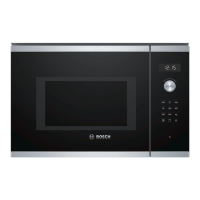
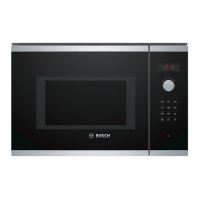
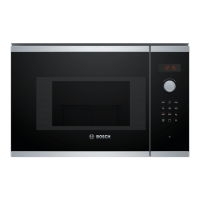
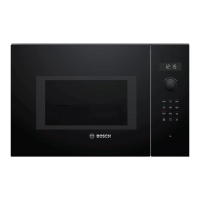
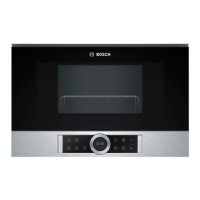
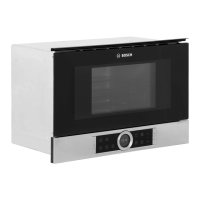
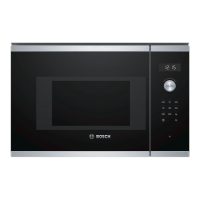
This document is a user manual and installation guide for the Bosch Microwave Oven models BEL554MS0K and BEL553MS0I. It provides comprehensive information on safety, operation, maintenance, and installation of the appliance.
Function Description
The Bosch Microwave Oven is designed for preparing meals and drinks, including defrosting, cooking, heating food and liquids, grilling, baking, gratins, and browning dishes. It offers various heating methods: microwave, grill, and microwave combined operation (MicroCombi). The appliance features automatic programs for defrosting and cooking specific food types like minced meat, poultry, bread, rice, potatoes, and vegetables. A memory function allows users to save and recall frequently used settings.
Important Technical Specifications
The microwave oven operates with various power settings ranging from 90 W to 900 W.
- Microwave Power Settings:
- 90 W: Defrost delicate foods.
- 180 W: Defrost food and continue cooking.
- 360 W: Cooking meat and fish or heating delicate foods.
- 600 W: Heat and cook food.
- 900 W: Heat liquids.
- Maximum Cooking Times:
- 900 W: 30 minutes
- 600 W: 60 minutes
- 90 W, 360 W, 180 W: 99 minutes
- Electrical Connection: The appliance uses a high voltage and requires a correctly installed, earthed socket. If the plug is not accessible after installation, an all-pole isolating unit with a contact clearance of at least 3 mm must be available.
- Fitted Unit Requirements:
- Minimum installation height: 850 mm.
- Installation cabinet must not have a back panel.
- Ventilation slots and intake openings must not be covered.
- Fitted units must be temperature-resistant up to 90 °C, and adjacent unit fronts up to 65 °C.
- Product Identification: The product number (E-Nr.) and production number (FD) are located on the appliance's rating plate, visible when the appliance door is open.
- Light Sources: The product contains light sources from energy efficiency class G, which should only be replaced by trained specialist staff.
Usage Features
The appliance is controlled via a control panel with touch fields and a rotary selector.
- Control Panel:
- Touch Fields: Used to select functions like microwave power (90-900 W), automatic programs (P01-P08), weight for programs (kg), grill function, time setting, start, memory, stop/pause, and door opening.
- Rotary Selector: Used to change setting values, set time, cooking time, or automatic programs. It can be pushed in to engage or release.
- Display: Shows the clock or cooking time.
- Automatic Door Opener: Opens the door automatically when pressed. In case of a power cut, the door can be opened manually. Opening the door during operation pauses the process.
- Initial Configuration: Upon first use or after a power cut, the time needs to be set.
- Microwave Operation:
- Requires microwave-safe cookware made from heat-resistant glass, glass ceramic, porcelain, temperature-resistant plastic, or fully glazed ceramic without cracks.
- Metal cutlery can be used in a glass to prevent delayed boiling.
- Metal containers or cookware with metal edging should not be used during microwave-only operation to avoid sparks and damage.
- Food should always be present in the cooking compartment during microwave operation, except for a short cookware test.
- Popcorn bags should be placed on a glass plate, and a maximum microwave output of 600 watts is recommended for popcorn.
- The transparent film on the inside of the door and the cover of the microwave feed should never be removed.
- Grill Operation: Can be used independently or in combination with microwave mode (MicroCombi) for browning and gratins.
- Memory Function: Allows saving and recalling settings for a specific dish. Multiple microwave power settings or automatic programs cannot be saved in succession.
- Automatic Programs (P01-P08): Simplify cooking by automatically setting optimum settings for defrosting (meat, poultry, bread) and cooking (rice, potatoes, vegetables, frozen bake). Users need to select the program number and specify the weight of the dish.
- Basic Settings: Users can configure button tone (on/off) and activate/deactivate demo mode. The signal duration can also be changed.
- Clock: Can be set and hidden to reduce standby power consumption.
- Safety Features: Includes warnings against fire, burns, scalding, injury, electric shock, and suffocation. Emphasizes never storing combustible objects, avoiding overheating, careful handling of hot parts and liquids, and proper use of cookware.
Maintenance Features
- Cleaning Products: Only suitable cleaning agents should be used. Harsh, abrasive, or high-alcohol content cleaners, hard scouring pads, or steam/high-pressure cleaners are prohibited. Glass cleaners, glass scrapers, or stainless steel care products are recommended for specific parts.
- Appliance Cleaning:
- Regular cleaning is essential to prevent damage and ensure longevity.
- Food residues and remnants should be removed immediately.
- The cooking compartment, door, and door stop must be kept clean.
- The appliance should not be operated if the cooking compartment door or plastic door frame is damaged.
- Condensation should be wiped away after cooking.
- Cooking Compartment Cleaning:
- Clean with hot soapy water or a vinegar solution.
- Oven cleaner can be used for heavy soiling when the compartment is cold.
- Unpleasant odors can be eliminated by heating a cup of water with lemon juice.
- A "cleaning aid" function softens dirt by vaporizing soapy water for easier removal.
- Turntable Cleaning: Remove and clean with hot soapy water and a dish cloth, then dry and reinsert, ensuring it engages correctly.
- Front of Appliance Cleaning: Clean with hot soapy water and a dish cloth. For stainless steel fronts, use special stainless steel cleaning products. Avoid glass cleaner, metal scrapers, or glass scrapers.
- Control Panel Cleaning: Clean with a microfibre cloth or a soft, damp cloth. Avoid wet cloths.
- Accessories Cleaning: Clean thoroughly with soapy water and a soft dish cloth. Baked-on food remnants can be softened with a damp cloth. Wire racks can be cleaned with stainless steel cleaner or in a dishwasher.
- Troubleshooting: The manual provides a troubleshooting guide for common malfunctions, such as the appliance not working, food taking longer to heat, turntable issues, or error messages. Users are advised to contact Customer Service if faults persist.

 Need help?
 General

 To Next Page