en Memory
10
6.4 Configuring the microwave settings
WARNING‒Risk of scalding!
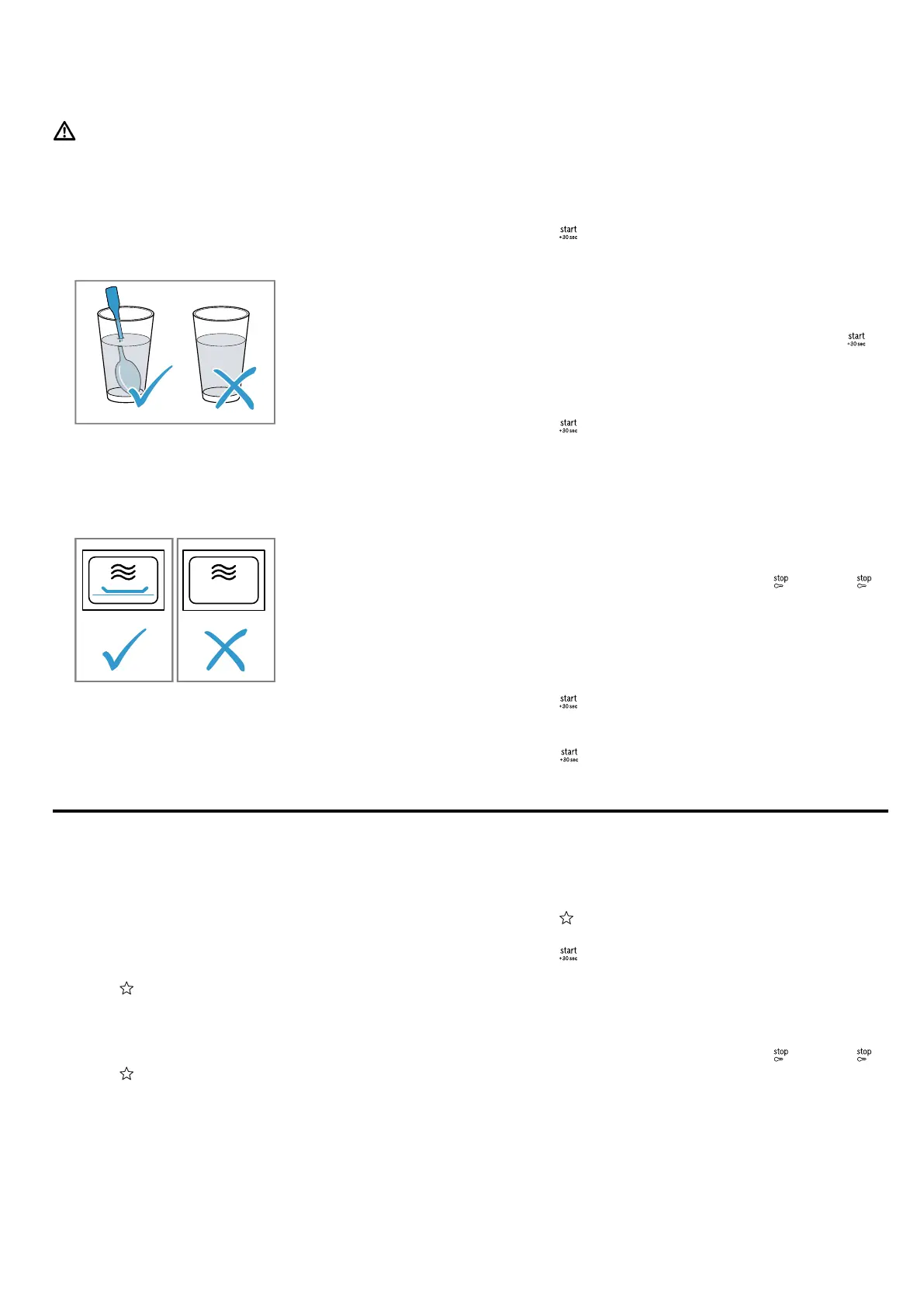
There is a possibility of delayed boiling when a liquid is
heated. This means that the liquid reaches the boiling
temperature without the usual steam bubbles rising to
the surface. Exercise caution even when only gently
shaking the container. The hot liquid may suddenly boil
over and splatter.
▶ Always place a spoon in the container when heating
liquids. This prevents delayed boiling.
ATTENTION!
Operating the appliance without food in the cooking
compartment may lead to overloading.
▶ Do not switch on the microwave unless there is food
inside. The only exception to this rule is when per-
forming a short cookware test.
Tip:To ensure optimum use of your appliance, refer to
the information in the recommended settings.
→"How it works", Page16
1.
Follow the safety instructions. →Page4
2.
Observe the information on how to prevent material
damage. →Page5
3.
Read the information on microwave-safe cookware
and accessories. →Page9
4.
Press the button for the microwave power setting
that you require.
5.
Use the rotary selector to set the required cooking
time.
6.
Press .
a An audible signal sounds once the cooking time
has elapsed.
Note:If you open the cooking compartment door while
the appliance is in operation, the appliance stops the
operation and keeps the set time schedule. If you want
to restart the operation, close the door and press .
Increasing the cooking time
You can extend the cooking time you have set at any
time.
▶
Press .
a The cooking time is extended by 30seconds.
Changing the cooking time
You can change the cooking time at any time.
▶
Use the rotary selector to set the required cooking
time.
Stopping operation
▶
Open the appliance door and press or press
twice.
6.5 QuickStart
You can use a button to start the maximum microwave
power setting.
▶
Press .
a The maximum microwave power setting is started
for 30seconds.
a Press again to extend the cooking time by
30seconds in each case.
Memory
7 Memory
You can use the memory function to save the setting
for a dish and call it up again at any time.
Tip:If you prepare one dish often, use the memory
function.
7.1 Saving memory settings
1.
Press .
2.
Press the button for the microwave power setting
that you require.
3.
Use the rotary selector to set the required cooking
time.
4.
Press to confirm.
a The setting has been saved.
7.2 Starting the memory
Requirement:The appliance door is closed.
1.
Press .
a The saved settings are displayed.
2.
Press .
a An audible signal sounds once the cooking time
has elapsed.
7.3 Stopping operation
▶
Open the appliance door and press or press
twice.



 To Next Page