EasyManua.ls Logo

Bosch BPT-S Series - User Manual

Bosch BPT-S Series
2 pages
Print Icon
To Next Page IconTo Next Page
Loading...
Information
Internet connection
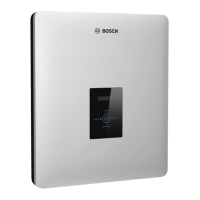
BPT-S series
The BPT-S series inverters are equipped with one (BPT-S 3.0 and BPT-S 3.68) or two (BPT-S 4.0 and
BPT-S 4.6) Ethernet interfaces as standard, which means they can be integrated into a network.
Connection to the Internet can be established in the following ways:
Connection via LAN Connection via Powerline
The inverter can be connected directly to a network router or, if
required, to a network switch. Please note that the cable length for
standard Ethernet (10 Mbits/s)
may be approximately 100 metres.
One option is to transmit the data via the existing home power supply
network, also known as the Powerline. This requires two adapters
(transmitter and receiver), which are usually available as a set. One
adapter is connected to the inverter via the LAN and the other is
connected to the network router. This means there is no need to lay
an Ethernet cable. Both adapters are connected directly to the home
power supply network.
Connection via WLAN
Via a WLAN repeater / amplifier / access point Via a mobile network router in combination with a mobile
broadband modem
In this instance, the presence of a plug socket near the inverter is
essential for the power supply.
Please note that not all mobile broadband modems are compatible
with every network router. More detailed information can be obtained
from the manufacturer of the network router. Here too, the device
must have a power supply source.
Legend
1
Inverter
4
WLAN repeater / amplifier / access point
2
Router
5
mobile network router
3
Powerline
Ethernet
AC power
Powerline
2
1
2
3 3
1
2
4
1
2
5
1
WWWWWW
WWW
WWW
Question and Answer IconNeed help?

Do you have a question about the Bosch BPT-S Series and is the answer not in the manual?

Summary

Connection via LAN

Connection via Powerline

Connection via WLAN

Via a WLAN repeater;amplifier;access point

Requires a plug socket near the inverter for power supply.

Via a mobile network router in combination with a mobile broadband modem

Check modem-router compatibility and configuration requirements.

Recommendations for Network Components

General Recommendations

Components are widely available; inverter settings usually not required unless in a company network.

WLAN Repeater Setup

Repeaters work with different manufacturers; same brand setup is often easier.

Mobile WLAN Router and Modem

Mobile routers have Ethernet ports; verify modem-router compatibility.

Summary

Connection via LAN

Connection via Powerline

Connection via WLAN

Via a WLAN repeater;amplifier;access point

Requires a plug socket near the inverter for power supply.

Via a mobile network router in combination with a mobile broadband modem

Check modem-router compatibility and configuration requirements.

Recommendations for Network Components

General Recommendations

Components are widely available; inverter settings usually not required unless in a company network.

WLAN Repeater Setup

Repeaters work with different manufacturers; same brand setup is often easier.

Mobile WLAN Router and Modem

Mobile routers have Ethernet ports; verify modem-router compatibility.

Bosch BPT-S Series Specifications

General IconGeneral
BrandBosch
ModelBPT-S Series
CategoryInverter
LanguageEnglish

Related product manuals