EasyManua.ls Logo

Bosch CS 200 - User Manual

Bosch CS 200
20 pages
Print Icon
To Next Page IconTo Next Page
Loading...
6720850722 (2015/06)
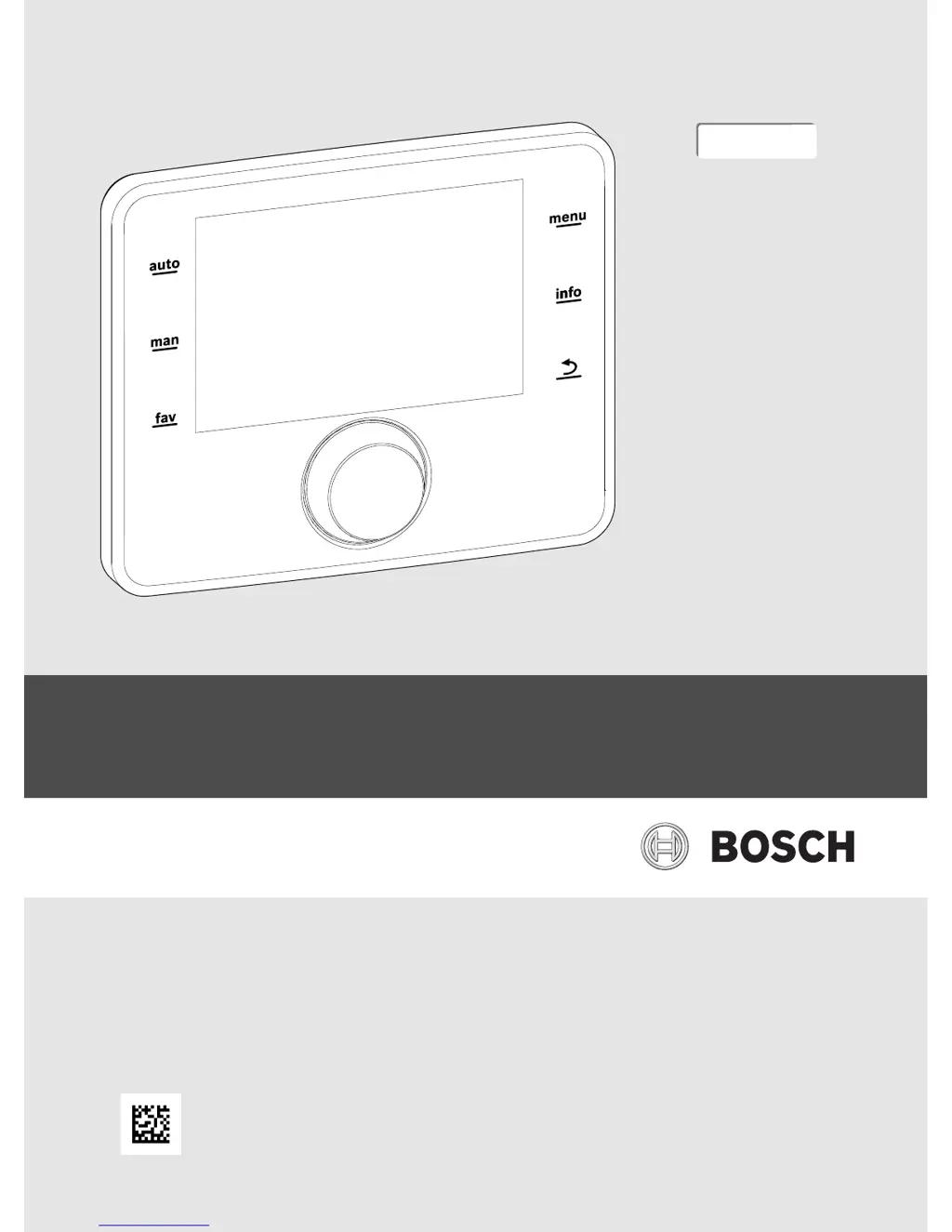
Installation instructions for installers
Solar controller
CS200
0010005426-001
EMS 2

Questions and Answers

Summary

Key Symbols and Safety Instructions

Explanation of Symbols

Details warning symbols, hazard levels, and informational icons.

General Safety Instructions

Provides guidance on installation, use, electrical work, and handover safety.

Product Description

Product Description

Overview of the CS 200 controller and its system compatibility.

Important Information on Use

Highlights safety warnings, especially regarding scalding and system usage.

Declaration of Conformity

States compliance with European directives and CE marking.

Scope of Delivery

Lists the components included in the product package.

Technical Specifications

Provides key technical data, including dimensions.

Temperature Sensor Characteristics

Lists resistance values for temperature sensors at various temperatures.

Additional Accessories

Mentions compatible modules for system expansion.

Disposal

Instructions for environmentally responsible disposal of packaging and components.

Installation

Types of Installation

Explains how installation depends on system design and use.

Installation Location of the Solar Controller

Recommends installing the controller in the living space for accessibility.

Installation in the Reference Room

Details the requirement for a flat installation surface and mounting plate.

Electrical Connection

Describes power supply via BUS cable and wiring precautions.

Fitting;Removing the Controller

Step-by-step instructions for attaching and detaching the controller unit.

Basic Principles of Operation

Overview of the Control Elements

Identifies and explains the function of buttons and the rotary control knob.

Overview of the Symbols in the Display

Describes the meaning of icons and information shown on the display.

Operating the Service Menu

Guides on navigating, changing values, and confirming settings in the service menu.

Overview of the Service Menu

Lists the main categories and purposes within the service menu structure.

Commissioning

Overview of the Commissioning Steps

Provides a 10-step checklist for system commissioning.

General Commissioning of the Solar Controller

Covers setting language, date, time, and initiating the configuration wizard.

System Commissioning with the Configuration Wizard

Details the wizard's role in system analysis and automatic configuration.

Commissioning the Solar Heating System

Specific settings required for configuring the solar heating system.

Commissioning the Freshwater System

Configuration settings for the domestic hot water (DHW) system.

Commissioning the Transfer Station

Configuration settings for the heat transfer station.

Additional Settings at Commissioning

References external documentation for advanced system configurations.

Performing Function Tests

Accessing and conducting tests for system components via the diagnosis menu.

Check Monitored Values

How to view system measurements and operational data.

System Handover

Instructions for installer contact details and customer explanation.

Shutdown; Switching Off

Service Menu

Solar System Settings

Configure settings for solar heating systems.

Transfer System Settings

Configure settings for transfer systems.

Freshwater System Settings

Configure settings for freshwater systems.

Diagnosis and Faults

Tools for diagnosis, function tests, monitored values, and fault displays.

System Information and Maintenance

View system information and add installer contact details.

Reset and Calibration

Reset system settings and perform time calibration.

Thermal Disinfection

Troubleshooting

Environmental Protection and Disposal

Summary

Key Symbols and Safety Instructions

Explanation of Symbols

Details warning symbols, hazard levels, and informational icons.

General Safety Instructions

Provides guidance on installation, use, electrical work, and handover safety.

Product Description

Product Description

Overview of the CS 200 controller and its system compatibility.

Important Information on Use

Highlights safety warnings, especially regarding scalding and system usage.

Declaration of Conformity

States compliance with European directives and CE marking.

Scope of Delivery

Lists the components included in the product package.

Technical Specifications

Provides key technical data, including dimensions.

Temperature Sensor Characteristics

Lists resistance values for temperature sensors at various temperatures.

Additional Accessories

Mentions compatible modules for system expansion.

Disposal

Instructions for environmentally responsible disposal of packaging and components.

Installation

Types of Installation

Explains how installation depends on system design and use.

Installation Location of the Solar Controller

Recommends installing the controller in the living space for accessibility.

Installation in the Reference Room

Details the requirement for a flat installation surface and mounting plate.

Electrical Connection

Describes power supply via BUS cable and wiring precautions.

Fitting;Removing the Controller

Step-by-step instructions for attaching and detaching the controller unit.

Basic Principles of Operation

Overview of the Control Elements

Identifies and explains the function of buttons and the rotary control knob.

Overview of the Symbols in the Display

Describes the meaning of icons and information shown on the display.

Operating the Service Menu

Guides on navigating, changing values, and confirming settings in the service menu.

Overview of the Service Menu

Lists the main categories and purposes within the service menu structure.

Commissioning

Overview of the Commissioning Steps

Provides a 10-step checklist for system commissioning.

General Commissioning of the Solar Controller

Covers setting language, date, time, and initiating the configuration wizard.

System Commissioning with the Configuration Wizard

Details the wizard's role in system analysis and automatic configuration.

Commissioning the Solar Heating System

Specific settings required for configuring the solar heating system.

Commissioning the Freshwater System

Configuration settings for the domestic hot water (DHW) system.

Commissioning the Transfer Station

Configuration settings for the heat transfer station.

Additional Settings at Commissioning

References external documentation for advanced system configurations.

Performing Function Tests

Accessing and conducting tests for system components via the diagnosis menu.

Check Monitored Values

How to view system measurements and operational data.

System Handover

Instructions for installer contact details and customer explanation.

Shutdown; Switching Off

Service Menu

Solar System Settings

Configure settings for solar heating systems.

Transfer System Settings

Configure settings for transfer systems.

Freshwater System Settings

Configure settings for freshwater systems.

Diagnosis and Faults

Tools for diagnosis, function tests, monitored values, and fault displays.

System Information and Maintenance

View system information and add installer contact details.

Reset and Calibration

Reset system settings and perform time calibration.

Thermal Disinfection

Troubleshooting

Environmental Protection and Disposal

Bosch CS 200 Specifications

General IconGeneral
BrandBosch
ModelCS 200
CategoryInverter
LanguageEnglish

Related product manuals