56 | en
7 620 000 130 - 133 | 10.2010 Robert Bosch Car Multimedia GmbH
Exiting RPT
To stop repeating the track,
f Press the 2 < button repeatedly until
"RPT OFF" appears in the display.
The RPT symbol on the display disappears.
Pausing during play (PAUSE)
f Press the 1 < button.
The display shows "PAUSE".
Continuing after the pause
f Press the 1 < button during the pause.
Play continues.
IR remote control
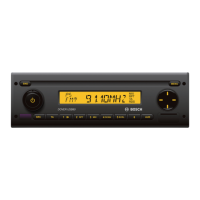
The optional IR remote control allows control-
ling the most important functions of the
device.
Remote control receiver (IR)
The cap of the device contains the infrared
receiver for the remote control. The receiver
must be switched on before using the remote
control:
f Press the MENU 7 button to open the
menu.
f Press the MENU 7 button repeatedly
until "IR" appears on the display, along
with the current setting, "OFF" or "ON".
f Turn the volume controller
1
to the left
or right in order to switch the receiver on
or off.
f Press the MENU
7
button, repeatedly if
necessary, to close the menu.
Setting up the IR remote control
for operation
There is a battery in the battery compartment
I
of the remote control when the device is
shipped. A foil blocks the contact between the
battery in remote control unit. Please take out
the battery and remove the foil before starting
operation. Read the section on "Changing the
battery" in this chapter to see how to take the
battery out.
MP3-CD/USB operation | IR remote control
02_Calais USB_en.indd 56 26.10.10 15:18











 To Next Page