Applications Manual Bosch Greenstar | 69
Bosch Thermotechnology Corp.
Data subject to change
Appendix C: FW200 Quick Set-up Guide
This is a quick reference to highlight the BASIC
programming of this control. For a more in depth
understanding or complete programming of the control,
please refer to the FW 200 Installation and Operating
manuals.
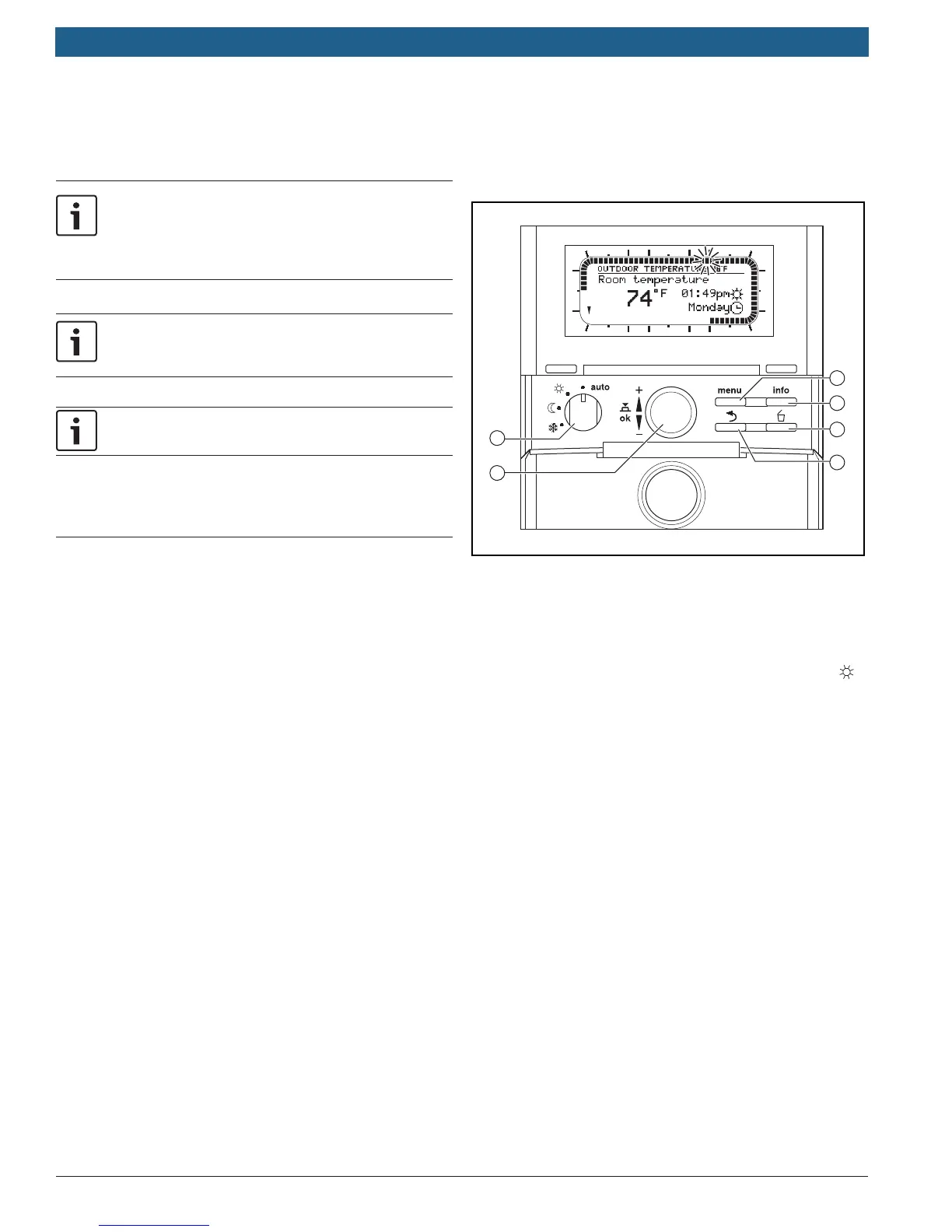
At any time, pressing the Menu button (Fig.1, pos.3) will
bring you back to the standard display.
The FW200 is sold separately, and is not compatible any
of the NSC components (CZM100, CRC100, CRC200).
Instructions for programming
Set Date and Time upon initial start-up
— Turn dial (Fig.1, pos.1) to adjust time and date. Press
the dial to finalize your selection.
— You will be asked about System configuration, which is
only necessary if you have added additional controls.
If you see this prompt, press and hold the menu
button (Fig.1, pos.3) until it disappears.
Set Date and Time after intitial programming
— Push the menu button once and release. On the
display Vacation will be highlighted.
— Turn dial counter-clockwise until General Settings is
highlighted.
— Push dial once and release. Time and Date will be
highlighted.
— Push dial again and Time will be highlighted. Set time
by pushing dial and rotating. Once complete, push
again to lock in time setting.
— Turn dial until Date is highlighted. Set date by pushing
dial and turning to select. Push dial once to lock in
date setting.
1
2
3
4
5
6
9
12
h
15
18
2124
h
3
6
Fig. 1 Controller with front fl ap open
Set for constant heating (no night set back)
This can be done two ways:
1. Turn selector (Fig.1, pos.2) to the Comfort Symbol ( ).
2. Or change programming.
To change programming:
— Press and release menu button. Vacation will be
highlighted.
— Turn dial one click counter-clockwise to highlight
Heating and push dial to select.
— Program will be highlighted. Push dial to select.
— Activate will be highlighted. Turn the dial one click
to highlight Edit and push dial to select.
— Program A will be highlighted. Push dial to select.
— Replace with preset program will be highlighted.
Turn the dial counter-clockwise to display All days
and push dial to select.
— P1 will be highlighted. Press the dial again and the
display will fl ash.
— Turn dial one click clockwise to 12:00PM.
— Press the dial and rotate it until Comf. appears.
The area around the display should fill in.
— Press dial again to lock in your program.
— Press the menu button to return to main display.


 To Next Page
 Loading...