
 Need help?
Do you have a question about the Bosch Rotterdam UBT40 and is the answer not in the manual?
Adjusts audio volume and navigates menus.
Switches radio mode, selects memory banks, answers/rejects calls.
Powers the device on/off, mutes volume.
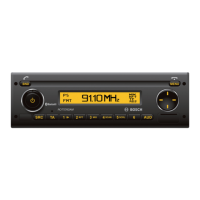
Shows information and status.
Accesses and navigates device menus and settings.
Operates various functions depending on context.
Connects external audio sources via 3.5mm jack.
For power or data connection, depending on device.
Opens audio settings menu for sound adjustments.
Preset buttons for radio stations or functions.
Controls traffic announcement priority.
Selects audio sources like radio, USB, AUX, Bluetooth.
Indicates device status, e.g., security code.
Device designed for commercial vehicles, 12V/24V, 1-DIN slot.
Prioritize safety; operate only when conditions allow; hear sirens.
Optional infrared remote control for accessing functions.
Device has a four-digit code for theft protection; requires entry after voltage interruption.
Procedure to enable or disable the anti-theft code query feature.
How to enter the code when the device is reconnected to power.
Using the dedicated button to turn the device on or off.
Utilizing the optional remote for power control.
Automatic power control linked to the vehicle's ignition.
Configures the automatic power-off delay after ignition off.
Instantly silence the audio output.
Restoring audio to the previous volume level.
Enabling or disabling audible feedback for actions.
Setting the default volume when the device is turned on.
Handling audio during mobile phone calls.
Automatically adjusts volume based on vehicle speed.
Customizing low, mid, and high frequency audio levels.
Distributing audio output between speakers and front/rear.
Enhancing bass and treble at low volumes.
Restores all sound settings to factory defaults.
Shows the current time for a short duration.
Procedure to set the device's clock.
Chooses between 12-hour (AM/PM) and 24-hour time formats.
Setting a one-off alarm with audible signal.
Operations and features for the radio tuner.
How to select the radio function from other modes.
Using RDS for automatic frequency switching and regional programming.
Enabling/disabling RDS features like AF and REG.
Specific setting for regional broadcast selection in Europe.
Choosing between FM, MW, LW, SW, AM, WX bands and memory banks.
Methods for finding and selecting radio stations.
Device automatically finds receivable stations.
Configuring search sensitivity for strong or weak signals.
Fine-tuning radio frequencies using buttons.
Saving stations to specific preset buttons.
Automatically finds and stores strongest stations.
Accessing previously saved radio stations.
Briefly listening to all stored stations sequentially.
Initiates a preview of preset stations.
Halts the station scanning process.
Previews all receivable stations in the current waveband.
Initiates a preview of receivable stations.
Halts the station scanning process.
Enabling/disabling display of RDS text information.
Information about broadcast program types.
Enabling or disabling program type search functionality.
Choosing a specific program category for station search.
Initiates a search for stations matching the selected program type.
Reduces interference for better sound quality.
Enabling/disabling traffic announcements priority.
Adjusts how much louder traffic announcements play.
Stops an ongoing traffic announcement.
Customizes short press functions of navigation buttons.
Requirements for formatting and preparing USB drives.
Information about metadata for MP3 files.
Steps to connect a USB device and enable MP3 playback.
Toggles display between track's elapsed and remaining time.
Shows track metadata like artist and title.
Shows track metadata as scrolling text.
Enables/disables scrolling text display for track info.
Navigates through folders on the USB storage device.
Resumes playback after a pause.
Plays only playlists from the USB storage device.
Navigates to the previous or next audio track.
Quickly skips forward or backward within a track.
Plays tracks in a random order within a directory or all tracks.
Disables random playback mode.
Plays short segments of tracks in order.
Stops the track scanning function.
Sets track or directory to repeat automatically.
Disables the track or directory repeat function.
Temporarily stops audio playback.
Enabling the device's infrared receiver.
Preparing the remote control for first-time use.
Details button functions for remote control operation.
Procedure for replacing the remote control battery.
Connecting and adjusting a subwoofer.
Connecting an external amplifier.
Details about the front 3.5mm audio input.
Details about rear auxiliary audio inputs.
Warning about potential injury from front AUX input plugs.
Enabling or disabling rear auxiliary audio inputs.
Setting the input level for AUX sources.
Turning the Bluetooth function on or off.
Pairing and connecting external Bluetooth devices.
Procedure for manually establishing a Bluetooth connection.
List of tested and compatible Bluetooth device models.
Handling incoming calls through the device.
Terminating an active phone call.
Dialing contacts stored in the phone book.
Shows the name of the currently paired Bluetooth device.
Enabling playback of audio from a Bluetooth device.
Navigates between audio tracks via Bluetooth.
Temporarily stops audio playback from Bluetooth device.
Resumes audio playback from Bluetooth device.
Details pins for power input and related signals.
Pin assignments for connecting speakers to the unit.
Pin assignments for preamp outputs and remote signals.
Pin assignments for phone audio input and mute function.
Pin assignments for the third auxiliary audio input.
Pin assignments for the first auxiliary audio input.
 General
| Brand | Bosch |
|---|---|
| Model | Rotterdam UBT40 |
| Category | Car Receiver |
| Language | English |








 To Next Page