en Basic settings
34
Basic setting Selection Description
Remote Start Scale with 3 levels Activate or deactivate the
function.
→"Activating Remote
Start ", Page35
This basic setting is not
available until you have
connected the appliance
with the HomeConnect
app.
→"HomeConnect ",
Page35
Factory setting Reset Restore changed set-
tings to the factory set-
tings.
The settings for initial
start-up must be con-
figured.
→"Restoring factory set-
tings", Page35
1
Factory setting (may vary according to model)
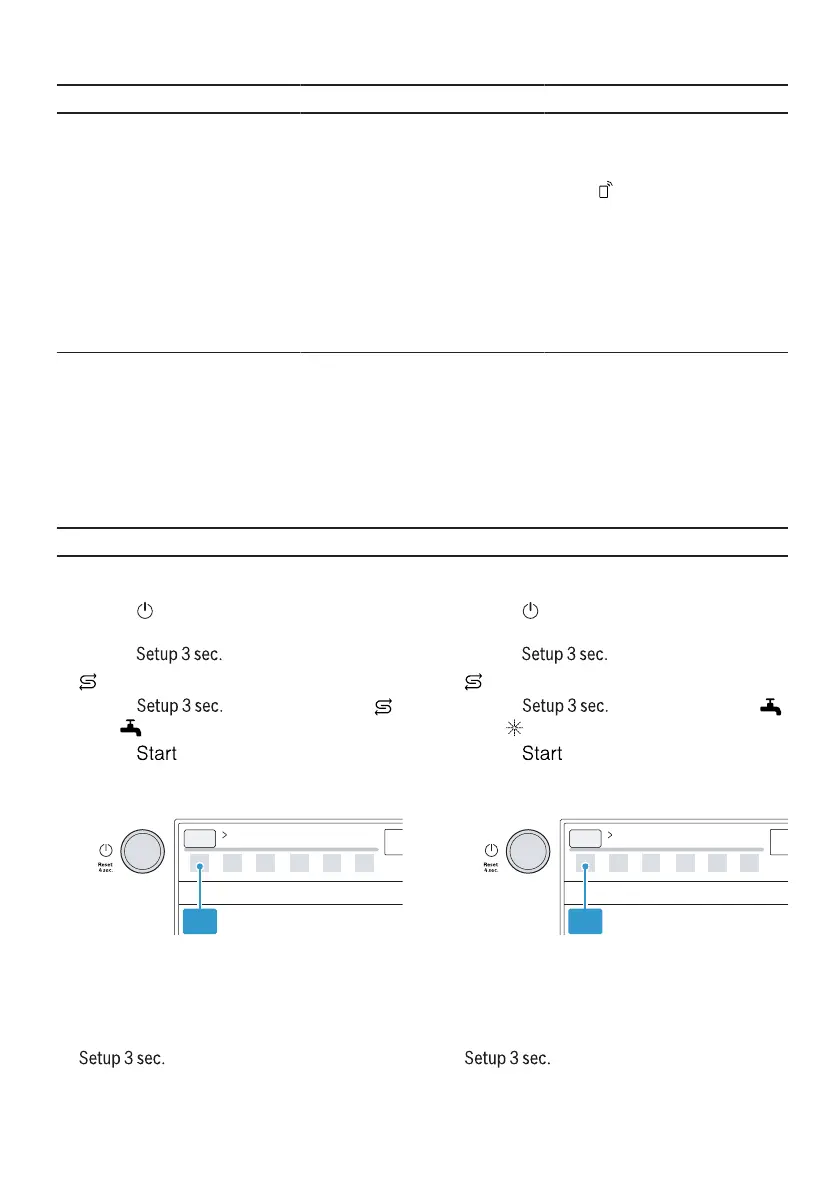
Setting Extra Dry
1. Press .
2. To open the appliance settings,
press for 3 seconds.
a flashes.
3. Press repeatedly until
and flash.
4. Press repeatedly until the
LEDs show the right value.
If LED A is not lit up, Extra Dry is
switched off.
If LED A is lit up, Extra Dry is
switched on.
5. To save the settings, press
for 3 seconds.
Set Wi-Fi
1. Press .
2. To open the appliance settings,
press for 3 seconds.
a flashes.
3. Press repeatedly until
and flash.
4. Press repeatedly until the
LEDs show the right value.
If LED A is not lit up, the wireless
network connection is switched off.
If LED A is lit up, the wireless net-
work connection is switched on.
5. To save the settings, press
for 3 seconds.



 To Next Page