HomeConnect en
35
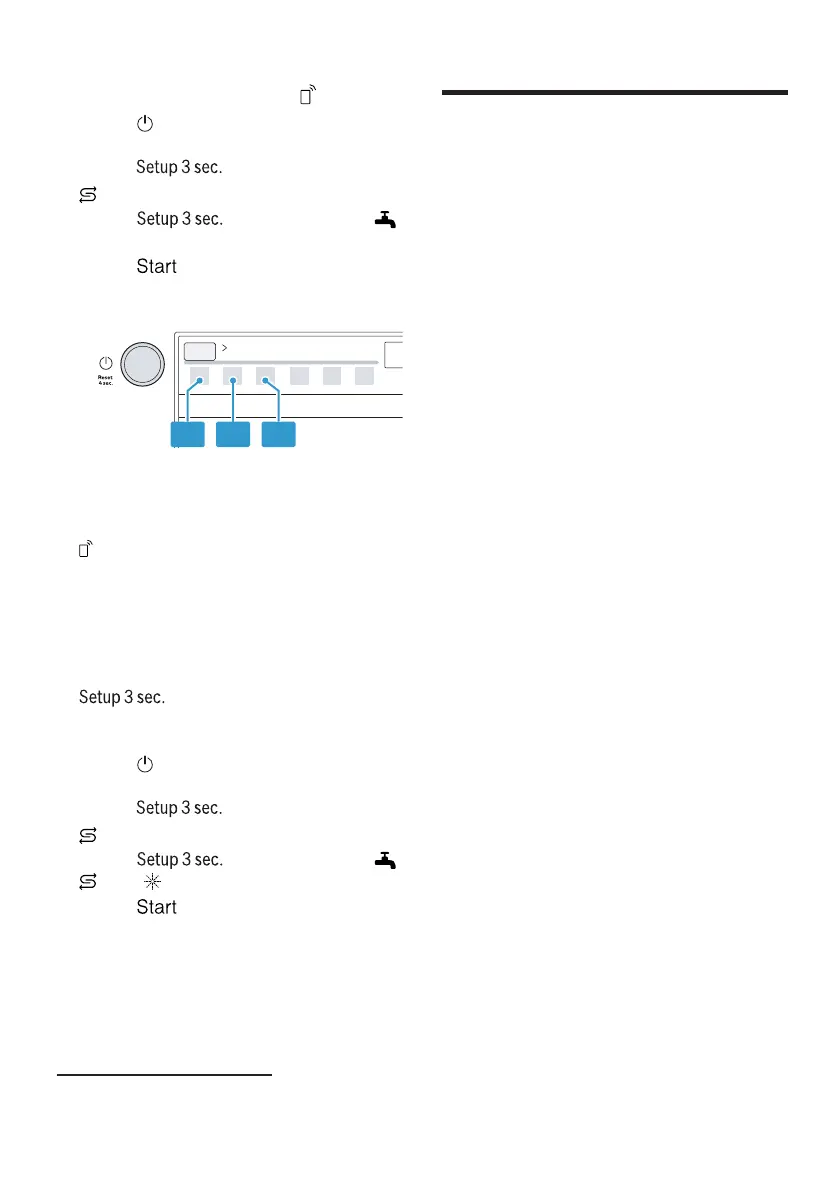
Activating Remote Start
1. Press .
2. To open the appliance settings,
press for 3 seconds.
a flashes.
3. Press repeatedly until
flashes.
4. Press repeatedly until the
LEDs show the right value.
If LED A lights up, the function is
permanently deactivated.
If LED A and LED B light up, the
function can be selected using the
button.
If LED A, LED B and LED C light
up, the function is permanently ac-
tivated.
The factory setting is level 2 (LED
A and LED B).
5. To save the settings, press
for 3 seconds.
Restoring factory settings
1. Press .
2. To open the appliance settings,
press for 3 seconds.
a flashes.
3. Press repeatedly until ,
and flash.
4. Press to set the appliance
back to the factory settings.
a The appliance is reset.
HomeConnect
16 HomeConnect
HomeConnect
This appliance is network-capable.
Connect your appliance to a mobile
device to control its functions via the
HomeConnect app.
The HomeConnect services are not
available in every country. The avail-
ability of the HomeConnect function
depends on the availability of
HomeConnect services in your coun-
try. You can find information about
this at: www.home-connect.com.
To be able to use HomeConnect,
you must first set up the connection
to the WLAN home network (Wi-Fi
1
)
and to the HomeConnect app.
The HomeConnect app guides you
through the entire login process. Fol-
low the instructions in the HomeCon-
nect app to configure the settings.
Tips
¡ Please consult the documents sup-
plied by HomeConnect.
¡ Please also follow the instructions
in the HomeConnect app.
Note:Please note the safety precau-
tions in this instruction manual and
make sure that they are also ob-
served when operating the appliance
via the HomeConnect app.
→"Safety", Page4
1
Wi-Fi is a registered trademark of the Wi-Fi Alliance.



 To Next Page