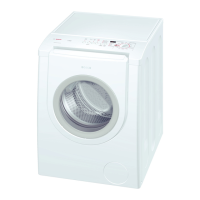
8
Safety instructions
– Read the instructions for use and the Installation/Maintenance instructions and all other
information enclosed with the washing machine and act accordingly.
– Retain documents for subsequent use.
Risk of electric shock – Never pull out the mains plug by tugging the power cord.
– Insert/pull out the mains plug with dry hands only.
Danger to life On redundant appliances:
– Pull out the mains plug!
– Sever the power cord and discard together with the plug.
– Destroy the lock on the washing-machine door. This will prevent
children from locking themselves in and suffocating.
Risk of suffocation – Keep packaging, plastic film and packaging parts out of the reach
of children.
Risk of poisioning – Keep detergents and care products out of the reach of children.
Risk of explosion – Caused by detergents containing solvents, e.g. stain remover/
items of washing pretreated with solvent naphtha may result in an
explosion after being loaded into the washing machine.
First rinse items thoroughly by hand.
Risk of injury – Washing machine door may become very hot.
– Caution when draining hot detergent solution.
– Do not climb on the washing machine.
– Do not lean on the open washing machine door.
– Do not reach into the drum in case it is still rotating.
Consumption values
Programme Load Current*** Water***
Programme
duration
***
L Cottons 20 °C 8 kg 0.23 kWh 57 l 2@ h
L Cottons 40 °C* 8 kg 0.97 kWh 57 l 2A h
L Cottons 60 °C 8 kg 1.36 kWh 57 l 2A h
Cottons 90 °C 8 kg 2.34 kWh 68 l 2@ h
I Easy-Care 40 °C* 3.5 kg 0.55 kWh 41 l 1A h
L Mix 40 °C 3.5 kg 0.47 kWh 37 l 1 h
Delicate/Silk 30 °C 2 kg 0.14 kWh 35 l B h
/ü: Wool 30 °C 2 kg 0.16 kWh 40 l B h
* Programme setting for test according to currently valid European standard 60456.
Information about comparability tests: To test the test programmes, wash indicated load size
at maximum selectable spin speed.
Programme Additional function Load
Annual energy
consumption
Annual water
consumption
L Cottons ~jEcoPerfect** 8/4 kg 189 kWh 10500 l
** Programme setting for testing and energy labelling in accordance with EU directive 2010/30/
EU with cold water (15 °C).
*,** Programme setting for tests: set intelligent dosage i-DOS1 and i-DOS2 to – (OFF), manually
dose washing powder via dispenser B/C.
*** The values may deviate from the stated values depending on water pressure and hardness,
room temperature, type and amount of laundry, detergents used, fluctuations in the mains vol-
tage and selected additional functions.
8
9
Important information
Protecting the washing and the machine
– Empty pockets. Remove metal parts (paper clips, etc.).
– Wash delicates in the net/bag (tights, curtains, underwired bras).
– Close zips, button up covers.
– Brush sand out of pockets and collars.
– Remove curtain fittings or include in the net/bag.
Insert laundry
– To ensure an optimum spin performance, load large and small items of washing.
– Individual items may cause excessively large imbalances.
– Do not jam items of washing between the washing machine door and rubber seal.
Soaking Load washing of the same colour.
Dose detergent with i-DOS or pour into dispenser B/C according to manufacturer’s
instructions. Select the required programme. Select $Start/Reload. After approx. 10
minutes select $ Start/Reload to stop the programme. After the required soaking time,
select $Start/Reload again. Programme continues.
Starching Washing should not be treated with fabric softener.
Select 2/ Rinse/Spin programme. Manually pour liquid starch into the B/C dispenser
according to manufacturer's specifications (if required clean beforehand). Select $Start/
Reload.
Dyeing/Bleaching
Dye in household quantities only. Salt may attack stainless steel! Observe specifications of
the dye manufacturer! Do not bleach washing in the washing machine!
Load display
The load sensor detects the load level in the washing machine. The washing is not balanced.
Load adjust
Independently of the load display, the load adjust. uses other sensors to optimally adjust the
water and power consumption and the programme duration in each programme – depending
on textile type and load.
Reload
Select $ Start/Reload button if you want to add more items of washing after the programme
starts. The machine checks whether a top-up is possible. Follow the information on the display
panel. At a high water level and/or temperature or while the drum is rotating, the washing
machine door remains locked for reasons of safety.
To continue the programme, select the $Start/Reload button.
Childproof lock/appliance lockout ON/OFF, display symbol #
The washing machine can be secured to prevent the set functions from being unintentionally
changed.
Activate:
Deactivate:
Press the ÙOptions button for 5 seconds. Symbol # is lit.
Press the Options button for 5 seconds.
– If the programme selector is moved after start: Symbol # flashes.
First move programme selector back to the original programme, then deactivate.
– Childproof lock can remain activated until a programme is next started, even after the
machine is switched off (name of the programme last run is indicated on the display panel).
Then deactivate the childproof lock before the programme starts and, if required, re-activate
after the programme starts.
Programmes with prewash, display symbol
Prewash can be selected in certain programmes.
For intelligent dosage i-DOS: Selected detergent is used for prewash and main wash.
To avoid an unnecessary overdosage of detergent for prewash/main wash, we recommend
the setting normal for the dosage.
Manual dosage: Divide detergent for prewash and main wash. Put detergent for
prewash in the drum and pour detergent for main wash in dispenser B/C.
Do not use any detergents containing bleach for coloured textiles.
#
10
Information on programmes/options
ʑ
Automatic programmes
The degree of soiling and the type of washing are automatically detected and the washing
sequence as well as intelligent dosage are optimally adjusted.
– automatic: for durable textiles
– automatic soft: gentler treatment of washing
ʑ
Rinse/Spin
For this combined 2/ Rinse/Spin programme a rinse cycle is preset under the
Rinse Plus 2 programme option. aPage 6
If only a spin cycle is required, set Rinse Plus 2 to OFF.
ʑ
Stain selection
Do not let stains dry. Remove solid substances beforehand. Arrange items of washing as
usual and load washing machine. Select a stain type (cannot be combined).
A total of 16 different stains can be selected. The washing machine adjusts the
washing temperature, drum movement and soaking time specific to the type of stain.
Hot or cold water, gentle or intensive washing control and long or short soaking
provide the wash programme with a special sequence for each type of stain.
Select stain selection by pressing the Options button; select Stain by pressing the
/Change buttons.
The result: stains are treated optimally.
ʑ
Stains
baby food
blood
bott. sock dirt
butter/edi. oil
chocolate
coffee
cosmetics
egg
grass
orange
red wine stain
soil and sand
strawberry
sweat
tea
tomato
ʑ
2 stain programmes explained in detail (examples)
egg Soaking in a lukewarm water bath, selected wash cycle with higher water level and
additional rinse cycles to remove particles.
blood Blood is first “dissolved” in cold water, then the selected wash programme starts.
For the other stains we have developed comparable solutions in intensive studies.
11
Intelligent Dosage System (i-DOS)
Switching on the appliance
The appliance has been preset at the factory for dosing a liquid
detergent and a fabric softener, identified by corresponding filling
lids:
–
« Standard/universal detergent, enclosed.
– 0 Softener only i-DOS2, pre-installed,
Instead of softener, a second liquid detergent can also be used
in dispenser i-DOS2. a Page 13
Filling dispenser
1. Open detergent drawer.
2. Open fill cover.
3. Add detergent/fabric softener. Do not fill above the max mark.
4. Close fill cover.
5. Slowly push in detergent drawer.
Once the appliance is switched on, the completely inserted drawer
is indicated by:
– A small display on the handle is lit when intelligent dosage i-
DOS1/i-DOS2 is selected. aPage 11
– Display flashes once if intelligent dosage is not selected. a
Page 11
When selecting your detergent and care product, follow the manufacturers instructions.
We recommend the use of standard, universal and color liquid detergents for all machine-
washable, coloured textiles made of cotton and synthetic materials.
– Use liquid products only.
– Do not use any solvent-based, corrosive or gas-emitting products (e.g. liquid beach).
– Do not mix detergent and softener.
– Do not use any superimposed or highly thickened products.
– To prevent product from drying, do not leave the fill cover open for a long time.
In daily use
ʑ
Illuminated displays in the drawer handle
– Display is lit if intelligent dosage is selected for the dispenser.
– Display flashes if level below minimum.
– Display flashes briefly when drawer has been inserted correctly
(if intelligent dosage not selected).
aseparate Installation/Maintenance instructions, Page 9
12
Intelligent Dosage System (i-DOS)
ʑ
Selecting and deselecting intelligent dosage/adjusting dosage strength
The intelligent dosage of detergent and softener is selected in the factory for all permitted
programmes, a Page 7 (dosage strength normal) and can be changed individually for each
programme.
In addition to intelligent dosage, washing additives (e.g. stain remover) can be added
manually via dispenser
B/C.
Changing dosage strength:
1. Select dosage options by pressing i-DOS1 / i-DOS2
buttons.
2. Select required dosage strength by pressing / Change
buttons.
Indicator lamp in the drawer handle goes out when the
setting is OFF.
finished in 2:26
i-DOS1: deterg.
®)cdosage: normal
The selection (OFF/light/normal/strong) of i-DOS1 and i-DOS2 is retained for each
programme until the next change occurs, even if the machine is switched off.
ʑ
Reloading detergent/softener
The flashing of the associated illuminated display when intelligent dosage is selected and
a corresponding message on the display panel indicate that the level is below the minimum.
There are still enough contents for approx. 3 washes.
The same detergent or softener can be topped up at any time. If the product/manufacturer is
changed, we recommend cleaning the dispensers beforehand a separate Installation/
Maintenance instructions, Page 8, 9, and, if required, adjusting the basic dosage.
Standard settings i-DOS
ʑ
If required, change basic dosages for detergent and softener
The basic dosage is the dosage of detergents and softeners for an average domestic load.
The basic dosage to be set corresponds to the recommendation of the detergent or softener
manufacturer (normal soiling, average softness, average domestic load for the existing water
hardness).
This information can be found on the package label of the detergent/softener or ask the
manufacturer directly.
To determine the existing water hardness, use a test strip or check with your water supply
company.
My water hardness:
Factory setting of the basic dosage: detergent 75 ml/softener 36 ml
To adjust the basic dosages:
1. Press ÙOptions button to select option i-DOS1 : basis or
i-DOS2 : basis.
2. Press /Change buttons to set the basic dosage (10 ml –
200 ml).
finished in 2:26
Ē
i-DOS1 basis
®)c
deterg.: 75 ml
hold down button = quick run through
13
Intelligent Dosage System (i-DOS)
ʑ
Converting i-DOS2 dispenser contents
Instead of softener, a second liquid detergent can also be
used in dispenser i-DOS2.
1. Press ÙOptions button to select i-DOS2: content.
2. Press /Change buttons to switch between softener and
detergent.
finished in 2:26
Ē
i-DOS2: content
®)csoftener
– An additional changeable insert for a second detergent is enclosed and can be fitted in the
fill cover. aPage 11
– When the dispenser contents are changed, the basic dosage is reset to the corresponding
factory setting. If required, adjust the basic dosage.
Manual dosage in dispenser B/C
1. Set intelligent dosage to – (OFF). aPage 12
2. Dose in dispenser B/C according to amount of washing,
manufacturer’s specifications and existing water hardness.
B/C = Powder/liquid detergent
– Do not manually dose liquid detergent for programmes with Prewash and/or with
end time programme option.
– For programmes with Prewash pour in detergent. aPage 9
Do not open detergent drawer while water is being supplied.
Customer service
ʑ
If you cannot rectify the fault yourself (a separate Installation/Maintenance instructions,
What to do if ...), please contact our customer service. We will always finds a suitable solution
to avoid unnecessary visits by technicians.
ʑ
You can find the contact data for your nearest customer service here or in the customer
service list (depending on model).
– GB
– IE
0844 8928979
(Calls from a BT landline will be charged at up to 3 pence per minute. A call set-up
fee of up to 6 pence may apply.)
01450 2655
ʑ
Please give customer service the product number (E-Nr.) and the production number (FD)
of the appliance.
Product number Production number
These instructions can be found on:
inside of washing machine door */open
service flap * and rear of the appliance.
* depending on model
ʑ
Rely on the competence of the manufacturer. Contact us.
You can therefore be sure that the repair is carried out by trained service technicians who
carry original spare parts.
en operating instructions
Washing machine
with Intelligent Dosage System
WAS32890EU
Observe the safety instructions on page 8.
Read these instructions and the separate installation
instructions before operating the washing machine.


 To Next Page
 Loading...