en Cleaning and servicing
34
Basic setting Programme
position
Value Description
13A. If the installation protection
is changed to 10A, the pro-
gramme duration and energy con-
sumption will be increased.
→"Consumption values",
Page44
14.2 Changing the basic set-
tings
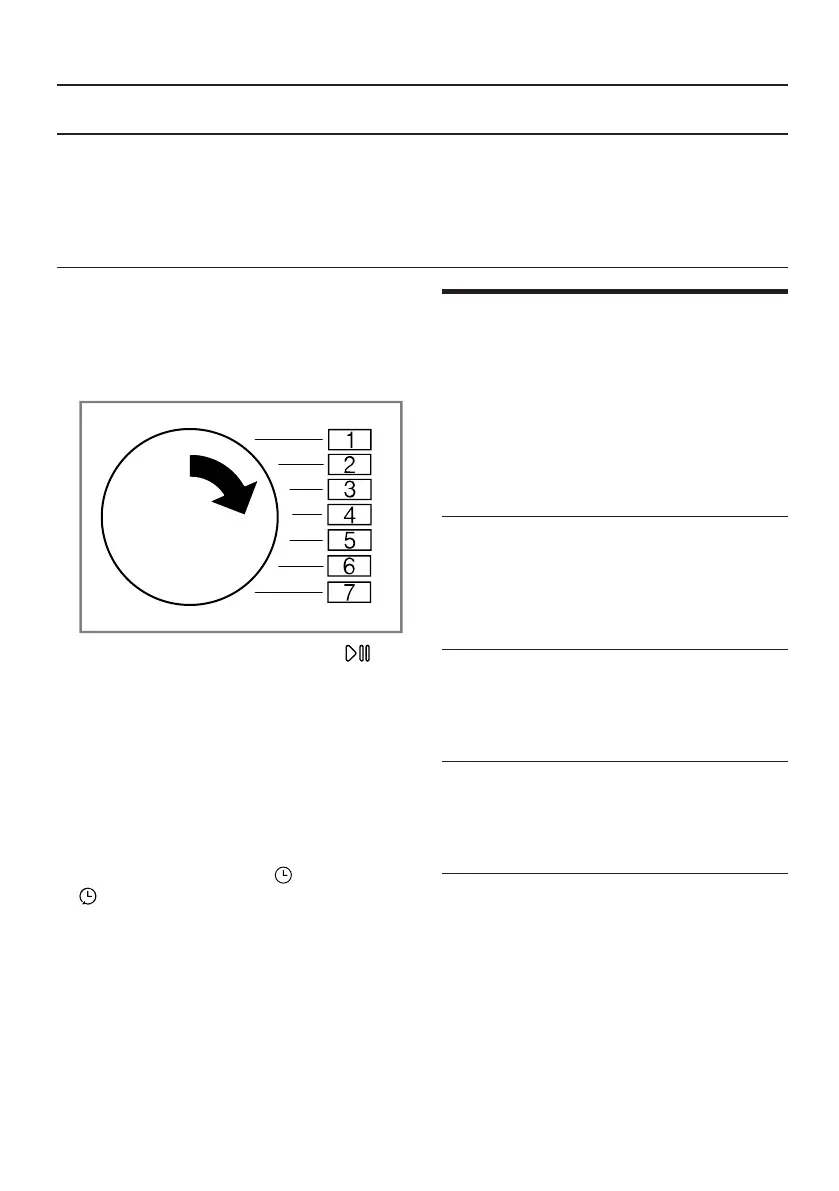
1. Set the programme selector to po-
sition 1.
2. Press Inicio/Pausa + Carga
and, at the same time, turn the
programme selector to position2.
a The display shows the current
value.
3. Set the programme selector to the
required position.
→"Overview of the basic settings",
Page33
4. To change the value, press
Duración / Duração / Termin.
.
5. To save the changes, switch off
the appliance.
Cleaning and servicing
15 Cleaning and servi-
cing
Cleaning and servicing
To keep your appliance working effi-
ciently for a long time, it is important
to clean and maintain it carefully.
15.1 Tips on cleaning and
care
Wipe down the
housing and the
controls with
nothing but water
and a damp
cloth.
This ensures the
parts of the appli-
ance will remain
clean and hy-
gienic.
Remove all de-
tergent residue,
spray residue or
other residues
immediately.
Fresh deposits
are easier to re-
move without
leaving any
residue.
Leave the appli-
ance door open
after use.
This allows the
residual water to
dry, reducing
odours in the ap-
pliance.



 To Next Page