XDK110 BCDS
© Bosch Connected Devices and Solutions GmbH reserves all rights even in the event of industrial property rights. We reserve all rights of disposal such as
copying and passing on to third parties. BOSCH and the symbol are registered trademarks of Robert Bosch GmbH, Germany.
Note: Specifications within this document are subject to change without notice.
1.2.4 Editor
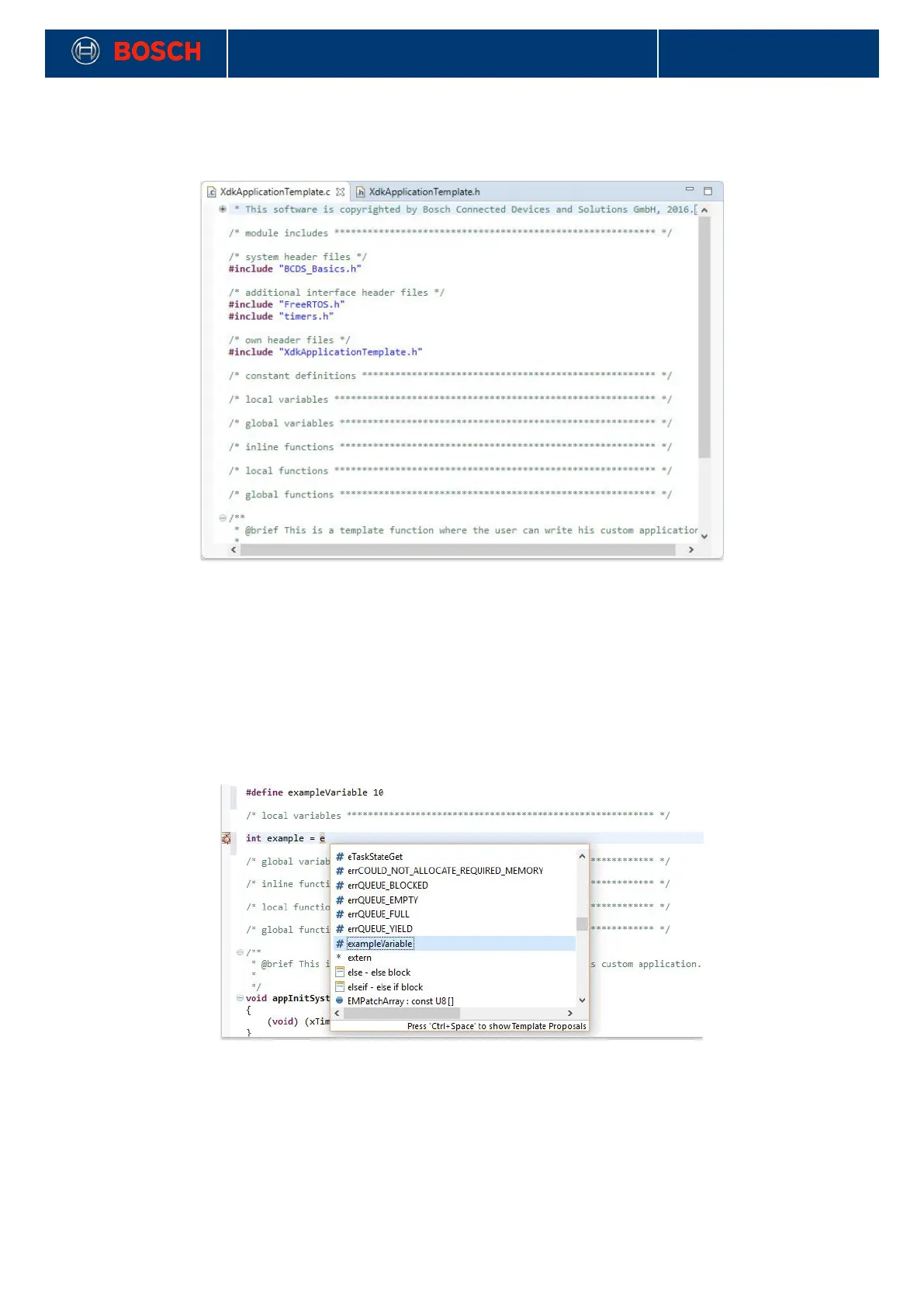
Picture 14: XDK workbench code editor
!
The editor area of the XDK workbench allows entering and editing of code lines. More functions are available
by using the context menu.
1.2.4.1 Code Editor - Autocompletion
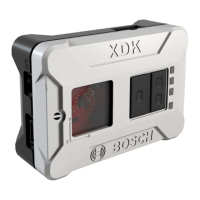
Code autocompletion is an useful feature of the XDK workbench. Type the starting character and complete
the name with ctrl + space. With this shortcut it can be avoided to type long variable names. Additionally it is
a convenient way to find variables and functions you want to use from the included libraries.
Picture 15: Code editor autocompletion window
!


 To Next Page