XDK110 BCDS
© Bosch Connected Devices and Solutions GmbH reserves all rights even in the event of industrial property rights. We reserve all rights of disposal such as
copying and passing on to third parties. BOSCH and the symbol are registered trademarks of Robert Bosch GmbH, Germany.
Note: Specifications within this document are subject to change without notice.
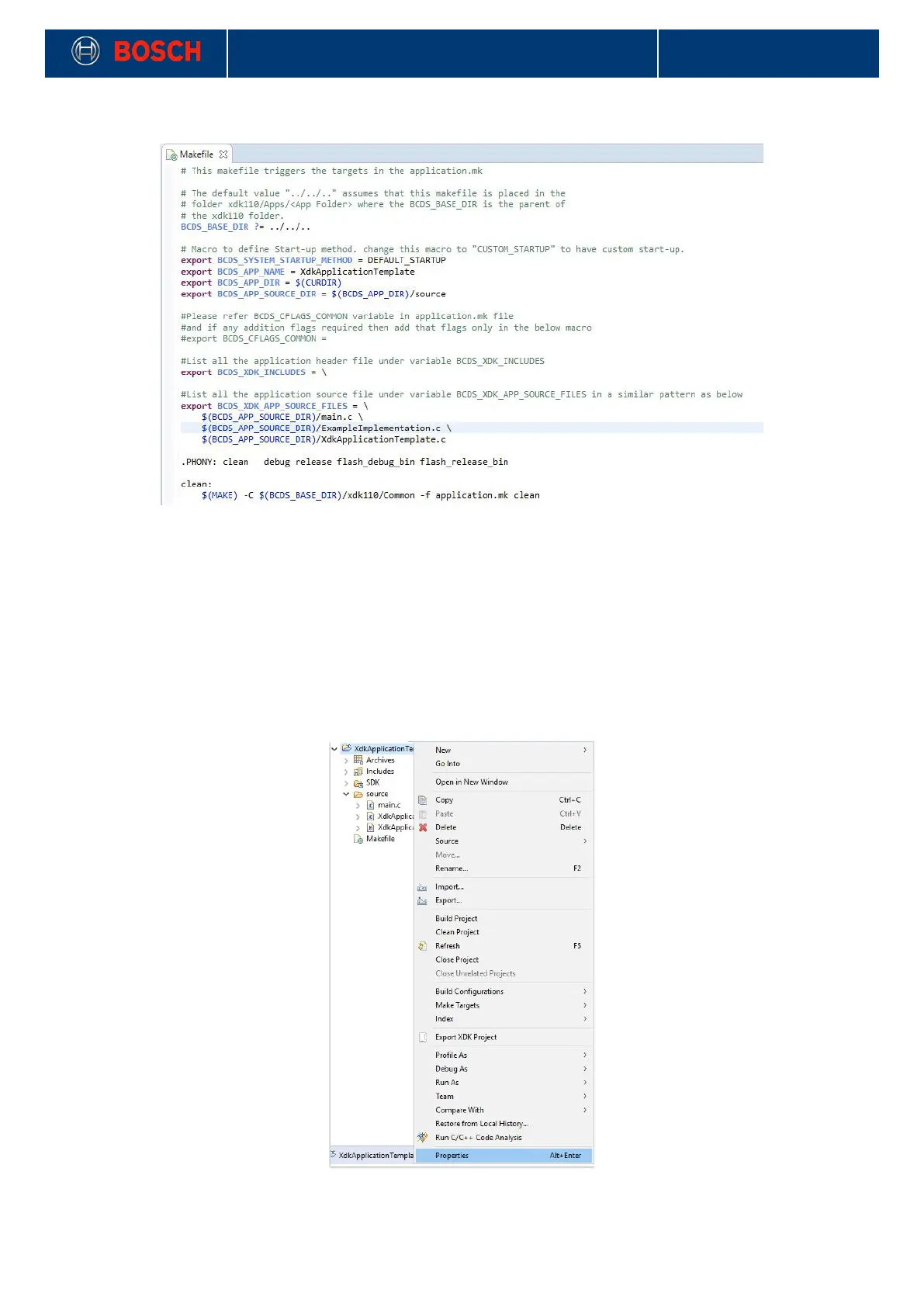
Picture 24: Editing Makefile
!
4.4 Rename a Project in the XDK Workbench
If you rename a project in XDK Workbench, the project configuration as well as the makefile has to be
modified.
1. Click your project in XDK Workbench and select Properties.
2. Go into the C/C++ Build tab and update the BuildDirectory. To do this, click on Workspace and select the
"make" folder inside your renamed application.
Picture 25: Properties View
!


 To Next Page