EasyManua.ls Logo

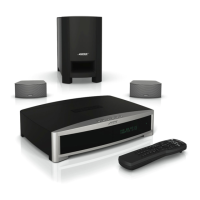
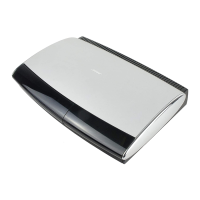
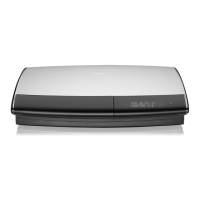
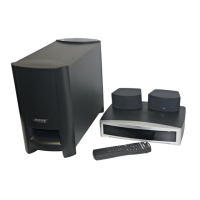
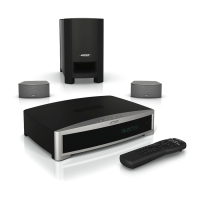
Bose 3.2.1 GSX - User Manual

Bose 3.2.1 GSX
92 pages
Print Icon
To Next Page IconTo Next Page
Loading...
3
2
1 GSX
DVD HOME ENTERTAINMENT SYSTEM
2ZQHU¶V*XLGH

Table of Contents

Questions and Answers

  • P
    Peter MunozSep 12, 2025
    What does 'BUSY PROCESSING CDs' mean on my Bose 3.2.1 GSX Home Theater System?
    • M
      Matthew CastroSep 12, 2025
      If “BUSY PROCESSING CDs” appears on the media center display of your Bose Home Theater System and it won’t let you store any more CDs, it means that when you store a CD, the tracks are first placed in a holding area, which can hold up to 10 CDs. This message appears if this holding area is full. Wait 30 minutes and try again.
  • P
    Pamela MaxwellAug 25, 2025
    How to fix distorted sound on Bose 3.2.1 GSX Home Theater System?
    • W
      William FrazierAug 25, 2025
      To address distorted sound on your Bose Home Theater System: * Make sure speaker cables are not damaged and the connections are secure. * Reduce the output level from any external audio devices connected to the music center. * Reduce the input level setting for the connected device in the System menu.
  • Z
    zwilsonAug 27, 2025
    How to fix distorted sound on my Bose Home Theater System?
    • D
      Dennis AlvarezAug 27, 2025
      Make sure the speaker cables are not damaged and the connections are secure. Reduce the output level from any external audio devices connected to the music center. Reduce the input level setting for the connected device in the system menu.
  • D
    David JonesAug 29, 2025
    What to do if my Bose Home Theater System DVD or CD does not play?
    • D
      David KlineAug 29, 2025
      If your Bose Home Theater System is not playing DVDs or CDs, consider the following: * Check if the Play symbol in the display is lit. * Wait a few seconds after pressing the CD•DVD button before pressing Play. * Make sure the disc is properly inserted (label-side up). * Eject and reload the disc. * Clean the disc if there is dirt or dust. * Try another disc to rule out a defective disc. * Ensure region codes for both the DVD and player match.
  • D
    Derrick WillisAug 30, 2025
    What to do if my Bose 3.2.1 GSX Home Theater System doesn’t do anything?
    • J
      Jacqueline WoodAug 30, 2025
      If your Bose Home Theater System isn’t responding, try the following: * Ensure the unit is turned on by pressing the remote On-Off button and the media center On-Off button. * Verify the Acoustimass module cable is properly connected to both the media center and the Acoustimass module. * Confirm the power cord is securely inserted into the Acoustimass module and plugged into an operating AC wall outlet. * Select a source (CD/DVD, AM/FM, etc.). * Unplug the Acoustimass module power cord from the outlet for one minute, then reconnect it to reset the unit. Wait for the message “BOSE 3•2•1” to appear on the media center display.
  • L
    Leonard RobinsonNov 25, 2025
    Why does my Bose Home Theater System have no sound?
    • R
      Richard McintyreNov 25, 2025
      There could be several reasons for this. First, increase the volume and check if MUTE is lit on the display; if so, press the Mute button on the remote. Ensure you've selected the correct source on the remote. Also, verify that the Acoustimass module cable and speaker cables are firmly connected. Check the speaker connections and make sure the disc is placed correctly, label-side up, in the CD tray. Connect the FM and AM antennas. If you are using an optical digital audio connection, make sure that the optical jack is correctly assigned in the System menu. Make sure the volume is turned up on the TV. Check input level settings for each connected device in the System menu. Alternatively, turn the media center off for 10 seconds, then on again, or unplug the Acoustimass module power cord fro...
  • M
    Matthew FletcherSep 22, 2025
    Why does my Bose Home Theater System display 'BUSY PROCESSING CDs'?
    • A
      agraySep 22, 2025
      When you store a CD, the tracks are first placed in a holding area which can hold up to 10 CDs. This message appears if this holding area is full. Wait 30 minutes and try again.
  • R
    Ryan ForbesNov 20, 2025
    Why is there no sound on my Bose 3.2.1 GSX?
    • K
      Kiara TaylorNov 20, 2025
      If your Bose Home Theater System has no sound, try the following: * Increase the volume. * Check if MUTE is lit on the display; if so, press the Mute button on the remote. * Select the correct source. * Press the source button on the remote. * Ensure the Acoustimass module and speaker cables are firmly connected. * Check speaker connections and external audio device connections. * Turn the media center off for 10 seconds, then on again. * Make sure the disc is placed correctly, label-side up. * Connect the FM and AM antennas. * Unplug the Acoustimass module power cord for one minute, then reconnect it to reset the unit. * If using an optical digital audio connection, verify the optical jack assignment in the System menu. * Ensure the TV volume is turned up. * Che...
  • T
    Travis GutierrezSep 10, 2025
    I forgot my Bose 3.2.1 GSX password, what can I do?
    • T
      Tina BaxterSep 10, 2025
      To unlock DVD access on your Bose Home Theater System, enter the password 2673.
  • M
    Maria DelgadoSep 7, 2025
    How to fix distorted FM sound on Bose Home Theater System?
    • D
      David SkinnerSep 7, 2025
      To fix distorted FM sound on your Bose Home Theater System, adjust the antenna position to reduce interference.

Summary

Safety Information and Precautions

Introduction to Your Bose System

System Features Overview

Details on the integrated media center, uMusic system, speakers, and remote.

uMusic Intelligent Playback System

Explanation of the Bose technology for storing and playing music collections.

Disc Compatibility and Region Codes

Information on supported disc types and region code matching for DVDs.

System Setup Guide

Unpacking and Verifying Components

How to carefully unpack and verify all system components are included.

Selecting Component Locations

Guidelines for positioning the media center, speakers, and Acoustimass module.

Making System Connections

Detailed instructions on connecting all system components, including speakers and module.

Connecting Antennas and External Sources

How to connect FM/AM antennas, TV, VCR, and other audio/video devices.

Connecting Game Consoles and Power

Instructions for connecting gaming consoles and the main power cord.

Verifying System Setup

Steps to confirm correct connections and initial system operation using the setup DVD.

System Controls and Indicators

Remote Control Functions

Detailed explanation of all buttons and their operations on the remote control.

Media Center Controls and Display

Description of the media center's physical buttons, display panel, and indicators.

Setting Up the Remote for Other Devices

Guide to programming the remote to control TVs, VCRs, and cable/satellite boxes.

Operating Your 3•2•1 GSX System

Basic Playback: DVDs, CDs, and Radio

Guidance on playing video DVDs, audio CDs, and tuning FM/AM radio stations.

uMusic Intelligent Playback System

How to store CDs, play music, rate tracks, and use play modes like Playlist and Encore.

Managing Stored Music and Playlists

Deleting tracks, creating presets, managing playlists, and searching the music library.

Changing Source Settings

Viewing and Making Settings Changes

General procedure for accessing and modifying source-specific settings via menus.

Stored CD, DVD, and Radio Settings

Options for managing CDs, DVDs, and radio settings like output mode and sleep timers.

TV, CBL;SAT, and AUX Settings

Settings affecting programs when the source is VCR, CBL/SAT, or AUX.

Changing System Options

Using the System Menu

Navigating the main system menu to access categories like Audio, Video, and Remote Control.

Audio and Video Options

Fine-tuning audio (bass, treble, processing) and video (aspect ratio, black level) settings.

Media Center, Remote Control, and DVD Lock Options

Configuring media center, remote control, and DVD content restrictions.

Maintaining Your System

Cleaning System Components

Guidance on cleaning the media center, speakers, and discs properly.

Replacing Remote Control Batteries

Steps for opening the remote and installing new batteries.

Troubleshooting and Customer Service

Troubleshooting Common Issues

Solutions for problems like system not responding, disc issues, no sound, or remote inconsistencies.

Customer Service Contact

Information on how to obtain further assistance from Bose Customer Service.

Technical Specifications

End User License Agreement (EULA)

Device Codes for Remote Setup

Finding the Right Device Codes

Guidance on searching for and using device codes for TVs, VCRs, and other equipment.

Device Code Listings

Comprehensive lists of manufacturer codes for various device types (TV, CBL, SAT, DVD, VCR, HDTV).

Bose 3.2.1 GSX Specifications

General IconGeneral
BrandBose
Model3.2.1 GSX
CategoryHome Theater System
LanguageEnglish

Related product manuals