EasyManua.ls Logo

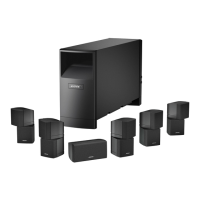
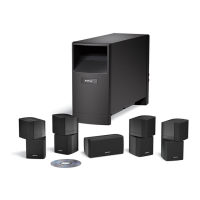
Bose Acoustimass 6 - User Manual

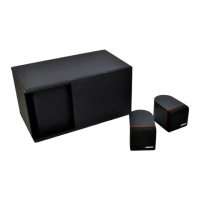
Bose Acoustimass 6
25 pages
Print Icon
To Next Page IconTo Next Page
Loading...
Acoustimass
®
10 Series IV
HOME ENTERTAINMENT SPEAKER SYSTEMS
2ZQHU¶V*XLGH
*XtDGHXVDULR
1RWLFHG¶XWLOLWVDWLRQ
Acoustimass
®
6 Series III

Questions and Answers

  • A
    Ashley HarrisJul 25, 2025
    How to fix Bose Speaker System when there is no sound?
    • S
      Sean YoderJul 25, 2025
      If your Bose Speaker System has no sound, try these steps: Check the cube speaker and Acoustimass module connections. Turn the receiver ON. Check the connections of external components to the receiver. Increase the volume. Also, disconnect any headphones that may be plugged in.
  • A
    Andrea CurtisJul 31, 2025
    How to troubleshoot a Bose Speaker System that does not function at all?
    • D
      Debra SnowJul 31, 2025
      If your Bose Speaker System isn't functioning, ensure the receiver's power cord is plugged into a working AC wall outlet and that the receiver is turned on. Also, select a source on the receiver, such as video, CD, or tuner.
  • M
    Ms. Jill MitchellAug 5, 2025
    Why is there no bass coming from my Bose Acoustimass 6 Speaker System?
    • R
      Rodney KochAug 5, 2025
      If you're not getting any bass from your Bose Speaker System, first check that the speaker connections at the receiver or amplifier are correctly connected (+ to + and – to –). If you're using Dolby Pro-Logic mode, ensure surround sound is turned ON. If you're using Dolby Digital (AC-3) programming, verify that the settings are correct at the receiver and that the source material (laser disc or broadcast programming) is Dolby Digital or AC-3 encoded.
  • B
    Brandon JuarezAug 9, 2025
    What to do if Bose Acoustimass 6 Speaker System has not enough or too much bass?
    • M
      Mark PowellAug 9, 2025
      To adjust the bass level on your Bose Speaker System, move the Acoustimass module closer to a wall or corner to increase bass. Move it farther from a wall or corner to decrease bass. You can also adjust the bass/treble control on the receiver slightly.
  • S
    Shane Sandoval MDAug 15, 2025
    What to do if my Bose Speaker System sound is distorted?
    • A
      Anna BrownAug 15, 2025
      If the sound from your Bose Speaker System is distorted, ensure the speaker cable isn't damaged. Additionally, reduce the volume of any external components connected to the receiver.
  • L
    Logan HillAug 20, 2025
    How to enable surround sound on a Bose Acoustimass 6?
    • D
      David LopezAug 20, 2025
      To enable surround sound on your Bose Speaker System: * If your surround sound receiver is Pro-Logic, ensure it's connected to a stereo sound source (TV, VCR, laserdisc, or DSS player) via an RCA stereo cable. If connected directly to a stereo television, ensure all other program sources (VCR, laserdisc, or DSS player) are connected to the TV using RCA stereo cables. * If your surround sound receiver is Dolby Digital (AC-3), ensure the sound source (DSS, laser disc, or DVD player) is connected directly to your receiver as described in your receiver owner’s guide.

Summary

Safety Information

General Safety Warnings

Important safety warnings and symbols related to electrical shock and operation.

Setting Up Your System

Speaker Placement Guidelines

Advice on positioning speakers for realistic home theater sound.

Connecting Module to Receiver

Instructions for connecting the Acoustimass module's input cable to the receiver.

Using Your System

Reference and Support

Troubleshooting Common Issues

Solutions for problems like no sound, no surround sound, or distorted audio.

Important Safety Instructions

General Safety Precautions

Covers reading instructions, heed warnings, cleaning, ventilation, heat sources, plugs, cords, and attachments.

Power Sources, Power Lines, and Grounding

Safety regarding power sources, avoiding power lines, and grounding outdoor antennas.

Bose Acoustimass 6 Specifications

General IconGeneral
BrandBose
ModelAcoustimass 6
CategorySpeaker System
LanguageEnglish

Related product manuals