EasyManua.ls Logo

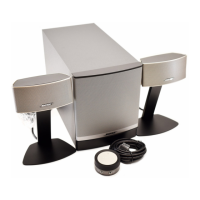
Bose Companion 5 - User Manual

Bose Companion 5
29 pages
Print Icon
To Next Page IconTo Next Page
Loading...
The Bose
®
Lifestyle
®
5 Music System
Owner’s Guide
October 22, 2001
AM251774_03_V.pdf

Other manuals for Bose Companion 5

Questions and Answers

  • D
    david60Aug 19, 2025
    Why is there no sound from my Bose Speaker System?
    • J
      Jonathan FloresAug 19, 2025
      If you are experiencing a lack of sound from your Bose Speaker System, here are a few things to try: * Ensure the USB cable is securely connected to your computer by disconnecting and reconnecting it. * Verify all connections are secure. * Inspect speaker cords for any damage that might cause a short or open circuit. * Adjust the volume using the control pod's volume ring. * If using an external audio device, ensure it's properly connected and the volume is turned up. * Confirm the speaker system is active (control pod indicator is green). * Disconnect any headphones. * Restart your digital audio application, ensuring it's not muted and the volume is at a reasonable level.
  • T
    tfrenchAug 21, 2025
    What to do if my Bose Companion 5 Speaker System sounds distorted?
    • D
      Danielle SchmittAug 21, 2025
      If your Bose speaker system sounds distorted, try decreasing the volume at the sound source and increasing the volume on the control pod. Also, disable any effects in the audio application you are using.
  • D
    Dale GarrettAug 25, 2025
    How to fix Bose Speaker System when hearing clicks, pops, and abnormal sounds on my computer?
    • M
      mitchellbrookeAug 25, 2025
      Clicks, pops, and abnormal sounds may occur if the speaker system is connected to your computer through a USB hub. Try disconnecting the Companion® 5 system USB cable from the hub and plugging it directly into a USB jack on your computer.
  • N
    ngonzalesAug 26, 2025
    What to do if the sound from my Bose Companion 5 Speaker System is not loud enough?
    • J
      Jason RamirezAug 26, 2025
      If the sound from your speakers isn't loud enough, increase the volume on your computer or other sound source.
  • L
    Leonard ParkerAug 27, 2025
    What to do if one satellite speaker of Bose Speaker System does not play or sounds distorted?
    • S
      Scott GrahamAug 28, 2025
      If one satellite speaker isn't working properly, check the following: 1. Ensure all connections between the satellite speakers, control pod, sound source, and the Acoustimass module are secure. 2. Make sure all plugs are fully inserted into the jacks on the module. 3. Verify the speaker cord plug on the speaker in question is fully inserted into its jack on the Acoustimass module. 4. Connect a different sound source to the control pod to determine if the problem is in the sound source or the Acoustimass module. If the speaker system operates properly, the problem is in the original sound source. If the problem remains, then the problem is in the Acoustimass module. 5. Check balance levels on your sound source.
  • C
    Christopher VazquezAug 29, 2025
    What to do if there is no sound from my Bose Speaker System?
    • A
      Angela GilesAug 30, 2025
      If you're not getting any sound from your Bose Speaker System, here are a few things to try: * First, disconnect and reconnect the USB cable from your computer. * Make sure all connections are secure. * Inspect your speaker cords for any damage. * Turn the volume ring on the control pod clockwise to increase the volume. * If using a connected audio device, ensure it's plugged in and the volume is turned up. * Confirm the speaker system is in Active mode (control pod indicator is Green). * Disconnect any headphones that may be plugged in. * Restart your digital audio application, ensuring it's not muted and the volume is at a reasonable level.
  • T
    Travis MooreAug 31, 2025
    Why does my Bose Companion 5 Speaker System sound “tinny,” too much treble?
    • Y
      yrichardSep 1, 2025
      If your system sounds tinny with too much treble, make sure the right (R) and left (L) speakers are on the correct sides of your computer monitor and check the L and R markings on the speaker cord behind each speaker. Also, make sure the Bass Compensation control on the Acoustimass® module is not turned fully counterclockwise.
  • S
    Steven BassSep 2, 2025
    What to do if Bose Companion 5 Speaker System setup was interrupted by the message, “A problem occurred during hardware installation. Your new hardware might not work properly.”?
    • T
      Timothy CampbellSep 2, 2025
      This message may appear if the USB cable was removed during hardware installation. Try inserting the USB cable and starting again. If the issue persists, try a different USB jack.
  • E
    Emily DouglasSep 4, 2025
    What to do if Bose Companion 5 Speaker System setup was interrupted by the message, “This USB device can perform faster if you connect it to a Hi-Speed USB 2.0 port. For a list of available ports, click here.”?
    • M
      Morgan Fernandez MDSep 4, 2025
      This message indicates that you may have plugged into a USB hub that has a USB 1.0 device connected to it. To resolve this, remove the USB 1.0 device or plug the Companion 5 system directly into a USB 2.0 port.
  • T
    Timothy LopezSep 6, 2025
    Why is my Bose Companion 5 Speaker System sounding distorted?
    • N
      Nicole TuckerSep 6, 2025
      If your Bose speaker system sounds distorted, try decreasing the volume at the sound source and increasing the volume on the control pod. Also, disable any effects in the audio application you are using.

Summary

Safety Information

Laser Product Classification

Details the classification of the compact disc player as a Class 1 Laser product.

Emissions and Battery Safety

Covers Class B emissions limits and guidelines for battery disposal.

Important Safety Instructions

Electrical Noise Generation

Information on products that generate electrical noise and FCC compliance.

Antenna Grounding and CATV Notes

Instructions for antenna grounding and notes for CATV system installers.

Setting Up

System Overview

Introduction to the Bose® Lifestyle® 5 music system components and features.

Unpacking the Carton

Guidance on carefully unpacking the system and checking all included parts.

Speaker Placement Guidelines

Instructions for selecting optimal locations for the cube speaker arrays.

Acoustimass Module & Music Center Location

Selecting the best positions for the Acoustimass module and the music center.

Connecting Speakers and Module

How to connect the cube speaker arrays to the Acoustimass module.

Connecting Module to Music Center

Instructions for connecting the Acoustimass module to the Lifestyle music center.

Connecting Power and AC Packs

Steps for connecting the Acoustimass module and music center power supplies.

Connecting Other Audio Sources

How to connect video, tape decks, CD changers, and turntables.

Antenna Connection and Wire Management

Connecting FM/AM antennas and attaching the wire cover for a tidy setup.

Remote and System Initialization

Setting up the remote control and configuring radio channel spacing.

Operating Your Lifestyle 5 music system

System Display and Controls

Understanding the music center display and the functions of its controls.

Radio Operation and Presets

Tuning into stations, setting presets, and selecting saved radio stations.

CD and External Component Playback

Operating the CD player and using connected external audio/video sources.

Maintaining Your Lifestyle 5 music system

Audio Fine-Tuning and Room Acoustics

Adjusting bass, treble, and compensating for room acoustics for best sound.

Remote Control House Codes

How to change remote control house codes to prevent interference.

Adding Secondary Speakers

Instructions for connecting and controlling speakers in a second listening area.

Troubleshooting, Warranty, and Cleaning

Solutions for common problems, warranty details, and system maintenance.

Product Information

Technical Specifications

Detailed technical data including power, dimensions, weights, and finishes.

Accessories and Customer Support

Information on available accessories and how to contact Bose for assistance.

Bose Companion 5 Specifications

General IconGeneral
Satellite speaker type-
Satellite speaker weight900 g
Number of satellite speakers2
Satellite speakers RMS power- W
Satellite speaker dimensions (WxDxH)147 x 97 x 225 mm
Product colorGray
Recommended usagePC
Remote control typeWired
Audio output channels- channels
Magnetically shieldedYes
Package depth501 mm
Package width386 mm
Package height267 mm
Package weight12300 g
Power sourceAC
Subwoofer weight6990 g
Subwoofer dimensions (WxDxH)173 x 425 x 218 mm

Related product manuals