EasyManua.ls Logo

Bose ControlSpace CC-16 - User Manual

Bose ControlSpace CC-16
20 pages
Print Icon
To Next Page IconTo Next Page
Loading...
ControlSpace
®
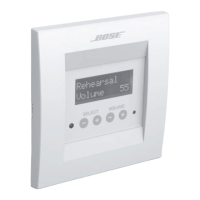
CC-16 Zone Controller
Safety Instructions
&
Install Guide

Questions and Answers

  • A
    Andrew TurnerAug 8, 2025
    What to do if Volume or Select buttons not working on Bose ControlSpace CC-16 Controller?
    • R
      Ronald ClarkAug 8, 2025
      If the Volume or Select up/down buttons on your Bose Controller aren't responding, try these steps: First, make sure the device is connected to an ESP-88. Then, check the wiring polarity to the ESP-88 (A->A, B->B). Also, verify the DIP switch settings, ensuring '2X' is ON. If it's a long run, confirm the termination DIP switches are ON. Using the Designer software, check that the Select and/or Volume parameters have been programmed and that the controls have been linked to signal processing blocks in the ESP-88. Finally, ensure the CC-16 address (set with DIP switches) matches the address of the device programmed in Designer.
  • J
    Jason FriedmanAug 13, 2025
    How to troubleshoot a Bose ControlSpace CC-16 with no power?
    • L
      Lee JonesAug 13, 2025
      If your Bose Controller has no power, ensure the power supply is correctly wired and plugged in. If you're sharing a supply with other CC-16s, try disconnecting them. Also, verify that the power supply is DC and provides a minimum of 100mA at 8V.
  • J
    jwardAug 19, 2025
    Why is there no sound from my Bose Controller?
    • D
      Diane GonzalezAug 20, 2025
      If your Bose Controller powers on but there's no sound, first check that the system is not muted. Also, check that other components (sources and amps) are not muted and are correctly wired.
  • G
    gayscottAug 26, 2025
    What to do if Designer cannot find Bose ControlSpace CC-16 device?
    • K
      Kevin ParkAug 26, 2025
      If you cannot find the Bose Controller device in Designer, verify that an ESP-88 has been added to your design. Also, verify that the ESP-88 'finds' the CC-16 by looking for the CC-16 in the Properties window and ensuring it corresponds with the address you set on the CC-16.
  • R
    rickybrownAug 31, 2025
    Why is the screen blank on my Bose ControlSpace CC-16 Controller?
    • P
      Pamela DouglasAug 31, 2025
      If the screen on your Bose Controller is blank, press a button to see if the backlight comes on. The backlight turns off after a period of inactivity.

Summary

Safety Information and Guidelines

General Safety Precautions

Essential safety advice for using the apparatus, including handling, environment, and servicing.

Electrical Noise and Interference

Information on FCC compliance, electrical noise, and radio frequency energy emissions.

Regulatory Compliance and Installation Codes

Guidance on checking local regulations and electrical codes for proper installation.

CC-16 Controller Introduction

Features and Operational Overview

Details the CC-16's LCD, buttons, IR receiver, and key functionalities for system control.

Quick Start Setup Procedures

Initial steps for connecting, configuring DIP switches, and testing the controller's basic functions.

CC-16 Controller Installation

Cabling and Network Setup

Requirements for power and network cables, daisy-chain, and star network topology.

Maximum Cable Distance Guidelines

Charts and calculations for safe cable lengths based on voltage, wire gauge, and device count.

Wall Box and Mounting Instructions

Procedures for installing the electrical wall box and selecting the optimal mounting location.

DIP Switch Configuration

Setting Device Addresses

How to use DIP switches 4-7 to assign unique network addresses (1-15) to each CC-16.

Network Termination Settings

Instructions for configuring network termination using DIP switches 1 and 2.

Wiring and Power Management

Connecting System Wires

Step-by-step guide for connecting the CC-16 to the ESP-88 and its power supply.

Power Supply Requirements and Approvals

Specifies voltage, current, and country-specific power supply certifications for operation.

CC-16 Controller Mounting

Physical Installation and Final Assembly

Steps for securing the controller frame into the wall box and attaching the protective cover.

Troubleshooting Guide

CC-16 Specifications

Product Warranty and Service

Limited Warranty Terms and Conditions

Details on warranty coverage, duration, and what Bose will do for defective parts.

Warranty Service and Customer Rights

Procedures for obtaining warranty service and information regarding customer legal rights.

Bose ControlSpace CC-16 Specifications

General IconGeneral
TypeZone Controller
Number of Zones16
ConnectivityEthernet
ControlVolume, Mute, Source selection
ConnectorsRJ45
CompatibilityBose ControlSpace
Power SupplyPower over Ethernet (PoE)
SoftwareBose ControlSpace Designer

Related product manuals