EasyManua.ls Logo

Bose ControlSpace ESP-4120 - User Manual

Bose ControlSpace ESP-4120
24 pages
Print Icon
To Next Page IconTo Next Page
Loading...
ControlSpace
®
Engineered Sound Processors
Installation Guide
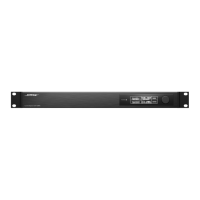
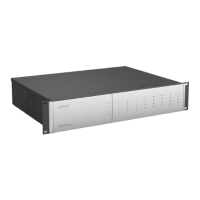
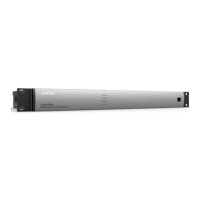
ESP-880
ESP-1240
ESP-4120

Questions and Answers

  • G
    Gary ConradAug 12, 2025
    What to do if my Bose ControlSpace ESP-4120 Computer Hardware has power but no sound?
    • S
      Samantha BishopAug 12, 2025
      If there's power but no sound from your Bose Computer Hardware, first, verify there is an input signal from the source using ControlSpace Designer software; the audio input metering should be in the green/yellow band. Then, verify that there is an output signal; the audio output signal metering should be in the green/yellow band.
  • Y
    yandradeAug 17, 2025
    How to fix distorted sound on Bose Computer Hardware?
    • J
      Jill LewisAug 18, 2025
      If the sound from your Bose Computer Hardware is distorted, use ControlSpace Designer software to check that the audio input signal indicator blocks aren't solid or flashing red. If they are, reduce the input pre-gain until the input no longer clips (red). Also, verify the audio output signal indicator blocks aren't solid or flashing red. If they are but the input indicators are green, reduce the output gain or any intermediary gain in the signal path using the Designer software. If the input source signal is clean and the input and output indicators are green, check the loudspeakers to ensure they are not being overdriven or damaged.
  • J
    Jeremy FordAug 29, 2025
    How to troubleshoot an Ethernet LED that is off on Bose ControlSpace ESP-4120?
    • T
      Todd JohnsonAug 29, 2025
      If the Ethernet LED is off on your Bose Computer Hardware, verify that the ESP LAN port is connected to a PC and that the Ethernet LAN connection on the PC is enabled (the Link LED on the PC will likely be off if it is not enabled). If connected to a hub or switch, check that device's Link LED. If using a rear-panel network card, unplug the ESP and try reseating the card.
  • L
    Lynn BarreraSep 4, 2025
    How to troubleshoot no Power LED activity on Bose ControlSpace ESP-4120 Computer Hardware front panel?
    • L
      leejessicaSep 4, 2025
      To address the issue of no Power LED activity on the front panel of your Bose Computer Hardware, plug in the IEC power cord and check the mains power.
  • S
    Shane PerezNov 22, 2025
    What to do if Ethernet LED is on but cannot communicate with Bose ControlSpace ESP-4120 Computer Hardware ESP?
    • T
      Tina PayneNov 23, 2025
      If the Ethernet LED is on but you cannot communicate with your Bose Computer Hardware ESP, ensure that the ESP processor is fully booted and the Power LED is solid green. Verify the LAN settings on your PC's TCP/IP Ethernet device are correct: if not using a DHCP server, set the PC's IP address manually to an unused address (e.g., 192.168.0.2), and ensure the default IP Subnet mask is 255.255.255.0. Check your PC's firewall settings and unblock all ports. Also, verify the proper NIC card is selected in ControlSpace Designer software network tool. If using a rear-panel network card, ensure the front-panel network connection isn't plugged into the same network. Finally, check that another ESP isn't connected with the same address; disconnect one, scan for the remaining unit, and change its a...

Bose ControlSpace ESP-4120 Specifications

General IconGeneral
TypeDigital Signal Processor
Sample Rate48 kHz
Network ControlYes
ConnectivityEthernet, RS-232, USB
Ethernet Ports1
RS-232 Ports1
USB Ports1
DanteOptional
SoftwareControlSpace Designer
Power Supply100-240V AC, 50/60Hz
Dimensions19 x 1.75 x 10.5 inches (483 x 44 x 267 mm)

Related product manuals