EasyManua.ls Logo

Bose ControlSpace - User Manual

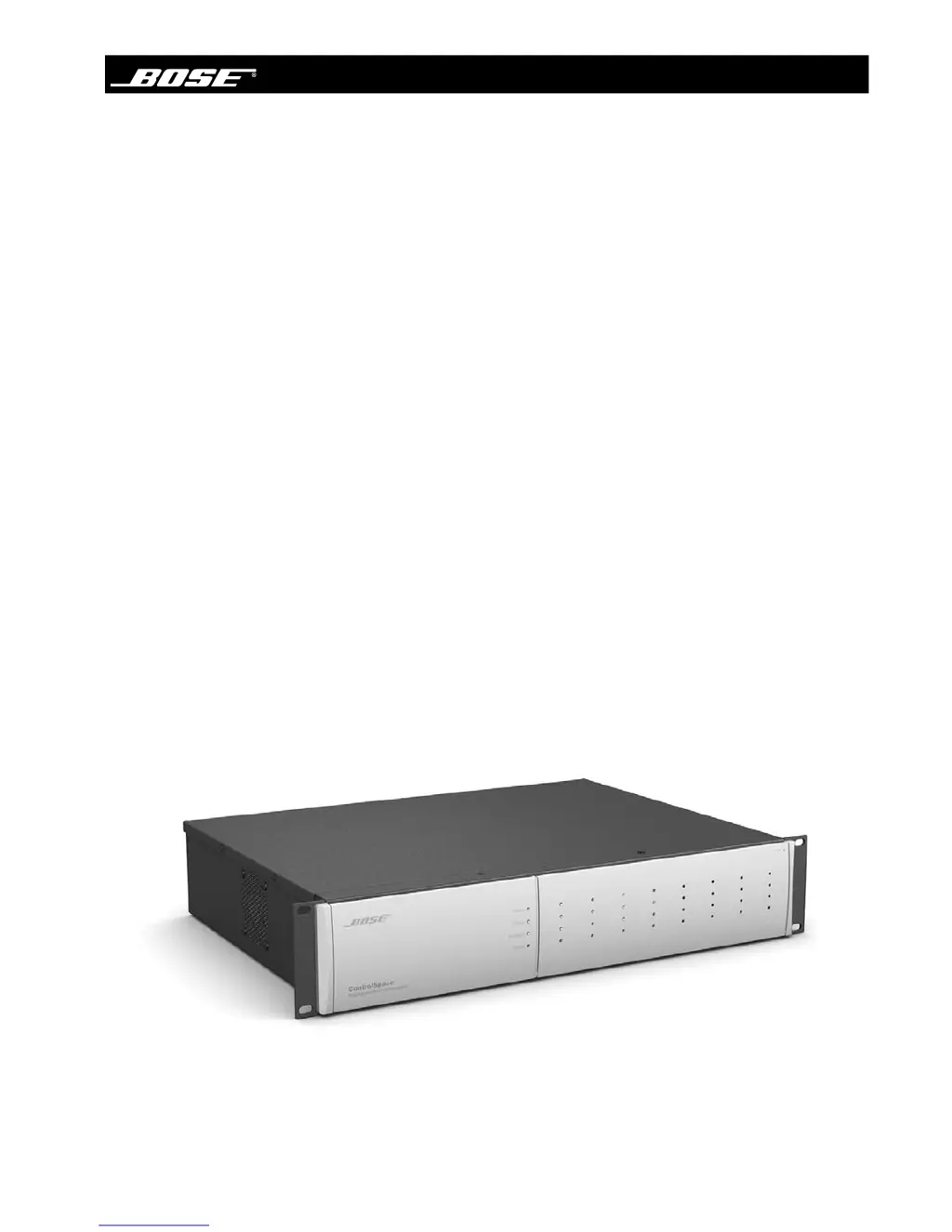
Bose ControlSpace
14 pages
Print Icon
To Next Page IconTo Next Page
Loading...
ControlSpace
®
Engineered Sound Processor
Safety Instructions
&
Install Guide

Other manuals for Bose ControlSpace

Questions and Answers

  • J
    jessicawrightAug 13, 2025
    Why is there no sound from my Bose ControlSpace Computer Hardware even when the power is on?
    • V
      Vincent RussellAug 13, 2025
      To resolve the issue of no sound when the power is on for your Bose Computer Hardware, first, ensure there's an input signal; the audio input indicator should be green or yellow. Next, check for an output signal; the audio output signal indicator should also be green or yellow. If there's an input signal but no output, the ESP might be muted, output levels could be down, or the unit might be unprogrammed. Use ControlSpace® Designer software to connect to the ESP and verify signals are passing from inputs to outputs.
  • S
    Stephanie MartinezAug 17, 2025
    What to do if the Ethernet LED is on, but I cannot communicate with my Bose ControlSpace Computer Hardware?
    • R
      Rebecca CookeAug 17, 2025
      If the Ethernet LED is on but you can't communicate with your Bose Computer Hardware, ensure the LAN settings on your PC's Ethernet device are correctly configured to communicate with the ESP. Specifically, verify that Internet Protocol (TCP/IP) is installed, the IP address is set to 192.168.0.88, and the subnet mask is set to 255.255.255.0. Also, make sure there isn't another LAN connection enabled or another ESP connected with the same address. If unsure, disconnect one, scan for the remaining unit, and change its address, repeating with the second unit.
  • D
    David HendersonAug 20, 2025
    How to fix distorted sound on Bose ControlSpace?
    • J
      Juan WallaceAug 20, 2025
      If the sound from your Bose Computer Hardware is distorted, check that the audio input signal indicators aren't solid or flashing red. If they are, reduce the source output level or use the Designer software to reduce the input gain. Also, verify the audio output signal indicators aren't solid or flashing red. If they are, and the input indicators are green, use the Designer software to reduce the output gain or any intermediary gain in the signal path. If the input source signal is clean and the input and output indicators are green, verify that the loudspeakers are not being overdriven or damaged.
  • J
    Julia WatsonAug 25, 2025
    What to do if the sound is low on my Bose Computer Hardware?
    • E
      edward03Aug 25, 2025
      If the sound from your Bose Computer Hardware is low, first, check that the audio input indicator is green. If it's off, increase the source output or use the Designer software to increase the input gain. If the audio input indicator is green and the audio output signal indicator is green, verify there is enough gain in the amplifiers.
  • A
    Anita AndersonAug 28, 2025
    How to correct unnatural sound from Bose Computer Hardware?
    • K
      Kenneth DickersonAug 28, 2025
      To address an unnatural sound issue with your Bose Computer Hardware, verify that the correct EQ and/or crossover is used in the signal path.
  • C
    Connie VaughnAug 31, 2025
    Why is the Ethernet LED off on my Bose ControlSpace?
    • J
      jessicamaddoxSep 1, 2025
      If the Ethernet LED is off on your Bose Computer Hardware, check that the ESP LAN port is connected to a PC with a crossover cable. Ensure the Ethernet LAN connection on the PC is enabled; if not, the Link LED on the PC will likely be off. If connected to a hub or switch, check that device's Link LED. Also, if connected to a hub or switch, verify the ESP and PC are connected with straight-through cables to the hub or switch.
  • J
    Jennifer TrujilloSep 4, 2025
    How to troubleshoot no power on Bose ControlSpace?
    • C
      Carrie Mcdaniel DVMSep 4, 2025
      If your Bose Computer Hardware has no power, turn the power on and ensure the power cord is plugged in.
  • M
    melissa98Sep 8, 2025
    What does it mean if the status LED is off on my Bose Computer Hardware?
    • S
      Sean BrockSep 8, 2025
      If the status LED is off on your Bose Computer Hardware, it may indicate that the power is off or a netlist is not loaded. Use ControlSpace Designer software to load a netlist/configuration.

Summary

Important Safety Instructions

Caution Marks on Product

Explains symbols on the product relating to voltage and instructions.

General Safety Instructions

Lists 20 essential guidelines for safe operation and installation.

Rack Mounting Considerations

Details requirements for mounting the processor in a rack.

General Precautions

Provides advice on unit placement, ventilation, and wiring.

Front Panel Indicators and Features

Front Panel Indicators and Controls

Details the status, power, audio input/output indicators, and label areas on the front panel.

Rear Panel Controls and Connections

Rear Panel Controls and Connections

Describes mic/line inputs, line outputs, serial ports, GPIO, power switch, AC inlet, and Ethernet connector.

Troubleshooting

No Power

Provides steps to resolve issues when the unit has no power.

Power On But No Sound

Guides on diagnosing and fixing issues when the unit is powered but has no audio output.

Power On But Sound Is Low

Offers solutions for low audio output levels when the unit is powered on.

Sound Is Distorted

Explains how to address distorted audio by checking input/output levels and gain.

Unnatural Sound

Suggests checking EQ and crossover settings for unnatural sound issues.

Dimensions

Warranty Information

Bose ControlSpace Specifications

General IconGeneral
TypeDigital Signal Processor
Network ConnectivityEthernet
Input ChannelsVaries by model
Output ChannelsVaries by model (e.g., 8, 12, 16)
Control SoftwareControlSpace Designer software

Related product manuals