EasyManua.ls Logo

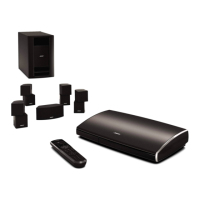
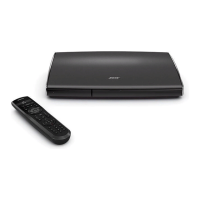
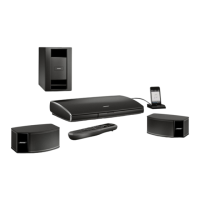
Bose Lifestyle 50 - User Manual

Bose Lifestyle 50
55 pages
Print Icon
To Next Page IconTo Next Page
Loading...
The Bose
®
Lifestyle
®
50 System
Owner’s Guide
October 17, 2001
AM189854_05_V.pdf

Questions and Answers

  • J
    Jonathan CampbellAug 16, 2025
    Why is there no sound coming from my Bose Lifestyle 50 Home Theater System?
    • C
      Cory ByrdAug 17, 2025
      If your Bose Home Theater System isn't producing any sound, there are several things you can check: * Increase the volume. * Ensure that the MUTE function isn't active by checking if 'MUTE' is displayed; if it is, press the MUTE button. * Verify that the audio input cable is securely connected to both the multi-room interface ROOM A jack and the Acoustimass module AUDIO INPUT jack. * Check all speaker connections. * Ensure the digital audio input cable is properly connected to the multi-room interface AUX jack and the digital source. * Confirm connections for external components and select the correct source. * Make sure the CD is correctly placed in the magazine, and the magazine is properly inserted in the CD changer. * Connect the FM and AM antennas.
  • K
    Kiara BeckerAug 19, 2025
    How to fix no sound from center speaker on Bose Lifestyle 50?
    • S
      Stephanie OrtizAug 19, 2025
      If you're not getting any sound from the center speaker of your Bose Home Theater System, first ensure the center cube cable is securely connected at both ends. If it is, check the settings in the SPEAKERS menu.
  • S
    sburtonAug 22, 2025
    What to do if no tape, CD, VCR, or TV sound from Bose Home Theater System?
    • R
      Regina HaydenAug 22, 2025
      If you're not getting any sound from tape, CD, VCR, or TV on your Bose Home Theater System, check the connections and make sure the component is turned on. Refer to the component owner’s manual for further assistance.
  • C
    Christopher WilliamsAug 25, 2025
    How to troubleshoot no sound from surround speakers on Bose Home Theater System?
    • E
      esnyderAug 25, 2025
      If you are experiencing no sound from the surround speakers on your Bose Home Theater System, select 5 speakers in the SPEAKERS menu and adjust the SURROUND level. Also, ensure that the video sound source is stereo and surround-encoded, and the component used (TV, VCR, DVD, or laserdisc player) is stereo.
  • J
    james87Aug 27, 2025
    How to fix Bose Lifestyle 50 that does not function?
    • A
      Anna MoralesAug 27, 2025
      If your Bose Home Theater System isn't functioning, make sure the power connector is securely inserted into the multi-room interface, the power cord is securely inserted into the Acoustimass® module, and the power pack and power cord are fully plugged into operating AC wall outlets. Also, be sure to select a source (CD, AM/FM, etc.). If the issue persists, try unplugging the multi-room interface power pack for a few seconds, then reconnect it.
  • F
    fowlerdavidAug 30, 2025
    What to do if my Bose Lifestyle 50 music center control is inconsistent?
    • D
      Dr. Lauren KelleyAug 30, 2025
      If the music center control for your Bose Home Theater System is inconsistent, displays a 'NO RESPONSE' message, or isn't working, try the following: * Check the batteries and their polarity (+ and –). * Operate the music center closer to the multi-room interface. * Move the music center a few feet to avoid any area of interference. * Make sure the audio input cable is firmly seated and uncoiled. * Ensure the multi-room interface is connected and plugged in. If 'NO RESPONSE' is continuously displayed, the link between your music center and the multi-room interface may be broken.
  • N
    Nicole EnglishSep 2, 2025
    Why won't my Bose Lifestyle 50 play CDs?
    • J
      Jamie RobinsonSep 2, 2025
      If your Bose Home Theater System CD isn't playing, check if the PLAY button symbol in the display is flashing. Ensure the magazine is properly inserted and contains a disc, label-side up. Try ejecting and reloading the CD. Clean the CD if it's dirty or dusty. If the issue continues, the disc may be defective, so try another one. Note that the CD changer cannot play DVD discs. If the CD changer is not properly connected the display shows Plug in cd. A display message Err indicates a mechanical error. Call Bose® Customer Service.
  • D
    Denise HowardSep 5, 2025
    How to reduce FM sound distortion on Bose Lifestyle 50 Home Theater System?
    • S
      Scott AlvaradoSep 5, 2025
      To address distorted FM sound on your Bose Home Theater System, adjust the antenna position to reduce interference.
  • S
    sarahmooreSep 7, 2025
    How to troubleshoot distorted sound on Bose Lifestyle 50?
    • N
      Natalie BlackwellSep 7, 2025
      If you are experiencing distorted sound from your Bose Home Theater System, ensure that the speaker cables are not damaged and the connections are secure. If you have external components connected to the CD changer, reduce their output level.
  • C
    Carly RussellSep 12, 2025
    How to fix a Bose Home Theater System radio that is not working?
    • J
      Judy OnealSep 12, 2025
      If your Bose Home Theater System radio isn't working, ensure the antennas are connected properly. Position the AM antenna as far away from the multi-room interface as possible (at least 20 inches). Adjust the antenna position to improve reception and ensure the AM antenna is upright. Also, move antennas farther from the TV or other electronic equipment.

Summary

Safety Information

Product Safety Warnings

Warnings about electrical shock, laser safety, emissions, and battery disposal.

Important Safety Instructions

Detailed instructions covering general safety, electrical noise, and antenna grounding.

Getting Started

System Setup

Comprehensive guide to setting up the Bose Lifestyle 50 system.

Unpacking and Component Identification

Instructions and list of components included with the Lifestyle 50 system.

Component Placement Guidelines

Guidelines for placing speakers and system components for optimal performance.

System Connections

Instructions for connecting the system components.

Speaker and Module Connections

Detailed steps for connecting speaker cables to the Acoustimass module.

Module, Interface, and CD Changer Connections

Connecting the Acoustimass module, interface, and CD changer.

Power and External Component Integration

Connecting power and external devices to the system.

Home Theater and External Device Connections

Connecting various audio-video sources and external components.

Initial System Power Up

Powering up the system for the first time.

Personal Music Center Setup

Installing batteries and establishing the radio-frequency link for the music center.

System Operation

Powering On and Source Selection

How to turn on the system and select audio sources.

Multi-Room Operation

Multi-Room Control Features

Features for controlling multiple rooms.

Operating in Multiple Rooms

Controlling multiple rooms independently or as one.

Maintenance and Troubleshooting

Troubleshooting Common Issues

Solutions for common system problems and errors.

Bose Lifestyle 50 Specifications

General IconGeneral
BrandBose
ModelLifestyle 50
CategoryHome Theater System
LanguageEnglish

Related product manuals