
 To Next Page


P
prattchristineJul 26, 2025
How to fix Bose Headphone with no noise reduction?
- TTerry PetersonJul 26, 2025
If your Bose Headphone has no noise reduction, ensure that the headphones are turned on and replace the battery.

How to fix Bose Headphone with no noise reduction?
If your Bose Headphone has no noise reduction, ensure that the headphones are turned on and replace the battery.
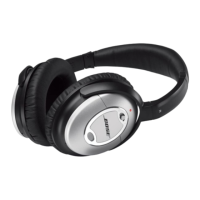
What to do if my Bose QuietComfort 2 has low volume?
If your Bose Headphone has low or no volume, try these steps: First, increase the volume on your audio source. Second, set the LEVEL switch to HI. Finally, verify the headphone cord connection at both the source and the earcup.
What to do if my Bose QuietComfort 2 has crackling noise?
If your Bose Headphone is producing crackling noise or experiencing intermittent loss of noise reduction, try replacing the battery.
How to stop low rumbling sound on Bose Headphone?
To address a low rumbling sound in your Bose Headphone, adjust how the headphones fit on your ears and check the earcups for any foreign objects.
Information on proper disposal of used batteries and adherence to local regulations.
Instructions on how to properly wear the headphones for optimal fit and comfort.
Steps for using the headphones for noise reduction only or for audio playback.
Details on how to connect the headphones to various audio sources like MP3 players or computers.
Instructions on how to fold the earcups for easy and convenient storage.
Steps to reattach detached earcup cushions by snapping the mounting flange.
Information on replacing the AAA battery and understanding battery life indicators.
List of available replacement parts and accessories and how to order them.
Advice on cleaning headphone surfaces with a damp cloth and keeping ports clear.
Common problems like absent noise reduction or low volume and their solutions.
Information about Bose Aviation Headset X for specific use cases.
Important safety warnings regarding loud music, public road usage, and immersion in water.
 General
| Foldable | Yes |
|---|---|
| Color Options | Black, White |
| Connectivity | Wired |
| Microphone | Yes |
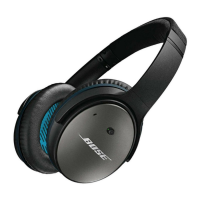
| Type | Over-ear |
| Noise Cancellation | Active Noise Cancellation (ANC) |