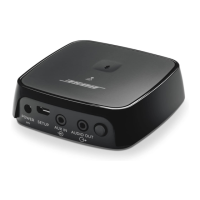
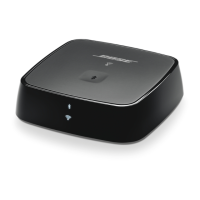
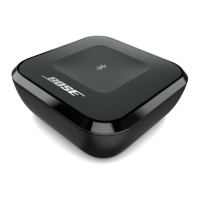
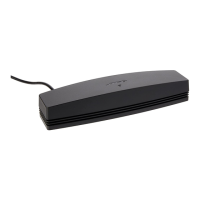
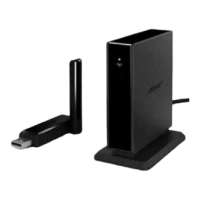
The Bose USB Link is a device designed to facilitate Bluetooth connectivity between Bose headphones and a computer, primarily for use in professional communication and audio applications. It allows users to connect their Bose Bluetooth-enabled headphones to a computer via a USB port, enabling features such as audio playback and microphone functionality for calls and meetings.
Function Description:
The primary function of the Bose USB Link is to act as a dedicated Bluetooth adapter for Bose headphones, ensuring a stable and optimized connection with a computer. It is designed to enhance the user experience by providing reliable audio and microphone performance, especially in scenarios involving communication platforms like Microsoft Teams. The USB Link supports multipoint connectivity, allowing compatible Bose headphones to connect to both the USB Link and a mobile device simultaneously. However, the Voice Assistant feature on headphones is not available when connected to the USB Link. The device has an internal memory that can store up to eight previously connected headphone devices, simplifying reconnection. It also features a button for initiating connections and clearing the device list.
Important Technical Specifications:
- Connectivity: Bluetooth
- Frequency Band of Operation: 2400 to 2483.5 MHz
- Bluetooth Transmit Power: Less than 20 dBm EIRP
- USB Port Compatibility: Designed for USB-A ports. Can be used with USB-C ports via a standard USB-A-to-C adapter or USB hub.
- Device Storage: Stores up to eight previously connected headphone devices.
- Regulatory Compliance:
- FCC Part 15 Class B digital device compliant.
- Industry Canada license-exempt RSS standard(s) compliant.
- CAN ICES-3 (B)/NMB-3(B) compliant.
- CE certified, complying with Directive 2014/53/EU and other applicable EU directive requirements.
- Complies with China Restriction of Hazardous Substances (RoHS) Table (SJ/T 11364) and Taiwan Restriction of Hazardous Substances Table.
- Hazardous Substances (China RoHS): Contains Lead (Pb) in PCBs, Metal Parts, Speakers, and Cables above the limit requirement of GB/T 26572. Other substances like Mercury (Hg), Cadmium (Cd), Hexavalent Chromium (Cr(VI)), Polybrominated Biphenyl (PBB), and Polybrominated Diphenylether (PBDE) are either below the limit or not present in significant amounts.
- Hazardous Substances (Taiwan RoHS): All restricted substances (Lead, Mercury, Cadmium, Hexavalent chromium, Polybrominated biphenyls, Polybrominated diphenyl ethers) are either below the reference value or correspond to an exemption in PCBs, Metal parts, Plastic parts, and Cables.
- Model Number: 434489
- Serial Number: Located on the product carton and accessible via the Bose USB Link firmware updater. The eighth digit indicates the year of manufacture (e.g., '0' for 2010 or 2020).
Usage Features:
- Easy Setup: Insert the USB Link into a computer's USB port. The status indicator will blink, signaling readiness.
- Headphone Connection: Enable Bose headphones to connect to a new Bluetooth device. The USB Link's light will blink rapidly and then remain solid upon successful connection.
- Reconnection: When reinserted into a USB port, the USB Link automatically attempts to reconnect to previously paired headphones, indicated by a rapidly blinking blue light.
- Device List Management: The USB Link can store up to eight headphone devices. The device list can be cleared by pressing and holding the button on the USB Link for 7-10 seconds, causing the status indicator to slowly pulse blue.
- Status Indicator: A multi-color LED provides visual feedback on the device's status:
- Slowly pulses blue: Ready to connect to headphones.
- Rapidly blinks blue: Connecting to headphones.
- Solid blue: Connected to headphones.
- Solid purple: Connected to Bose Noise Cancelling Headphones 700 (or 700 UC), and the computer is logged into a Microsoft Teams account.
- Blinks purple: Connected to Bose Noise Cancelling Headphones 700 (or 700 UC), computer logged into Microsoft Teams, and receiving a notification.
- Solid red: Connected to Bose Noise Cancelling Headphones 700 (or 700 UC) with the microphone muted.
- Firmware Updates: Firmware can be updated via the Bose USB Link Updater app, which can be downloaded from pro.Bose.com/USBLink. This helps resolve issues related to Bluetooth connectivity, meeting app integration, or audio quality.
- App Integration: For full setup and access to additional features, users are encouraged to download the Bose Music app or Bose Connect app, depending on their headphone model.
- Troubleshooting: The manual provides a comprehensive troubleshooting guide for common issues such as no sound, unresponsive button, USB Link not listed as a speaker, or volume adjustment problems. Solutions include checking the status indicator, ensuring secure connections, updating software/firmware, and adjusting computer audio settings.
Maintenance Features:
- Cleaning: The Bose USB Link requires periodic cleaning. Users should wipe the outside surfaces with a soft, dry cloth. It is crucial NOT to allow moisture to get inside the USB Link.
- Warranty: The Bose USB Link is covered by a limited warranty. Details are available on global.Bose.com/warranty. Product registration is recommended at global.Bose.com/register, though it does not affect warranty rights.

 Need help?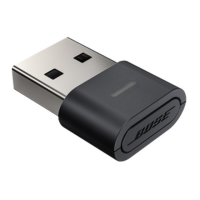

 To Next Page
 General