EasyManua.ls Logo

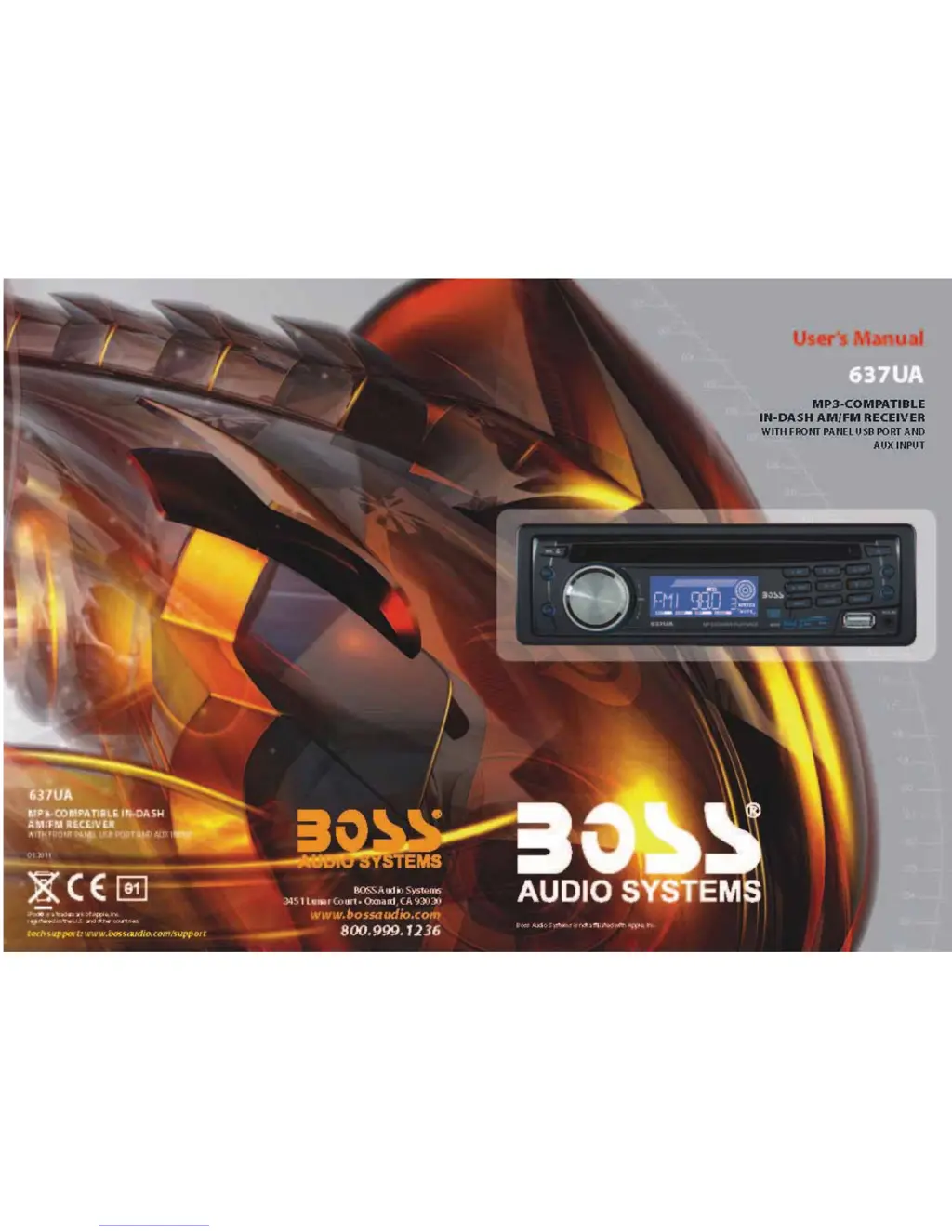
Boss Audio Systems 637UA - User Manual

Boss Audio Systems 637UA
6 pages
Print Icon
To Next Page IconTo Next Page
Loading...

Other manuals for Boss Audio Systems 637UA

Questions and Answers

  • A
    Aaron JonesAug 12, 2025
    Why is there no radio reception on my Boss Audio Systems Car Receiver?
    • M
      Mrs. Dana HillAug 13, 2025
      If you're not getting any radio reception on your Boss Audio Systems Car Receiver, the antenna cable may not be connected. Ensure the antenna cable is firmly inserted into the antenna socket of the device.
  • H
    henry94Aug 16, 2025
    What to do if the radio in my Boss Audio Systems 637UA Car Receiver doesn't stop at a transmitting station in automatic search mode?
    • A
      Amber PayneAug 16, 2025
      If your Boss Audio Systems Car Receiver doesn't stop at transmitting stations in automatic search mode, it could be because the transmission signals are too weak. Try tuning in to a radio station manually.
  • C
    Carla MendezAug 20, 2025
    Why is there no sound coming from my Boss Audio Systems 637UA Car Receiver?
    • N
      nhamptonAug 20, 2025
      If you're not getting any sound from your Boss Audio Systems Car Receiver, there are a couple of things to check: First, make sure the volume isn't turned down too low. If that's not the issue, check the power and ground connections to ensure the device is correctly connected according to the wiring diagram.
  • J
    Joshua JacksonAug 25, 2025
    What to do if my Boss Audio Systems 637UA Car Receiver has no power?
    • C
      Chad HendricksAug 25, 2025
      If your Boss Audio Systems Car Receiver isn't powering on, there are a couple of things to check: First, if the power supply is properly connected to the car accessory, switch the ignition key to "ON" or "ACC". Second, the fuse may have blown. In that case, replace it with another fuse according to the wiring diagram.
  • J
    Joseph CarpenterAug 28, 2025
    What to do if the operation keys do not work on my Boss Audio Systems 637UA?
    • J
      Joel JimenezAug 28, 2025
      If the operation keys on your Boss Audio Systems Car Receiver aren't working, here are a couple of things to try: 1. Switch the device off and on again. Or press the RESET button to resume the program. 2. Reinstall the front panel.
  • M
    mphillipsAug 31, 2025
    Why does my Boss Audio Systems Car Receiver CD player skip?
    • K
      Kevin OwensAug 31, 2025
      If your Boss Audio Systems Car Receiver CD player is skipping, consider these potential causes: * The installation angle is more than 30 degrees. Adjust the installation angle to less than 30 degrees. * The surface of the road is uneven. Wait until the road becomes smoother before playing the CD. * The surface of the CD is extremely dirty or it is damaged. Clean the CD or try another CD; if this works correctly, the first CD is damaged.
  • R
    Robert MeyerSep 4, 2025
    What to do if my Boss Audio Systems Car Receiver doesn't work correctly (EJECT, LOAD, PLAY)?
    • H
      Heather SandovalSep 4, 2025
      If your Boss Audio Systems Car Receiver isn't ejecting, loading, or playing correctly, consider these potential causes: * The disc is inserted upside down. Insert the compact disc with the label facing upward. * The surface of CD is extremely dirty or it is damaged. Clean the CD or try another CD, if this works correctly, the first CD is properly damaged. * Temperature inside the car is too high. Cool off until the ambient temperature returns to normal.
  • K
    Kayla JacksonSep 7, 2025
    What to do if CDs are loaded only halfway into the CD tray of my Boss Audio Systems 637UA Car Receiver?
    • B
      Brian JonesSep 8, 2025
      If CDs are only loading halfway into the CD tray of your Boss Audio Systems Car Receiver, it's likely that the transport screws haven't been removed. Remove the transport screws before using the device.

Summary

Wires Connection

ISO Socket Wiring

Details connections for the ISO socket and pin configurations.

Specifications

General Specifications

Covers supply voltage, current, power output, channels, and dimensions.

FM Section Specifications

Details frequency range, sensitivity, and IF frequency for FM.

AM Section Specifications

Details frequency range, sensitivity, and IF frequency for AM.

Trouble Shooting

Common Symptoms and Solutions

Provides a table of common issues, their causes, and solutions for the device.

Location and Function of Controls

Control Panel Overview

Identifies and describes the main buttons and knobs on the front panel.

SEL(MENU) and VOL Knob Functions

Explains how to use the SEL button and VOL knob for mode selection and adjustment.

Playback and Navigation Controls

Tuning and Track Navigation

Explains how to tune radio stations and navigate tracks on discs/USB.

Preset Station and Playback Modes

Details preset station memory and playback modes like INT, RPT, RDM.

Special Function Buttons

Auxiliary Input Usage

How to connect and use external audio devices via AUX input.

USB Socket Operation

How to connect and use USB storage devices for playback.

Installation Method

Anti-Theft Installation

Describes the anti-theft installation method using the metal mounting sleeve.

Radio and Mode Controls

Auto-Storage;Preset Scan

Automatically stores 6 radio stations and scans them.

Advanced Playback and Search

Release and Reset Functions

Reset Button

Resets the unit to factory settings, erasing clock and stored content.

Boss Audio Systems 637UA Specifications

General IconGeneral
BrandBoss Audio Systems
Model637UA
CategoryCar Receiver
DIN SizeSingle DIN
BluetoothYes
USB PortYes
Aux InputYes
AM/FM RadioYes
SD Card SlotYes
Display TypeLCD
Wireless RemoteYes
TouchscreenNo
Built-in MicrophoneYes
Remote ControlYes
Rear Camera InputNo
TypeDigital Media
CompatibilityiOS and Android

Related product manuals