EasyManua.ls Logo

Boss Audio Systems 835UI - User Manual

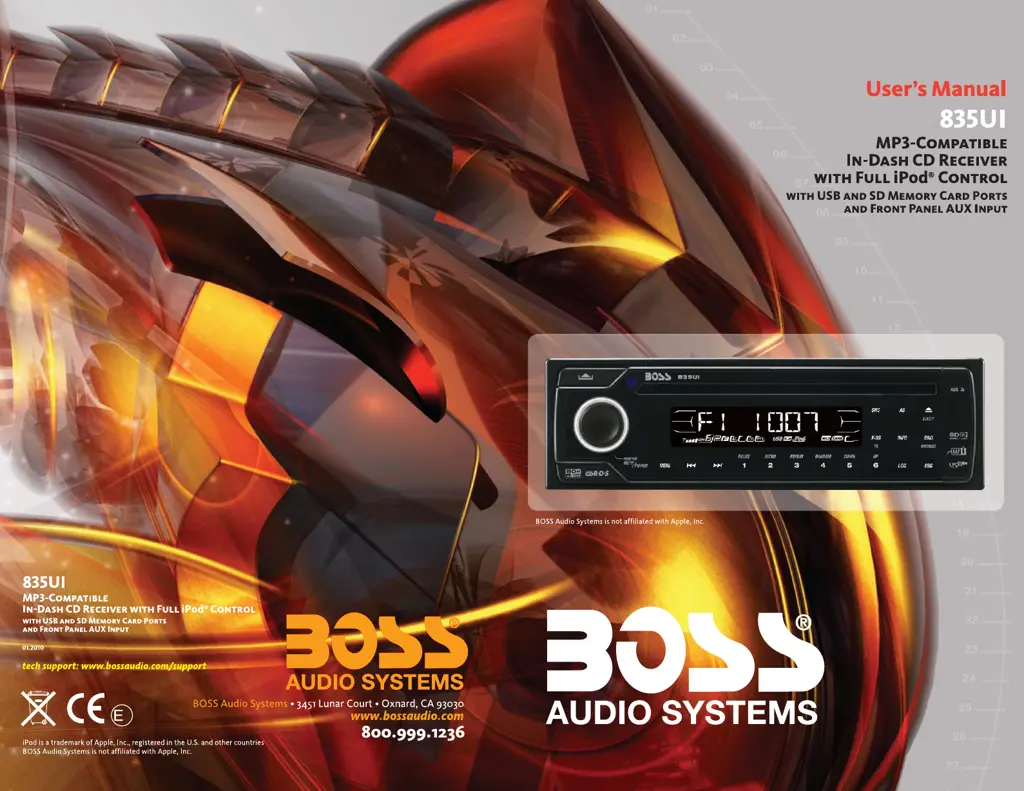
Boss Audio Systems 835UI
24 pages
Print Icon
To Next Page IconTo Next Page
Loading...
4
10 R - 02 0896

Questions and Answers

  • S
    Sean VelazquezAug 16, 2025
    How to fix no sound on Boss Audio Systems Car Receiver?
    • A
      aaronstewartAug 16, 2025
      If there is no sound coming from your Boss Audio Systems Car Receiver, first, make sure that the volume isn't set to the minimum; adjust it to a suitable level. If the volume is at an audible level, check the wiring connections to ensure they are properly connected.
  • J
    Jeffery Smith MDAug 22, 2025
    How to stop sound from skipping on Boss Audio Systems 835UI?
    • Z
      Zachary HullAug 22, 2025
      If the sound skips on your Boss Audio Systems Car Receiver, it could be due to a couple of reasons. First, check that the installation angle is less than 30 degrees and adjust if necessary. Also, the disc might be extremely dirty or defective, so try cleaning it or using a new one.
  • M
    mindy89Aug 26, 2025
    Why my Boss Audio Systems 835UI has no power?
    • A
      amandacooperAug 26, 2025
      If your Boss Audio Systems Car Receiver has no power, first ensure the car ignition is switched to “ACC” if the power supply is correctly connected to the car accessory terminal. Also, check the fuse; if it's blown, replace it.
  • K
    Kim WilliamsAug 28, 2025
    Why Boss Audio Systems Car Receiver won't load or eject disc?
    • D
      Dana BrownAug 28, 2025
      If your Boss Audio Systems Car Receiver won't load or eject a disc: * Ensure there isn't already a CD inside the player; remove it before inserting a new one. * Make sure you're inserting the disc with the label facing upward. * Check if the disc is extremely dirty or defective; clean it or try a new one. * If the temperature inside the car is too high, cool it off until the ambient temperature returns to normal. * If there's condensation, leave the player off for about an hour, then try again.
  • J
    John ButlerAug 31, 2025
    What to do if operation keys do not work on Boss Audio Systems 835UI Car Receiver?
    • S
      Sarah TurnerAug 31, 2025
      If the operation keys on your Boss Audio Systems Car Receiver aren't working, it might be because the built-in microcomputer isn't operating correctly due to noise. Try pressing the RESET button. Also, ensure the front panel is properly fixed into its place.
  • R
    Rachel LynnSep 3, 2025
    What does 'Disc Error' mean on Boss Audio Systems 835UI?
    • T
      Taylor ChavezSep 3, 2025
      If you're getting a 'Disc Error' on your Boss Audio Systems Car Receiver, the disc may be dirty, scratched, or inserted upside down. Try replacing the disc.
  • J
    Jeffrey WallSep 6, 2025
    What does 'No File' mean on Boss Audio Systems 835UI Car Receiver?
    • L
      Lindsey CooperSep 6, 2025
      If your Boss Audio Systems Car Receiver displays 'No File', it means the disc or media device contains files in a format that isn't supported for playback. Replace the disc or media device with one containing supported files.
  • D
    Denise LopezSep 9, 2025
    What does 'Read Error' mean on Boss Audio Systems 835UI Car Receiver?
    • M
      Mary BeanSep 9, 2025
      If you're getting a 'Read Error' on your Boss Audio Systems Car Receiver, it indicates that the unit cannot play the file from the media device. Try replacing the media device.
  • B
    bradfordrobertSep 10, 2025
    What to do if radio doesn't work on Boss Audio Systems Car Receiver?
    • M
      Marissa Garcia MDSep 12, 2025
      If the radio on your Boss Audio Systems Car Receiver isn't working, or the automatic station selection fails, first ensure the antenna cable is firmly inserted. If that doesn't work, the signals might be too weak, so try selecting a station manually.
  • J
    Joshua CannonSep 12, 2025
    What does ERROR 1 mean on Boss Audio Systems 835UI?
    • L
      Laura BakerSep 13, 2025
      If your Boss Audio Systems Car Receiver is showing 'ERROR 1', it indicates a mechanism error. Press the reset button to attempt to correct the problem.

Summary

1. BUTTONS LOCATION AND FUNCTIONS

Basic Controls

Covers panel release, menu, power, mute, volume, and ESC button functions.

Source and Media Input

Details on selecting sources, AUX input, USB slot, and band/MP3 search.

2. DISC CARE AND COMPATIBILITY

3. INSTALLATION

Mounting Methods Overview

Introduces DIN front and rear mount installation options.

DIN Front-Mount Installation

Details the procedure for installing the unit using the DIN front-mount method.

DIN Rear-Mount Installation

Details the procedure for installing the unit using the DIN rear-mount method.

Unit Removal and Trim Plate

Instructions for removing the unit and installing the trim plate.

4. DETACHABLE CONTROL PANEL (DCP)

6. BASIC OPERATIONS

7. SYSTEM MENU SETTING

8. ADJUST AUDIO SETTING

9. TUNER OPERATION

11. CD;MP3;WMA PLAYBACK

12. USB CONNECTIVITY

USB Drive Handling

Instructions for inserting and removing USB drives safely.

USB Host Mode Operation

How to operate the unit in USB Host mode for playback.

13. SD CARD OPERATION

SD Card Handling

Instructions for inserting and removing SD cards.

SD Card Mode Operation

How to operate the unit in SD Card mode for playback.

14. IPOD INTEGRATION

iPod Compatibility and Connection

Chart of compatible iPods and how to connect them.

iPod Power, Charging, and Mode Switching

Details on iPod power management, charging, and switching to iPod mode.

IPOD USAGE DETAILS

17. TROUBLESHOOTING GUIDE

Boss Audio Systems 835UI Specifications

General IconGeneral
BluetoothYes
USB PortYes
Aux InputYes
AM/FM RadioYes
Remote ControlYes
Channels4
USB ChargingYes
Detachable PanelNo
Compatible with Steering Wheel ControlsYes
Impedance4 Ohms

Related product manuals