EasyManua.ls Logo

Boss Audio Systems BV9362BI - User Manual

Boss Audio Systems BV9362BI
24 pages
Print Icon
To Next Page IconTo Next Page
Loading...
iPod® and iPhone® are trademarks of Apple, Inc. registered in the U.S. and other countries. BOSS Audio Systems is not affiliated with Apple, Inc.
The Bluetooth® word mark and logos are registered trademarks owned by Bluetooth SIG, Inc. and any use of such marks by BOSS Audio Systems is under
license. Other trademarks and trade names are those of their respective owners.
USERS MANUAL
BV9362BI
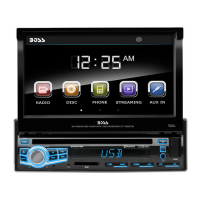
BLUETOOTH® | DVD/MP3/CD AM/FM RECEIVER
USERS MANUAL
BV9362BI
BLUETOOTH® | DVD/MP3/CD
AM/FM RECEIVER
FEATURING 6.2" (157 mm) WIDESCREEN TOUCHSCREEN
DIGITAL TFT LCD MONITOR
BOSS Audio Systems
3451 Lunar Court • Oxnard, CA 93030
www.bossaudio.com
800-999-1236 US Toll-free
805-751-4853 Customer Service
Tech Support: www.bossaudio.com/support/technical-support
1117

Questions and Answers

Summary

Accessories

Unit Installation

Wire Connection

Parking Brake Connection

Speaker Connection

Button Description

Remote Control

Main Menu Navigation

Radio Operation

Learn how to tune stations, use presets, and access radio features like TA and PTY.

DVD Operation

USB;SD Media Playback

Settings Operation

General Settings

Configure OSD language, wallpaper, panel touch, radio area, clock, key beep, and standby display.

Time and SWC Settings

Set the unit's time and program Steering Wheel Control (SWC) functions.

DVD Setup Menu

Select preferred languages for DVD audio, subtitles, and menus; set password and rating.

Sound Control

Adjust EQ, subwoofer, loudness, and frequency cut-off for audio output.

TV Type Settings

Set screen aspect ratio, adjust brightness, contrast, hue, saturation, sharpness, and backlight.

Bluetooth Operation

Manage Bluetooth pairing, calls, phonebook, voice transfer, and music streaming (A2DP).

Aux-In Operation

Disc Handling and Care

Troubleshooting Guide

General Specifications

Summary

Accessories

Unit Installation

Wire Connection

Parking Brake Connection

Speaker Connection

Button Description

Remote Control

Main Menu Navigation

Radio Operation

Learn how to tune stations, use presets, and access radio features like TA and PTY.

DVD Operation

USB;SD Media Playback

Settings Operation

General Settings

Configure OSD language, wallpaper, panel touch, radio area, clock, key beep, and standby display.

Time and SWC Settings

Set the unit's time and program Steering Wheel Control (SWC) functions.

DVD Setup Menu

Select preferred languages for DVD audio, subtitles, and menus; set password and rating.

Sound Control

Adjust EQ, subwoofer, loudness, and frequency cut-off for audio output.

TV Type Settings

Set screen aspect ratio, adjust brightness, contrast, hue, saturation, sharpness, and backlight.

Bluetooth Operation

Manage Bluetooth pairing, calls, phonebook, voice transfer, and music streaming (A2DP).

Aux-In Operation

Disc Handling and Care

Troubleshooting Guide

General Specifications

Overview

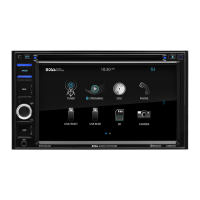
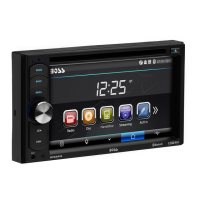
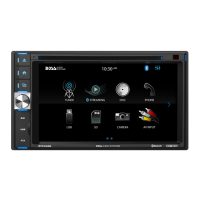
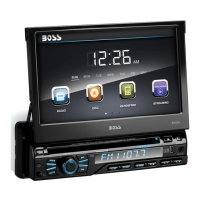
This document describes the BOSS Audio Systems BV9362BI, a multimedia receiver designed for in-car entertainment. It supports various media formats and offers a range of connectivity options, including Bluetooth, USB, and SD card. The device features a 6.2-inch digital TFT LCD touchscreen for intuitive control and display.

Function Description

The BV9362BI serves as a central hub for audio and video in a vehicle. Its primary functions include:

  • Radio Operation: The device includes an AM/FM tuner, allowing users to listen to radio stations. It supports manual and automatic station selection, as well as local and mono sound reception settings. Users can save their favorite stations for quick access.
  • DVD/CD Playback: It can play DVDs and CDs, supporting various video and audio formats. The DVD player automatically starts when a disc is inserted. Users can control playback, including skipping tracks, pausing, and adjusting audio language and subtitles.
  • USB/SD Card Operation: The unit allows playback of music, video, and photo files from USB flash drives and SD cards. It supports features like repeating tracks, skipping, play/pause, random playback, image rotation, and zoom for photos.
  • Bluetooth Connectivity: The BV9362BI features Bluetooth for hands-free calling and audio streaming (A2DP). Users can pair their mobile phones to make and receive calls, access phonebook contacts, and stream music wirelessly. The device supports auto-connect for previously paired phones.
  • Aux-In Operation: An Aux-In mode allows connection of external audio signal sources. While it supports audio playback, it does not support video display through Aux-In.
  • Rear View Camera Support: The unit is equipped to connect with a rear view camera, displaying the video feed when the car is backing up, enhancing safety.
  • Steering Wheel Control (SWC): It can be programmed to work with existing steering wheel controls, allowing users to operate various functions (like volume, track skip, mode change) without taking their hands off the wheel.
  • Sound Control: The device offers various sound settings, including an equalizer (EQ) with preset modes (User, Classic, Rock, Pop, Jazz, Electric, Flat), subwoofer control, loudness on/off, and a loud cut-off frequency adjustment.
  • Display Settings: Users can adjust the display brightness, set wallpapers, and calibrate the touch panel. The screen ratio can also be adjusted for different video formats.

Usage Features

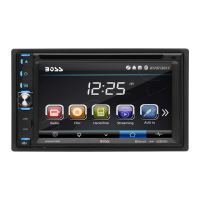
  • Touchscreen Interface: The 6.2-inch digital TFT LCD touchscreen provides a user-friendly interface for navigating menus and controlling functions. Users can tap icons to enter desired modes and swipe the screen to switch between menu pages.
  • Remote Control: A remote control is included, offering an alternative way to operate the device, including power on/off, mode selection, volume control, track/station navigation, and specific DVD/Bluetooth functions.
  • Main Menu Navigation: The main menu serves as the central hub, allowing access to all features. It is designed with a clear hierarchy for easy navigation.
  • Parking Brake Safety Feature: For safety, video playback is restricted when the vehicle is in motion. The screen will only display video when the parking brake is engaged.
  • Time Setting: Users can set the time and date through the settings menu.
  • Language Selection: The device supports multiple languages for the OSD (On-Screen Display), subtitles, and disc menus.
  • Firmware Version Display: The settings menu allows users to view the current firmware version of the device.
  • Reset Function: A reset button is available to resolve issues if buttons become unresponsive or the display is inaccurate.

Maintenance Features

  • Disc Handling: Proper handling of discs is crucial for maintaining sound and picture quality. Users are advised to hold discs with both hands or one hand by the edges, avoid scratching the signal surface, and not attach paper or seals. Damaged or warped discs should not be used.
  • Disc Cleaning: Fingerprints and dust can reduce quality. Discs should be gently wiped from the center toward the edges with a soft cloth. Benzene, thinner, volatile chemicals, record spray, or antistatic spray should not be used. For tough dirt, a soft cloth moistened with water can be used, followed by a dry cloth.
  • Disc Storage: Discs should always be stored vertically in their cases, away from hot, humid places, direct sunlight, or extremely low temperatures.
  • Remote Control Battery: The remote control uses a CR2025 (3V) lithium cell battery. If the remote is not used for an extended period, the battery should be removed to prevent leakage and corrosion. Empty batteries should be disposed of according to local regulations. The battery should be kept out of reach of children.
  • Troubleshooting Guide: The manual includes a troubleshooting section to help users diagnose and resolve common issues, such as no power, no sound, disc loading/reading problems, unresponsive keys, or sound skips. Solutions often involve checking connections, cleaning discs, or resetting the unit.
  • Connector Cleaning: If the panel or main unit connectors are dirty, they should be wiped with a soft cloth moistened with cleaning alcohol.
  • Condensation: If water droplets form on the internal lens due to humidity, the unit should be allowed to dry for about an hour with the power on.

Boss Audio Systems BV9362BI Specifications

General IconGeneral
Display Size6.2 inches
TouchscreenYes
BluetoothYes
USB PortYes
SD Card SlotYes
Preamp OutputsYes
RCA OutputsYes
AM/FM TunerYes
DVD PlayerYes
Steering Wheel Control CompatibleYes
Rear Camera InputYes
Pre-Amp OutputsYes
AUX InputYes
Built-in MicrophoneYes
Video PlaybackYes
Display Resolution800 x 480
Compatible FormatsMP3/WMA

Related product manuals