
 Need help?
Do you have a question about the Boss Audio Systems BV9348B and is the answer not in the manual?
Explains how to turn the unit on/off and adjust volume levels.
Explains the function of SD and USB slots for media playback.
Instructions for playing audio/video/image files from USB/SD.
Switching between FM/AM bands and searching for radio stations.
Steps to pair the phone with the unit via Bluetooth connection.
How to dial, receive, and manage calls using Bluetooth hands-free.
Instructions for playing music wirelessly via Bluetooth audio streaming.
Configuring the unit to work with steering wheel controls.
Calibrating the touchscreen for accurate input response.
Visual guide for connecting the unit's wires correctly for installation.
Solutions for power-on problems and lost settings information.
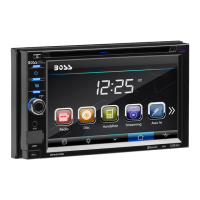
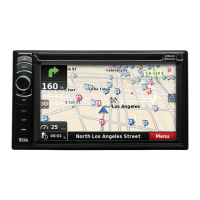
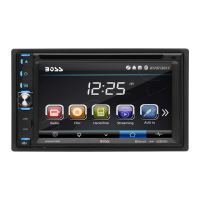
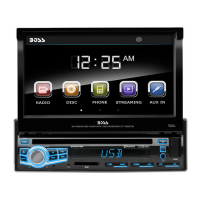
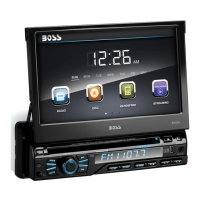
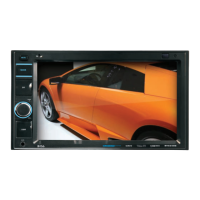
The BV9348B is a versatile AM/FM receiver designed for in-car entertainment, featuring a 6.2" (157mm) widescreen touchscreen digital TFT monitor and Bluetooth® connectivity. This device offers a comprehensive range of functions for audio, video, and communication, ensuring an enhanced user experience on the road.
The core functionality of the BV9348B revolves around its AM/FM radio, multimedia playback, and Bluetooth hands-free communication.
The device supports both AM and FM bands, allowing users to tune into their favorite radio stations. It offers a convenient interface for band selection (FM1, FM2, FM3, AM1, AM2) and station searching. Users can manually search for stations or browse through previously stored ones. The unit allows for saving up to 18 FM stations (6 for each FM band) and 12 AM stations (6 for each AM band). A "Long/Short-range" feature enables switching between local search (LOC) for strong signals and remote search (DX) for weaker, distant signals, enhancing reception flexibility. The radio also includes "Loudness on/off" and "Stereo on/off" functions for audio customization. For regions with RDS (Radio Data System), features like TA (Traffic Announcement) and AF (Alternative Frequencies) are available, providing traffic information and automatic frequency tuning for optimal reception. The PTY (Program Type) function allows users to search for stations based on program categories.
The BV9348B is equipped with USB and SD card slots, enabling playback of various audio, video, and image files. Users can insert a USB device or SD card, and the unit will automatically detect and play the contained media. The device supports a wide range of MP5 formats, including popular audio (MP3, WAV, WMA) and video (AVI, MP4, RMVB, WMV, DivX) formats. The touchscreen interface allows for easy navigation through folders and files, with controls for play, pause, repeat, and random playback. A "track browse" function allows users to quickly navigate through songs.
Bluetooth connectivity is a key feature, facilitating hands-free calling and audio streaming. Users can pair their mobile phones with the BV9348B to make and receive calls directly through the unit. The pairing process is straightforward, requiring a password (0000) for connection. Once paired, the unit automatically connects to the phone within 20 seconds. During an incoming call, the host automatically switches to Bluetooth mode and reverts to the previous mode after the call ends. The device also allows users to dial numbers directly from the touchscreen or input them using number buttons. Call records (received, dialed, missed) are accessible for convenience. In addition to hands-free calling, the Bluetooth function supports audio streaming, allowing users to play music from their paired mobile devices through the car's sound system.
The unit provides auxiliary input (AUX) jacks for connecting external audio and video sources. This allows users to connect devices like portable media players or other video sources, expanding the entertainment options. The device supports both front and rear AUX inputs, though only one can be used at a time.
For enhanced convenience and safety, the BV9348B supports steering wheel controls. Users can configure the unit to respond to their vehicle's steering wheel buttons, allowing them to control various functions (e.g., volume, track change, mode switch) without taking their hands off the wheel.
The device integrates with a rearview camera system. When the car is in reverse, the unit automatically switches to the rearview video display, providing a visual aid for parking and maneuvering. After reversing, the system returns to its previous state.
The BV9348B is designed with user-friendliness in mind, offering intuitive controls and a clear display.
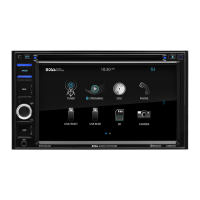
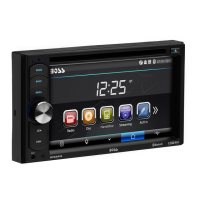
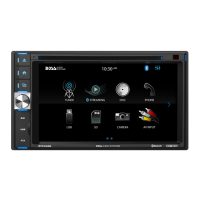
The 6.2" widescreen touchscreen is the primary interface for interacting with the unit. It displays icons for various functions (Radio, USB, SD Card, BT, Aux, Setup), allowing users to easily navigate between modes. During multimedia playback, the touchscreen provides controls for playback options.
In addition to the touchscreen, the front panel features essential physical buttons:
A wireless remote control is included, offering an alternative way to operate the unit. The remote provides buttons for power, mode selection, mute, volume adjustment, track navigation, repeat, random playback, folder selection, and number buttons for direct station/track access.
The unit offers various audio customization options through its setup menu. Users can adjust volume, treble, bass, fader (front/rear balance), and balance (left/right balance). Loudness and subwoofer settings are also available to fine-tune the audio output.
The setup menu allows users to configure general system settings, including date and time, language, and touch calibration. The touch calibration feature helps correct any touch coordinate errors, ensuring accurate touchscreen response.
While the manual primarily focuses on operation, some aspects relate to device maintenance and troubleshooting.
The remote control requires battery replacement when its operating distance shortens or it ceases to function. The manual provides instructions for safely changing the battery, emphasizing correct polarity.
The "RESET" button on the front panel allows users to restore the unit to its initial factory settings. This can be useful for resolving software glitches or if settings become misconfigured.
A dedicated troubleshooting section addresses common issues:
The system settings menu includes options for "MCU Update" and "MPS Update," suggesting the possibility of firmware updates to improve performance or add new features, though specific instructions are not detailed in this section.
The manual includes important safety warnings, such as not relying solely on the rearview camera system and ensuring the parking brake is engaged for certain functions, highlighting the importance of safe operation.
Overall, the BV9348B is a feature-rich car receiver designed to provide a comprehensive and enjoyable in-car experience, combining entertainment, communication, and convenience through its advanced functionalities and user-friendly interface.
 General
| Resolution | 800 x 480 |
|---|---|
| Bluetooth | Yes |
| USB Port | Yes |
| SD Card Slot | Yes |
| DVD Player | Yes |
| CD Player | Yes |
| Steering Wheel Control Compatible | Yes |
| Rear View Camera Input | Yes |
| AUX Input | Yes |
| AM/FM Radio | Yes |
| Subwoofer Output | Yes |
| Remote Control | Yes |
| Preamp Outputs | Front, Rear, Subwoofer |
| Compatible Formats | MP3, WMA, JPEG |
| Audio Output Power | 80 Watts x 4 Channels |




 To Next Page