EasyManua.ls Logo

Boss Audio Systems BV9358B - User Manual

Boss Audio Systems BV9358B
23 pages
Print Icon
To Next Page IconTo Next Page
Loading...
USERS MANUAL
BV9358B
BLUETOOTH® | DVD/MP3/CD AM/FM RECEIVER
0518
iPod® / iPhone® are trademarks of Apple, Inc. registered in the U.S. and other countries.
BOSS Audio Systems is not affiliated with Apple, Inc.
The Bluetooth® word mark and logos are registered trademarks owned by Bluetooth SIG, Inc. and any use of such marks by BOSS Audio Systems is under license.
Other trademarks and trade names are those of their respective owners.
USERS MANUAL
BV9358B
BLUETOOTH®
DVD/MP3/CD AM/FM RECEIVER
FEATURING 6.2" (157 mm) WIDESCREEN TOUCHSCREEN
DIGITAL TFT LED MONITOR
BOSS Audio Systems
3451 Lunar Court • Oxnard, CA 93030
www.bossaudio.com
800-999-1236 US Toll-free
805-751-4853 Customer Service
Tech Support: www.bossaudio.com/support/technical-support

Questions and Answers

Summary

Accessories

Unit Installation and Wiring

Unit Installation Procedures

Instructions for mounting the unit using brackets and screws.

Wire Connection Diagram

Details the input/output interface of the rear chassis.

Parking Brake Connection

Speaker Connection Guidelines

Correct Speaker Polarity

Illustrates correct speaker wiring polarity for optimal performance.

Incorrect Speaker Wiring Examples

Shows diagrams of common, damaging speaker wiring errors.

Front Panel Button Functions

Remote Control Operations

Main Menu and Radio Operation

Main Menu Navigation

Guide to navigating the unit's main menu pages and features.

Radio Operation Basics

Instructions on how to operate the radio functions.

DVD Player Functionality

DVD Playback Controls

Details on using DVD player buttons and playback features.

DVD Playback Notes and Safety

Important safety and playback information for DVD media.

USB and SD Card Playback

System Settings Overview

Setting Control and Customization

Guide to customizing system settings for personal needs.

Advanced System Settings

Display and Time Settings

Adjusting wallpaper, panel touch calibration, and time settings.

Steering Wheel Control Setup

Programming and using steering wheel control functions.

DVD Setup Menu Options

Options for audio language, subtitle, menu language, and rating.

Multimedia Settings

Language Selection for Media

Selecting preferred languages for subtitles and audio tracks.

Sound Control and EQ Settings

Adjusting sound effects, EQ, subwoofer, and loudness.

Screen Ratio and Brightness

Settings for screen aspect ratio, brightness, and TV type.

Bluetooth Connectivity and Features

Bluetooth Connection Settings

Configuring auto connect and auto answer for Bluetooth.

Subwoofer and Camera Installation

Connecting subwoofer and rear view camera for enhanced functionality.

Parking Brake Video Lock Function

Explanation of video display restriction based on parking brake status.

Bluetooth Operation Guide

Bluetooth Calling and Phonebook

Using Bluetooth for making calls and managing phonebook contacts.

Voice Transfer and Music Streaming

Switching calls and streaming music via Bluetooth.

Aux-In Audio Input

Aux-In Connection Procedure

Connecting external audio sources via the Aux-In port.

Disc Handling and Maintenance

Disc Handling Precautions

Guidelines for safely handling optical discs.

Disc Cleaning Procedures

Recommended procedures for cleaning discs to ensure performance.

Disc Storage Recommendations

Advice on proper storage of discs to prevent damage.

Troubleshooting Common Issues

Power and Sound Problem Solutions

Solutions for power-related issues and lack of sound output.

Button and Display Error Fixes

Troubleshooting buttons not responding and inaccurate display issues.

Disc Playback Issue Remedies

Remedies for poor sound quality from discs and condensation.

Advanced Troubleshooting Steps

Power Loss and Disc Errors

Resolving power loss and problems with disc loading or reading.

Sound and Operation Malfunctions

Addressing no sound, skipping sound, and unresponsive operation keys.

Radio and Installation Problems

Solutions for radio reception issues and improper installation angles.

General Product Specifications

Summary

Accessories

Unit Installation and Wiring

Unit Installation Procedures

Instructions for mounting the unit using brackets and screws.

Wire Connection Diagram

Details the input/output interface of the rear chassis.

Parking Brake Connection

Speaker Connection Guidelines

Correct Speaker Polarity

Illustrates correct speaker wiring polarity for optimal performance.

Incorrect Speaker Wiring Examples

Shows diagrams of common, damaging speaker wiring errors.

Front Panel Button Functions

Remote Control Operations

Main Menu and Radio Operation

Main Menu Navigation

Guide to navigating the unit's main menu pages and features.

Radio Operation Basics

Instructions on how to operate the radio functions.

DVD Player Functionality

DVD Playback Controls

Details on using DVD player buttons and playback features.

DVD Playback Notes and Safety

Important safety and playback information for DVD media.

USB and SD Card Playback

System Settings Overview

Setting Control and Customization

Guide to customizing system settings for personal needs.

Advanced System Settings

Display and Time Settings

Adjusting wallpaper, panel touch calibration, and time settings.

Steering Wheel Control Setup

Programming and using steering wheel control functions.

DVD Setup Menu Options

Options for audio language, subtitle, menu language, and rating.

Multimedia Settings

Language Selection for Media

Selecting preferred languages for subtitles and audio tracks.

Sound Control and EQ Settings

Adjusting sound effects, EQ, subwoofer, and loudness.

Screen Ratio and Brightness

Settings for screen aspect ratio, brightness, and TV type.

Bluetooth Connectivity and Features

Bluetooth Connection Settings

Configuring auto connect and auto answer for Bluetooth.

Subwoofer and Camera Installation

Connecting subwoofer and rear view camera for enhanced functionality.

Parking Brake Video Lock Function

Explanation of video display restriction based on parking brake status.

Bluetooth Operation Guide

Bluetooth Calling and Phonebook

Using Bluetooth for making calls and managing phonebook contacts.

Voice Transfer and Music Streaming

Switching calls and streaming music via Bluetooth.

Aux-In Audio Input

Aux-In Connection Procedure

Connecting external audio sources via the Aux-In port.

Disc Handling and Maintenance

Disc Handling Precautions

Guidelines for safely handling optical discs.

Disc Cleaning Procedures

Recommended procedures for cleaning discs to ensure performance.

Disc Storage Recommendations

Advice on proper storage of discs to prevent damage.

Troubleshooting Common Issues

Power and Sound Problem Solutions

Solutions for power-related issues and lack of sound output.

Button and Display Error Fixes

Troubleshooting buttons not responding and inaccurate display issues.

Disc Playback Issue Remedies

Remedies for poor sound quality from discs and condensation.

Advanced Troubleshooting Steps

Power Loss and Disc Errors

Resolving power loss and problems with disc loading or reading.

Sound and Operation Malfunctions

Addressing no sound, skipping sound, and unresponsive operation keys.

Radio and Installation Problems

Solutions for radio reception issues and improper installation angles.

General Product Specifications

Overview

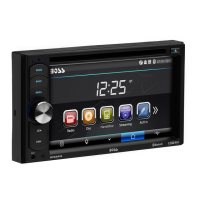
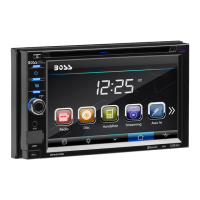
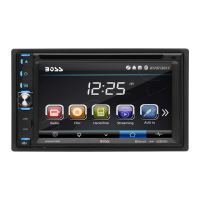
This document is a user manual for the BOSS Audio Systems BV9358B Multimedia Receiver, a device designed to provide entertainment and connectivity in a vehicle. The receiver features a 6.2-inch (157 mm) widescreen touchscreen digital TFT LED monitor, Bluetooth connectivity, and the ability to play DVDs, MP3s, CDs, and AM/FM radio.

Function Description

The BV9358B serves as a central multimedia hub for a car. Its primary functions include:

  • Audio Playback: Supports various audio formats from CDs, MP3s, WMAs, and through USB/SD card inputs. It also features AM/FM radio reception with preset memory stations.
  • Video Playback: Plays DVDs and video files from USB/SD cards on its 6.2-inch touchscreen. A safety feature prevents video display while the vehicle is in motion, requiring the parking brake to be engaged for video viewing.
  • Bluetooth Connectivity: Allows for hands-free telephone conversations and audio streaming (A2DP) from mobile phones. Users can dial numbers, accept/reject calls, and transfer calls between the unit and the phone. The device can store up to five paired phone names and automatically connect to the last paired phone.
  • Aux-In Mode: Provides an auxiliary input for connecting external audio signal sources.
  • Rear View Camera Support: Equipped with an input for a rear view camera, which automatically displays the camera feed when the vehicle is in reverse.
  • Sound Control: Offers various sound settings including a subwoofer output, loudness control, and an equalizer (EQ) with preset options like User, Classic, Rock, Pop, Jazz, and Electric-Flat.
  • Display Settings: Users can adjust screen brightness, contrast, hue, saturation, and sharpness. Wallpaper settings are also customizable.
  • Steering Wheel Control (SWC): Compatible with steering wheel controls, allowing users to operate the unit's functions (e.g., volume, track skip, mode change) directly from their steering wheel after a calibration process.
  • System Settings: Includes options for OSD language (English/Spanish), panel adjust (touch panel calibration), radio area selection (Europe, USA, South America, Russia, Asia), clock and date settings, key beep sound on/off, and standby display settings.

Usage Features

The BV9358B is designed for intuitive operation through its touchscreen and physical buttons.

  • Main Menu: The unit starts by displaying a main menu, which is the root of the screen hierarchy. Users can tap icons to enter desired modes (Radio, Disc, Handsfree, Streaming, Aux In, SD, USB, Settings, Camera) and swipe the screen left or right to switch between menu pages.
  • Button Description:
    • MIC: For hands-free calling.
    • EJECT Button: Ejects a disc. If not removed within 10 seconds, the disc is reinserted.
    • HOME BUTTON: Returns to the main menu.
    • SOURCE BUTTON: Changes the operating mode.
    • POWER / MUTE Button / VOL: Powers the unit on/off (long press for off), mutes/unmutes audio (short press), and adjusts volume (rotate knob).
    • USB/SD/AUX: Dedicated slots for USB devices and SD cards, and an Aux-In jack on the front panel. The unit automatically starts reading and playing supported media files (MP3, WMA) when inserted.
    • DISC Slot: For inserting DVDs/CDs.
    • Display: LCD screen for information display.
    • Remote Sensor: Receives signals from the remote control.
  • Remote Control: A comprehensive remote control provides access to all major functions, including mode selection, power, navigation (up, down, left, right), enter, eject, volume control, track skip, play/pause, stop, OSD, zoom, and numeric keys for direct input.
  • Radio Operation: Users can manually or automatically search for stations, switch between FM1, FM2, FM3, AM1, and AM2 bands, enable/disable local function, select mono sound reception, and scan/save preset stations.
  • DVD Operation: The DVD player automatically starts playing when a disc is inserted. Touchscreen controls appear when tapped, allowing users to navigate menus, skip tracks, pause/play, select sound tracks, adjust brightness, zoom, repeat, and select subtitles.
  • USB/SD Operation: Similar to DVD playback, users can repeat tracks/directories, skip tracks, play/pause, select files/titles, play randomly, rotate images, zoom, and change image playback direction for multimedia files stored on USB drives or SD cards.
  • Bluetooth Hands-Free: Allows dialing numbers, accepting/rejecting calls, and accessing a phonebook downloaded from a paired mobile phone.
  • Bluetooth Audio Streaming (A2DP): Enables wireless audio playback from a paired mobile phone, with controls for previous/next track, play/pause, and stop.

Maintenance Features

The manual provides guidance on troubleshooting and disc handling to ensure the longevity and proper functioning of the device.

  • Troubleshooting: A dedicated section addresses common issues such as no power, disc loading/reading problems, no sound, unresponsive keys, sound skips, and radio reception issues. Solutions range from checking connections and fuses to resetting the unit, cleaning discs, and adjusting installation angles.
  • Disc Handling:
    • Handling: Always hold discs by their edges with both hands or one hand to avoid touching the signal surface.
    • Cleaning: Fingerprints or dust can degrade sound/picture quality. Discs should be gently wiped from the center toward the edges with a soft cloth. Avoid using benzene, thinner, volatile chemicals, or record/antistatic sprays. For tough dirt, use a soft cloth moistened with water, wring it out, wipe the disc, then dry.
    • Care: Do not use damaged (cracked or warped) discs, scratch the signal surface, or attach paper/seals to discs, as this can damage the player. Be cautious with rental discs that may have exposed glue from extra labels.
    • Storing: Store discs vertically in their cases. Avoid hot, humid, or extremely low-temperature environments, and direct sunlight.
    • Irregular Shaped Discs: Never use irregular shaped discs (heart-shaped, hexagonal, etc.) as they can damage the player.
  • Battery Replacement (Remote Control): The remote control battery typically lasts about one year. If it stops working, replace it with a new CR2025 (3V) lithium cell battery. Instructions are provided for battery replacement, emphasizing proper disposal and safety precautions (e.g., keeping batteries out of reach of children).
  • General Maintenance: The manual suggests cleaning dirty panel or main unit connectors with a soft cloth moistened with cleaning alcohol.

Boss Audio Systems BV9358B Specifications

General IconGeneral
Resolution800 x 480
BluetoothYes
USB PortYes
SD Card SlotYes
Aux InputYes
AM/FM RadioYes
Rear Camera InputYes
Video PlaybackYes
Audio PlaybackYes
Display6.2 inch Touchscreen
EQ SettingsYes
CompatibilityAndroid and iOS
Preamp OutputsYes
Output Power80 Watts x 4 Channels

Related product manuals