EasyManua.ls Logo

Boss Audio Systems BV9371BD - User Manual

Boss Audio Systems BV9371BD
23 pages
Print Icon
To Next Page IconTo Next Page
Loading...
USERS MANUAL
BV9371BD
BLUETOOTH® | DVD/MP3/CD AM/FM RECEIVER
iPod® / iPhone® are trademarks of Apple, Inc. registered in the U.S. and other countries.
BOSS Audio Systems is not affiliated with Apple, Inc.
The Bluetooth® word mark and logos are registered trademarks owned by Bluetooth SIG, Inc. and any use of such marks
by BOSS Audio Systems is under license. Other trademarks and trade names are those of their respective owners.
USERS MANUAL
BV9371BD
BLUETOOTH®
DVD/MP3/CD AM/FM RECEIVER
FEATURING DETACHABLE 6.2" (157 mm) WIDESCREEN
TOUCHSCREEN DIGITAL TFT LED MONITOR
0718
BOSS Audio Systems
3451 Lunar Court • Oxnard, CA 93030
www.bossaudio.com
800-999-1236 US Toll-free
805-751-4853 Customer Service
Tech Support: www.bossaudio.com/support/technical-support

Questions and Answers

Summary

Unit Installation and Wiring

Unit Installation Steps

Instructions for mounting brackets and fixing them to the unit.

Wire Connection Diagram

Details the input/output interface and connector pinouts.

Parking Brake Connection

Speaker Connection Guide

Button Descriptions

Device Reset Function

Instructions for using the reset button to restore factory defaults.

Main Menu and Radio Operation

DVD Player Functionality

USB;SD Card Operations

Settings Operation

Bluetooth Connectivity

Pairing and Connecting Devices

Steps for pairing a mobile phone via Bluetooth.

Aux-In Mode

Troubleshooting

Power and Sound Issues

Resolving problems with power, sound output, and wiring.

Operation and Display Problems

Addressing issues with button response and display accuracy.

Disc Playback Issues

Troubleshooting poor sound quality from discs due to dirt or warping.

General Operational Faults

Solutions for no power, loading errors, sound skips, and radio reception.

General Specifications

Summary

Unit Installation and Wiring

Unit Installation Steps

Instructions for mounting brackets and fixing them to the unit.

Wire Connection Diagram

Details the input/output interface and connector pinouts.

Parking Brake Connection

Speaker Connection Guide

Button Descriptions

Device Reset Function

Instructions for using the reset button to restore factory defaults.

Main Menu and Radio Operation

DVD Player Functionality

USB;SD Card Operations

Settings Operation

Bluetooth Connectivity

Pairing and Connecting Devices

Steps for pairing a mobile phone via Bluetooth.

Aux-In Mode

Troubleshooting

Power and Sound Issues

Resolving problems with power, sound output, and wiring.

Operation and Display Problems

Addressing issues with button response and display accuracy.

Disc Playback Issues

Troubleshooting poor sound quality from discs due to dirt or warping.

General Operational Faults

Solutions for no power, loading errors, sound skips, and radio reception.

General Specifications

Overview

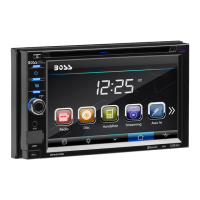
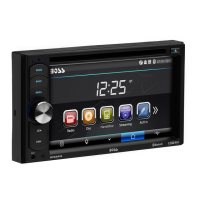
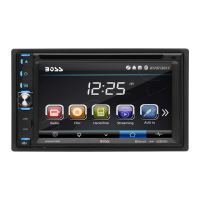
This document is a user manual for the BOSS Audio Systems BV9371BD, a Bluetooth-enabled DVD/MP3/CD AM/FM receiver featuring a detachable 6.2" (157 mm) widescreen touchscreen digital TFT LED monitor.

Function Description

The BV9371BD is a multimedia receiver designed for in-car entertainment. It supports various audio and video formats and offers multiple connectivity options. The core functions include:

  • Radio Operation: AM/FM tuner with preset memory stations for different regions (Europe, America, Asia, South America, Russia).
  • Disc Playback: Plays DVDs, MP3s, and CDs. It supports DVD±R/RW Video and CD±R/RW Audio & Video formats.
  • USB/SD Playback: Multimedia playback from USB drives and SD/MMC cards. Supported music file formats include MP3 and WMA.
  • Bluetooth Connectivity: Allows for hands-free calling and audio streaming (A2DP profile) from compatible mobile phones.
  • Aux-In: Provides an auxiliary input for connecting external audio signal sources.
  • Rear View Camera Input: Supports connection to a rear view camera for enhanced safety when backing up.
  • Steering Wheel Control (SWC): Allows integration with existing steering wheel controls for convenient operation.
  • Sound Control: Features an equalizer (EQ) with preset modes (User, Classic, Rock, Pop, Jazz, Electric, Flat) and adjustable balance/fader. It also includes loudness control and subwoofer output.
  • Display Settings: Adjustable screen brightness, contrast, hue, saturation, and sharpness. Users can also select wallpaper and set backlight time.

Important Technical Specifications

  • Power Supply: 11~16V DC
  • Current Consumption: Max. 10 A
  • Maximum Power Output: 80W x 4 channels (max)
  • Compatible Formats: DVD ±R/RW Video, CD ±R/RW Audio & Video
  • Dimensions (W x D x H) / Weight: 6.5" x 7.0" x 3.9" / 7.5 lbs
  • Working Temperature Range: -4°F -- +140°F
  • ESP Function: 10 sec. for Audio CD, 120 sec. for MP3
  • TFT Display: 6.2 inch, 800x480 pixel resolution, 4:3/16:9 aspect ratio, 460 cd/m² brightness, 500:1 contrast ratio.
  • FM Radio Frequency Range:
    • Europe: 87.5-108MHz (Step 50KHz)
    • America: 87.5-107.9MHz (Step 200KHz)
    • Asia/South America: 87.5-108MHz (Step 100KHz)
    • Russia: 87.5-108MHz (Step 50KHz), 65-74MHz (Step 30KHz)
  • AM(MW) Radio Frequency Range:
    • Europe: 522-1620 (Step 9KHz)
    • America: 530-1710 (Step 10KHz)
    • Asia/South America/Russia: 520-1710 (Step 10KHz)
  • Preset Memory Stations: 18 for FM, 12 for AM.
  • Audio Specification: 20 Hz-20 KHz frequency response.
  • TV Color System: NTSC/PAL
  • USB Interface: USB 2.0 full speed.
  • USB Type: Supports MP3, WMA, MPEG1, MPEG2, AVI formats.

Usage Features

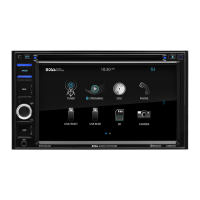
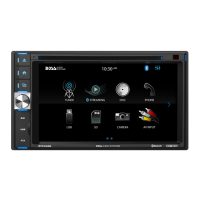
  • Main Menu Navigation: The unit starts by displaying the main menu, allowing access to all features by tapping on touchscreen buttons. Users can swipe left and right to switch between menu pages.
  • Button Description: The front panel includes buttons for MIC, EJECT, HOME, SOURCE, POWER/MUTE/VOL, USB, AUX, and a RESET button. The VOL knob controls power on/off and volume adjustment.
  • Remote Control: A comprehensive remote control is provided for various functions including mode selection, power, navigation, band/random/clear, enter, eject, stereo/mono, P.SCAN/REPEAT, seek, loud, stop/PBC, OSD, play/pause, mute/Bluetooth, menu/root, subtitle, setup, dial/angle, hang up, volume up/down, zoom, and numeric key input.
  • Parking Brake Connection: For safety and legal compliance, video playback is only enabled when the parking brake wire is connected and the vehicle is stopped.
  • Time Setting: The unit allows users to set the time (hour/minute, AM/PM).
  • OSD Language: Selectable English/Spanish for on-screen display.
  • Panel Adjust: Allows calibration of the touchscreen.
  • Key Beep: Option to turn beep sound on or off.
  • Standby Display: Option to set standby display on or off.
  • Bluetooth Pairing: Initial pairing requires searching for "Boss Audio BV9371BD" and entering password "0000". Once paired, the phone name is displayed, and the unit is ready for Bluetooth communication.
  • Bluetooth Calling: Supports making and receiving calls, with options to clear digits, redial the latest call, and adjust call volume separately.
  • Bluetooth Phonebook: Downloads contacts from a paired phone, listed alphabetically. Supports Western characters.
  • Voice Transfer: During a call, users can transfer the call between the Bluetooth mode and the phone.
  • A2DP Music Mode: Allows streaming audio from a Bluetooth-enabled mobile phone to the car speakers.
  • Aux-In Mode: Displays "NOW PLAYING" when an external audio source is connected. If no audio signal is detected, "NO SIGNAL DETECTED" is displayed (Aux-In does not support video display).

Maintenance Features

  • Disc Handling:
    • Hold discs with both hands or one hand without touching the signal surface.
    • Avoid using damaged (cracked or warped) discs.
    • Do not scratch or dirty the signal surface.
    • Do not attach paper or seals to discs, as glue can damage the player.
    • Irregularly shaped discs (heart-shaped, hexagonal) should not be used.
  • Disc Cleaning:
    • Remove fingerprints or dust by gently wiping the disc from the center toward the edges with a soft cloth.
    • Do not use benzene, thinner, or other volatile chemicals, or record/antistatic sprays.
    • A separately sold cleaning set is recommended.
    • For tough dirt, apply water to a soft cloth, wring it out, wipe the dirt, then wipe with a dry cloth.
  • Disc Storage:
    • Always place discs in their case and store them vertically.
    • Avoid hot, humid, or extremely cold places, and direct sunlight.
  • Troubleshooting: The manual provides a table of common symptoms, causes, and remedies, including:
    • No Power: Check fuse, ignition key position.
    • No Sound Output: Check wiring, power antenna lead, amplifier remote wire.
    • Buttons Not Responding/Display Inaccurate: Reset the unit using a pen/toothpick.
    • Dirty Connectors: Wipe with a soft cloth moistened with cleaning alcohol.
    • Bad Sound: Clean or replace compact disc, allow internal lens to dry if condensation occurs.
    • Disc Cannot Be Loaded/Read: Remove existing disc, insert correctly (label facing upward), clean or replace disc, allow unit to cool if temperature is too high.
    • Operation Keys Not Working: Reset the unit, ensure front panel is properly fixed.
    • Sound Skips: Adjust installation angle, clean or replace disc.
    • Radio Not Working/Auto Selection Fails: Ensure antenna cable is firmly connected, select station manually.
  • Remote Control Battery: If the remote control is not used for an extended period, remove the battery to prevent leakage. Replace with a new CR2025 (3V) lithium cell battery when needed. Dispose of empty batteries according to local regulations. Keep batteries out of reach of children.

Boss Audio Systems BV9371BD Specifications

General IconGeneral
BrandBoss Audio Systems
ModelBV9371BD
CategoryCar Receiver
LanguageEnglish

Related product manuals