EasyManua.ls Logo

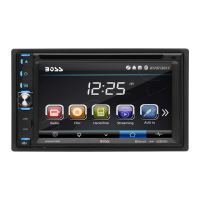
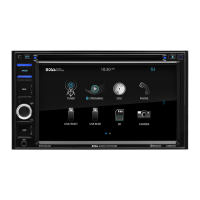
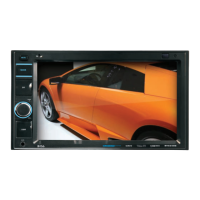
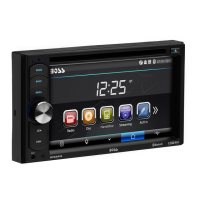
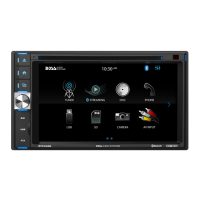
Boss Audio Systems BV9372BI - User Manual

Boss Audio Systems BV9372BI
24 pages
Print Icon
To Next Page IconTo Next Page
Loading...
USERS MANUAL
BV9372BI
BLUETOOTH® | DVD/MP3/CD AM/FM RECEIVER
iPod® and iPhone® are trademarks of Apple, Inc. registered in the U.S. and other countries.
BOSS Audio Systems is not affiliated with Apple, Inc.
The Bluetooth® word mark and logos are registered trademarks owned by Bluetooth SIG, Inc. and any use of such marks
by BOSS Audio Systems is under license. Other trademarks and trade names are those of their respective owners.
USERS MANUAL
BV9372BI
BLUETOOTH®
DVD/MP3/CD AM/FM RECEIVER
FEATURING 6.2" (157 mm) WIDESCREEN TOUCHSCREEN
DIGITAL TFT LCD MONITOR
BOSS Audio Systems
3451 Lunar Court • Oxnard, CA 93030
www.bossaudio.com
800-999-1236 US Toll-free
805-751-4853 Customer Service
Tech Support: www.bossaudio.com/support/technical-support
1017

Questions and Answers

  • L
    Lonnie HowardJul 26, 2025
    Why is the radio reception so poor on my Boss Audio Systems BV9372BI Car Receiver?
    • A
      Amanda JohnstonJul 26, 2025
      Poor radio station performance on your Boss Audio Systems Car Receiver could be due to a weak signal. Try moving your car to another location and then research for available stations.
  • W
    william36Jul 30, 2025
    How to fix Boss Audio Systems Car Receiver that cannot power on?
    • S
      Samantha ChaseJul 31, 2025
      If your Boss Audio Systems Car Receiver cannot power on, there are a couple of things you can check: * First, examine the fuse and replace it with one of the same type if it's blown. * Second, if some factors cause a MPU wrong operation, press the RES button on the panel with a penpoint, and then power it on.
  • M
    Martha WallAug 3, 2025
    What to do if there is no image on my Boss Audio Systems BV9372BI?
    • W
      washingtonjennaAug 3, 2025
      If you are getting no image on your Boss Audio Systems Car Receiver, it may be due to other factors causing a MPU wrong operation. To resolve this, press the RES button on the panel using a penpoint, and then power the unit on.
  • A
    Andrew HarrisAug 7, 2025
    Why can't I watch images while driving with my Boss Audio Systems BV9372BI?
    • N
      nathansmithAug 7, 2025
      Watching images during driving is not allowed. To watch an image, park the car in a safe place, put the car stall in “ P ” postion, pull up the hand brake, parking brake wire must be grounded.
  • W
    Wesley JohnsonAug 12, 2025
    What to do if my Boss Audio Systems Car Receiver cannot play a disc?
    • T
      Todd MatthewsAug 12, 2025
      If your Boss Audio Systems Car Receiver cannot play a disc, consider the following: 1. The disc may be scratched, replace it with a new one. 2. Ensure that you insert the disc with the sign side up. 3. The lens may be dirty, so clean it with a lens cleaning disc.
  • H
    halladamAug 17, 2025
    What to do if my Boss Audio Systems BV9372BI cannot load a disc?
    • T
      Taylor ParkerAug 17, 2025
      If your Boss Audio Systems Car Receiver cannot load a disc, make sure there isn't already a disc inside. Remove any existing disc before inserting a new one.
  • D
    David LandryAug 20, 2025
    Why can't I switch the language or subtitle on my Boss Audio Systems BV9372BI Car Receiver?
    • C
      clarklukeAug 20, 2025
      If you cannot switch the language or subtitle on your Boss Audio Systems Car Receiver, it is because the disc only contains one language or subtitle. If a disc does not have multi-language/subtitle options, switching will not be possible.

Summary

Unit Installation and Connections

Unit Mounting and Wiring

Instructions for physically installing the unit using brackets and connecting wires.

Parking Brake and Speaker Wiring

Details on connecting the parking brake for video and proper speaker wiring.

Controls and Interface Navigation

Unit Button Layout

Identifies and explains the function of buttons on the main unit.

Remote Control Functions

Comprehensive guide to all buttons on the remote control for device operation.

System Operations and Features

Main Menu Navigation

Overview of the main menu structure and screen navigation.

Radio Operation

How to tune stations, use presets, and access radio features.

DVD and Media Playback

Guide to playing DVDs, VCDs, and other media files.

USB;SD Card Media

Playing music, videos, and photos from USB drives and SD cards.

Settings and Customization

Adjusting audio, display, language, and other system preferences.

Bluetooth Connectivity

Pairing devices, making calls, and streaming audio via Bluetooth.

Aux-In Audio Input

Connecting external audio sources using the Aux-In port.

Disc Handling and Troubleshooting

Disc Handling and Cleaning

Best practices for handling, cleaning, and storing optical discs.

Troubleshooting Common Problems

Solutions for issues like power loss, no sound, or playback errors.

General Specifications

Technical Specifications Overview

Detailed technical data including dimensions, power, and format support.

Boss Audio Systems BV9372BI Specifications

General IconGeneral
Screen Size6.2 Inches
Resolution800 x 480
BluetoothYes
USB PortYes
Aux InputYes
Power Output80 Watts x 4
Preamp Outputs3 pairs (front, rear, subwoofer)
Radio TunerAM/FM
Video PlaybackYes
SD Card SlotYes
Pre-Amp Outputs3 pairs (front, rear, subwoofer)
Steering Wheel Control CompatibleYes
EqualizerYes
Wireless RemoteYes
Rear Camera InputYes
DVD PlayerYes
CD PlayerYes
Subwoofer OutputYes
Remote ControlYes
Peak Power Output80 Watts x 4 Channels

Related product manuals