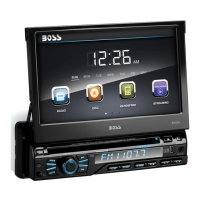
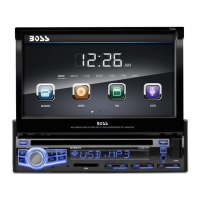
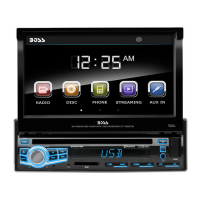
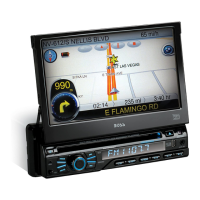
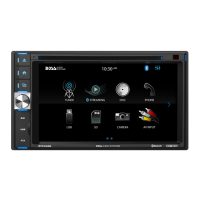
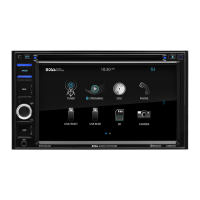
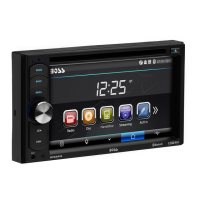
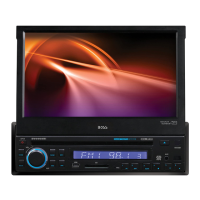
The Boss Audio BV9968BI is a versatile in-dash DVD/MP3/CD AM/FM receiver designed to enhance your in-car entertainment and connectivity experience. This unit features a motorized flip-out 7-inch (178mm) touchscreen widescreen digital TFT monitor, offering a clear and interactive display for various functions.
Function Description
The core functionality of the BV9968BI revolves around its multimedia playback capabilities. It supports DVD, VCD, CD, MP3, WMA, JPEG, and MPEG4 formats, allowing you to enjoy a wide range of audio and video content. The unit includes dual USB ports (front and rear) and an SD memory card slot, enabling playback of media files from external storage devices. An auxiliary input on the front panel provides an additional option for connecting portable audio players.
Radio reception is handled by an AM/FM tuner, offering access to your favorite stations. The unit supports both European and USA frequency ranges, and its switchable frequency feature allows users to adapt it to their regional standards. This is achieved through a simple setup process within the main menu, where users can select the desired radio region. The tuner includes features for automatic and manual station scanning, as well as the ability to save preset stations across multiple bands (FM1, FM2, FM3, AM1, AM2). RDS (Radio Data System) functionality, where available, provides additional information such as traffic updates, station names, and program types, and can automatically switch to stronger signals for continuous listening.
A significant feature of the BV9968BI is its Bluetooth® connectivity. This enables hands-free calling and audio streaming from compatible mobile phones. Users can pair their devices, dial numbers directly from the touchscreen or through number buttons, and manage calls, including switching audio between the car speakers and the mobile phone. The unit also keeps a record of received, dialed, and missed calls for convenience. Bluetooth volume can be adjusted independently.
The BV9968BI offers full iPod® control, allowing users to connect and manage their iPod devices directly through the receiver's interface. This includes playback controls such as play/pause, fast forward/backward, and track selection.
For external connectivity, the unit provides video and audio input jacks, allowing integration with other external devices. A rearview function is also integrated, automatically switching to a reverse video state when the car is in reverse, and returning to the previous state when shifting out of reverse. This feature is designed to assist with parking and maneuvering.
Usage Features
Operating the BV9968BI is designed to be intuitive, primarily through its touchscreen interface and a remote control. The unit powers on/off by pressing a dedicated button on the front panel. The "MODE" button allows users to cycle through different functions such as Radio, DVD, USB, SD, AUX, Bluetooth, and iPod. If a connected device or disc is not present for a particular mode, the system will automatically skip it.
The touchscreen is central to interaction, with function icons providing direct access to corresponding operations. A "MUTE/TFT on/off" button allows for quick silencing of audio and toggling the display on or off. Volume adjustment is managed through a rotary knob, which also serves as a selector for various audio settings like bass, treble, balance, and fader.
Disc playback includes standard controls like play/pause, stop, fast forward/backward, and track selection. For MP3/WMA/JPEG/MPEG4 files, the unit offers additional features such as repeat play (chapter, title, or all) and random playback. The touchscreen menu provides access to these controls during playback.
The unit's parental control function for DVDs allows users to set a default grade for DVD playback, requiring a password to change it. This ensures content suitability for different audiences.
Language setup is available, allowing users to select their preferred display language for menus. Time settings can be adjusted, and video settings such as brightness, contrast, saturation, and hue can be customized to optimize viewing. Wallpaper and opening picture options allow for personalization of the interface.
Steering wheel control integration is supported, enabling users to map various functions of the receiver to their vehicle's steering wheel buttons. This enhances convenience and safety by allowing control without taking hands off the wheel. The setup process involves connecting the control wires and then assigning functions to each button through the unit's interface.
Maintenance Features
The BV9968BI includes several features related to maintenance and troubleshooting. If the unit experiences abnormal operation, a "RESET" button can be pressed with a prong object to restart the unit and return settings to their previous status.
A "Touch calibration" feature is provided to address any inaccuracies in touchscreen responsiveness. This involves a guided process where users touch specific points on the screen to recalibrate it, ensuring precise interaction.
The manual includes a troubleshooting guide that outlines common problems and their solutions. For instance, if the unit cannot power on, it suggests checking the fuse or pressing the RES button. Issues with radio reception might require moving the car or researching for better signal. Problems with disc loading or playback often point to scratched discs, incorrect disc insertion, or a dirty lens, with solutions provided for each.
The unit also provides guidance on battery replacement for the remote control, advising users to change the battery if the control distance shortens or functions fail, and to ensure correct polarity during replacement.
The warning regarding the rearview system emphasizes that it is an assistance tool and should not be solely relied upon for driving, highlighting the importance of direct eyesight to prevent accidents due to limited range.
Overall, the Boss Audio BV9968BI is designed to be a comprehensive and user-friendly car multimedia system, offering a blend of entertainment, communication, and convenience features with practical maintenance considerations.


 To Next Page
 General