EasyManua.ls Logo

Boss Audio Systems BV9980NV - User Manual

Boss Audio Systems BV9980NV
50 pages
Print Icon
To Next Page IconTo Next Page
Loading...
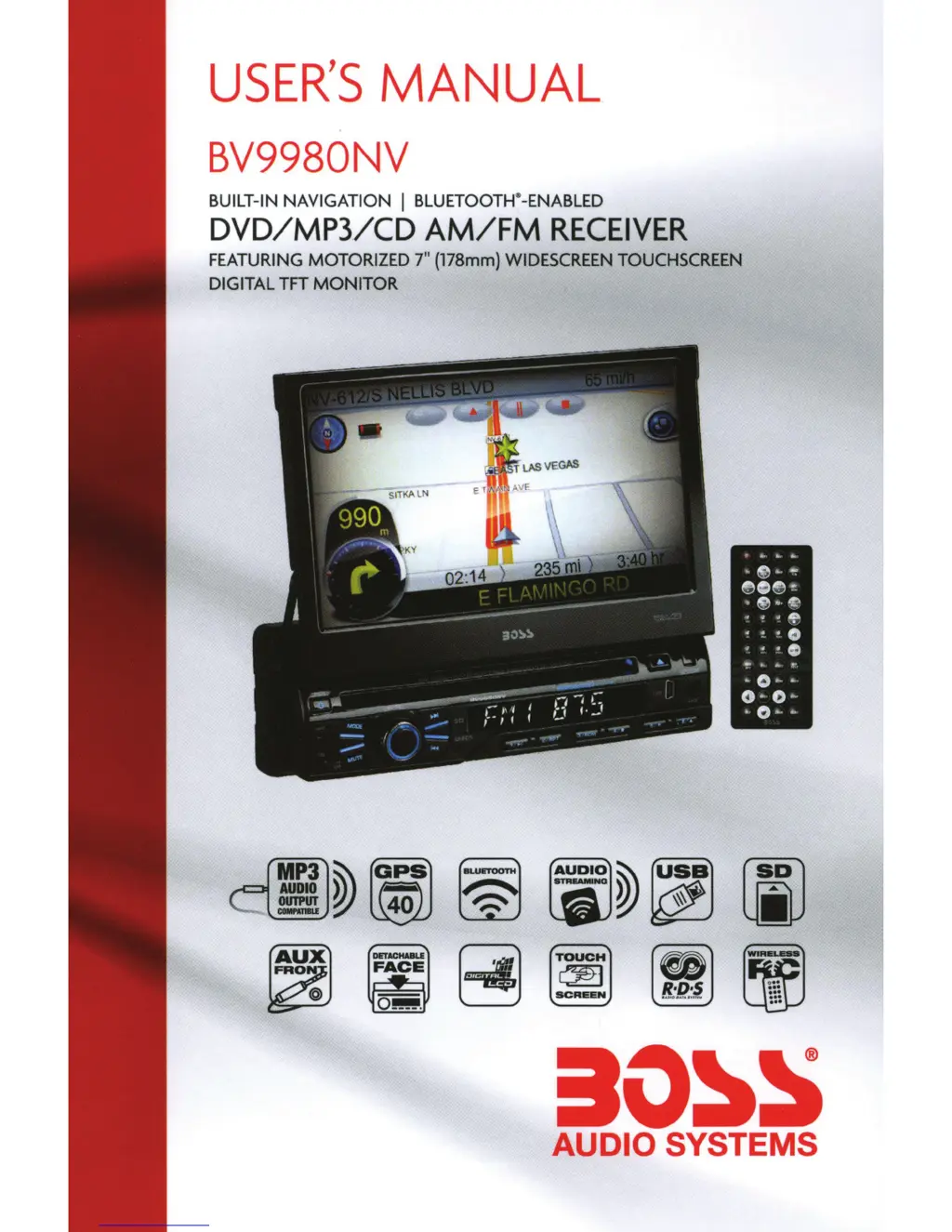
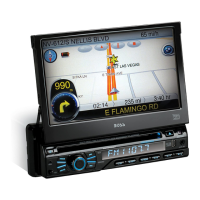
USER'S
MANUAL
BV9980NV
BUILT
-IN NAVIGATION I
BLUETOOTH
~
-ENABLED
DVD/MP3.
/CD
AM/FM
RECEIVER
FEATURING
MOTORIZED
7"
(178mm)
WIDESCREEN
TOUCHSCREEN
DIGITAL
TFT
MONITOR
MP3~
~
ll
AUDIO
-
~
40
~
~
ao~s
AUDIO SYSTEMS

Questions and Answers

  • R
    roy08Jul 27, 2025
    Why can't I watch images while driving with my Boss Audio Systems Car Receiver?
    • A
      Aaron DaughertyJul 27, 2025
      Watching images while driving is not permitted. To view images, park the car in a safe location, shift to the ā€œPā€ (Park) position, engage the hand brake, and ensure the parking brake wire is grounded.
  • C
    Clifford OconnorAug 1, 2025
    What to do if my Boss Audio Systems BV9980NV Car Receiver cannot power on?
    • N
      nashleyAug 1, 2025
      First, check fuse C and replace it with a new fuse of the same type. If the issue persists, some factors might cause a wrong operation. In that case, press the RES button on the panel with a penpoint, then power on the device.
  • W
    woodsfrancesAug 7, 2025
    What to do if my Boss Audio Systems BV9980NV Car Receiver cannot play a disc?
    • S
      Sarah GatesAug 7, 2025
      There could be several reasons why your disc isn't playing. * The disc might be scratched, try a new disc. * The disc may have been inserted upside down; insert the disc with the labeled side up. * The lens could be dirty; clean the lens with a lens cleaning disc.
  • K
    kimberly55Aug 14, 2025
    Why does my Boss Audio Systems BV9980NV Car Receiver lose all settings after switching off the ignition?
    • S
      Summer WuAug 14, 2025
      If your car receiver loses all setting information after the ignition is switched off, it might be due to a change in battery or fuse R. You will need to reset the information and save it.
  • K
    Kelly KingAug 20, 2025
    What to do if I cannot switch language/subtitle on my Boss Audio Systems BV9980NV?
    • S
      Shawn WilliamsAug 20, 2025
      If you cannot switch the language or subtitles, it is likely that the disc does not support multiple languages or subtitles.

Summary

Remote Control Operation

System Operation

Turn On;Off

Instructions for powering the unit on and off.

Access Main Interface

Navigating to the primary user interface screen.

Radio Operation

Disc Operation

USB;SD Card Operation

Bluetooth (BT) Operation

External Input and Control

External Input Operation

Connecting and using external audio/video sources.

GPS and Other Operations

GPS Operation

Details on using the Global Positioning System navigation.

Basic Operation Setup Menu

Access Setup Interface

Navigating to the main settings menu.

General Settings

Wiring Diagram

Troubleshooting

Specifications

Main Map Screen Overview

Navigation Interface and Controls

Navigation Screen Elements

Understanding the map display, route information, and control buttons.

Basic Navigation Commands

Performing Searches

Search Criteria and Filtering

Entering search details for addresses, POIs, and filtering results.

Navigating to Destinations

Address and POI Navigation

Step-by-step guides for navigating to addresses and Points of Interest.

Location Navigation Methods

Postcode and Coordinate Navigation

Finding locations using postcode or latitude/longitude.

Route Planning and Management

Customizing NDrive Interface

NDrive Settings and Preferences

Safety, System, and Routing Options

Configuring safety alerts, system themes, and route calculation logic.

NDrive Feature Explanations

Destination Entry and Search Details

Detailed explanation of Go To, Address, and Places search functions.

Navigation Options Explained

Explaining POI navigation, favorites, home, itineraries, and route commands.

NDrive Support Resources

Online Help and Technical Support

Accessing FAQs, user guides, and technical assistance.

Boss Audio Systems BV9980NV Specifications

General IconGeneral
BrandBoss Audio Systems
ModelBV9980NV
CategoryCar Receiver
LanguageEnglish

Related product manuals