Installing your Smart Plug on a WiFi network is a simple two step process online via your web
browser or mobile app. This guide covers installation through Internet Explorer, Firefox, and
Google Chrome on Windows. To install your Smart Plug via iOS, Android, or Mac OS X,
please goto www.bosscontrols.com/support and choose the Quickstart Guide for your
system.
To install your Smart Plug on Windows, you will need:
1. The network name the Smart Plug will be installed on.
2. The network password the Smart Plug will be installed on.
3. A PC with a WiFi internet connection.
4. Windows 7 or later. Windows XP is not supported.
5. Web browser: Google Chrome, Mozilla Firefox, or Internet Explorer 8 (or later).
6. Please write down your network name and password now.
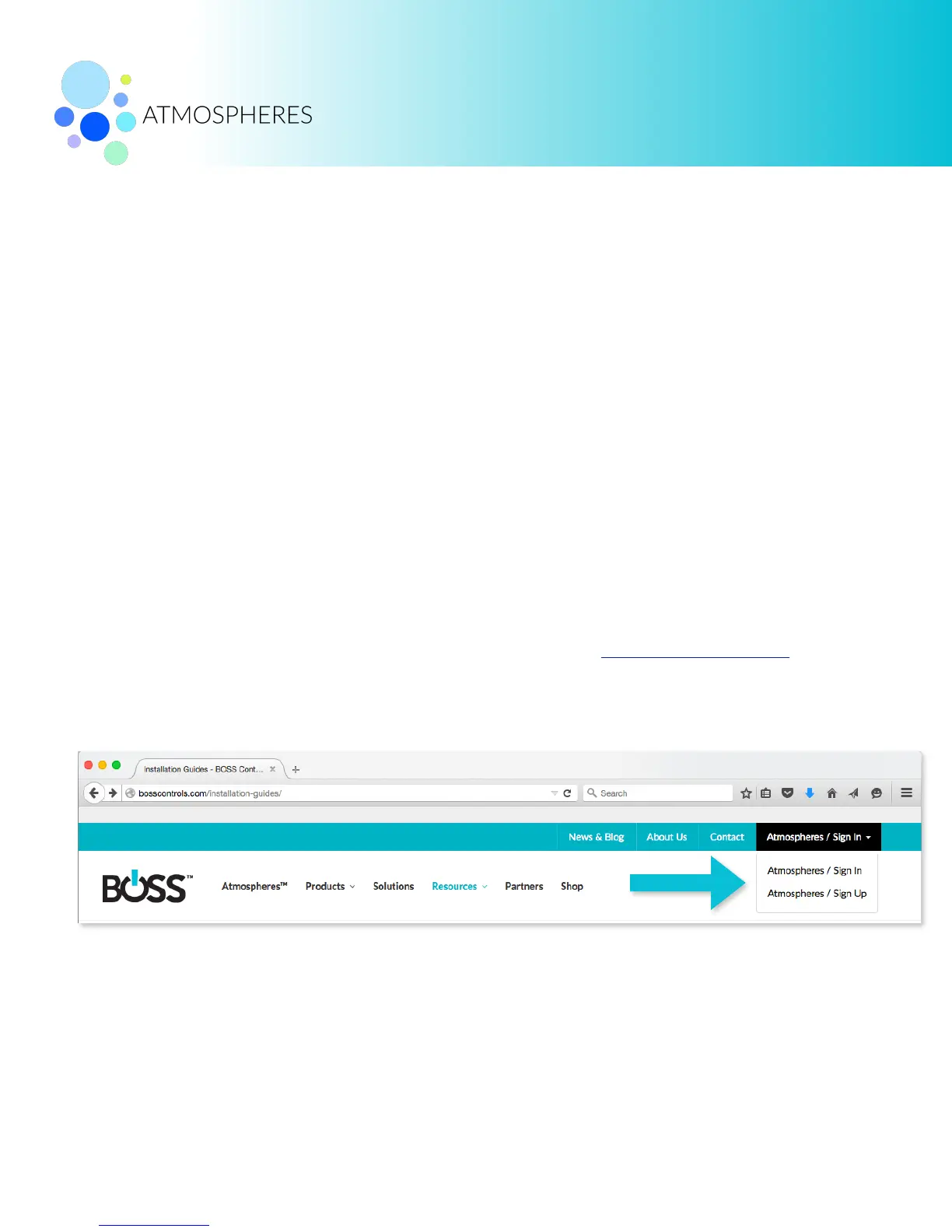
7. Sign in to your BOSS account. If you need an account, go to www.bosscontrols.com and
sign up for free. Click on Atmospheres / Sign In. Click Sign Up. Follow the on-screen
instructions.
First, the Smart Plug must be added to your BOSS account. Second, the Smart Plug must be
connected to your WiFi network.


 To Next Page
 Loading...