9
Controls & Functions
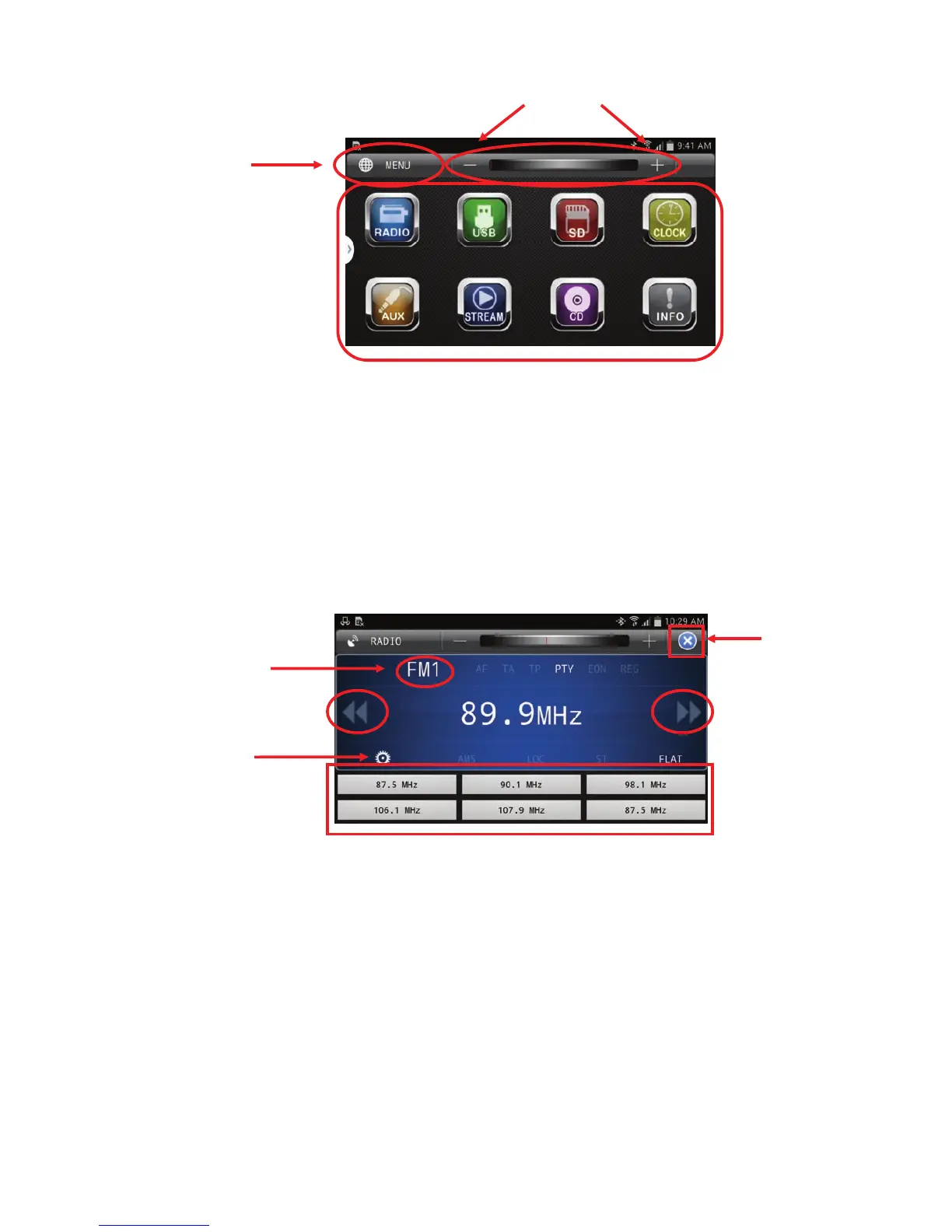
Sources
The available source icons will be highlighted.
If the source is unavailable (i.e. CD is not inserted), the icon will be appear dark
Volume
Volume control be accomplished through the “+” and “-” icons on the screen.
The red bar can also be used for volume, it can be moved with your finger left or right, to lower or raise the
volume respectively.
The volume function will always be present in all menus, in the same location globally.
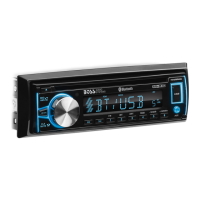
Radio Mode
Seek/Scan Settings
To Scan, slide your finger left (back) or right (forward) on the displayed frequency
Access Presets by pressing one of the six presets
To store presets, press and hold the frequency displayed and drag it to the desired preset location
Change Bands (FM1, FM2, FM3, AM1, AM2)
Settings– This icon will display in all sources
Return– Will take you back to previous menu.
Home
(Current View)
Volume
Sources


 To Next Page